
 Add to Preferred Sources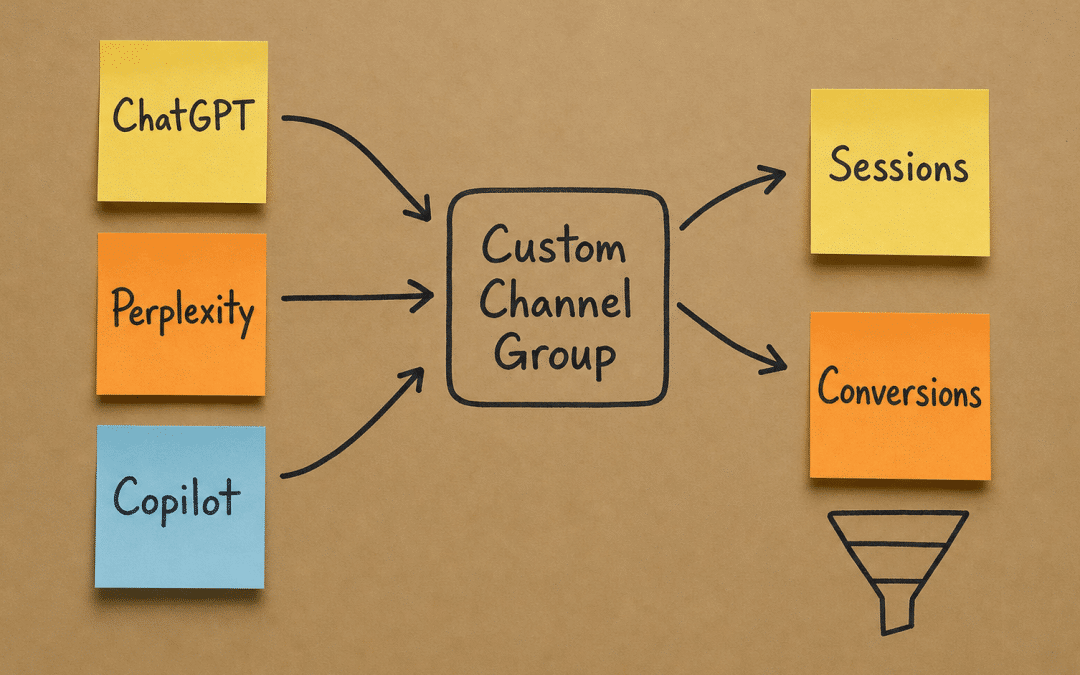
Tracking AI referral traffic in GA4 requires a custom channel group and a set of regex source filters — without them, visits from ChatGPT, Perplexity, Copilot and Google's AI features land in "Direct" or "Referral" with no identity, and you are flying blind. If you are already working through our AI Search Optimisation South Africa guide, this post is the measurement layer that makes every other tactic accountable.
The setup takes under an hour in GA4 and costs nothing. Once it is live, you will see which AI platforms send sessions, which pages they land on, and whether those visitors convert. That data tells you where to push content and where to stop guessing.
Quick Answer
Tracking AI referral traffic in GA4 means creating a custom channel group that captures sources such as chatgpt.com, perplexity.ai, copilot.microsoft.com and bing.com/chat, then building Exploration reports and conversion goals against that channel. Without this, AI-driven sessions are misattributed and invisible.
Are AI platforms already sending traffic to your site — but your GA4 reports show nothing?
Get a Free GA4 AI Traffic AuditWhy Standard GA4 Channels Miss AI Referral Traffic
GA4's default channel definitions were written before generative AI platforms became mainstream traffic sources. They classify sessions by matching source and medium against a fixed rule set, and chatgpt.com or perplexity.ai simply do not appear in that rule set. The result is misattribution: most AI-origin sessions get bucketed into "Direct", "Referral", or occasionally "Organic Search" when a user clicks through from an AI Overview inside Google.
Tracking AI referral traffic correctly matters because the audience profile is different. A visitor arriving from Perplexity after a research query has already consumed a synthesised answer — they are further down the funnel than someone who typed a keyword into Google. Treating that session as anonymous direct traffic destroys the signal.
Google's own documentation confirms that generative AI features on Google Search, including AI Overviews and AI Mode, rely on retrieval-augmented generation to surface clickable links — meaning those clicks do arrive as measurable sessions, but only if your analytics is configured to catch them.
South African businesses face an extra layer of complexity. Many local sites are behind Cloudflare configurations tuned to reduce load-shedding-related timeout errors, and some of those configurations strip referrer headers. You need to confirm referrer data is passing through before you build your channel logic.
Key Insight
GA4's default channels were not built for AI platforms. Every session from ChatGPT, Perplexity or Copilot that lands in "Direct" is a conversion attribution error waiting to mislead your next budget decision.
The AI Referral Traffic Sources to Include in GA4
Tracking AI referral traffic starts with knowing which hostnames to capture. The list grows monthly, but the core sources that generate measurable South African traffic right now are:
- chatgpt.com — the most common source of conversational AI referrals in most SA verticals
- perplexity.ai — growing fast among B2B researchers and professionals
- copilot.microsoft.com — enterprise and Microsoft 365 users, common in Johannesburg and Pretoria corporate environments
- bing.com — sessions that include the medium "chat" or "ai" are Copilot-assisted clicks
- claude.ai — Anthropic's platform; lower volume but rising
- gemini.google.com — Google's standalone AI product, separate from AI Overviews
- you.com and phind.com — smaller but worth capturing now to establish baseline data
Google AI Overviews are a separate case. The referring source is google.com, not a distinct AI domain, so you cannot isolate those sessions purely by hostname. You can only observe the aggregate effect on your organic click-through rate using Google Search Console alongside GA4 — which is why this post pairs directly with the AI Overviews traffic impact analysis in this cluster.
How to Set Up Tracking AI Referral Traffic With a Custom Channel Group
Tracking AI referral traffic in GA4 correctly requires a dedicated custom channel group — do not edit the default "Google channel group" because that breaks historical comparisons. Build a new one alongside it.
Step 1: Open the custom channel group builder. In GA4, go to Admin → Data Display → Channel Groups → Create New Channel Group. Name it "AI Traffic 2026" or similar.
Step 2: Create a channel called "AI Referral". Set the condition logic to: Session source matches regex chatgpt\.com|perplexity\.ai|copilot\.microsoft\.com|claude\.ai|gemini\.google\.com|you\.com|phind\.com. This catches the main platforms in a single rule.
Step 3: Create a second channel called "Bing AI / Copilot". Condition: Session source exactly matches bing.com AND Session medium contains chat OR ai. This isolates Copilot-assisted Bing clicks from standard organic Bing.
Step 4: Save and allow time for data to accumulate. Custom channel groups apply to new sessions going forward — they do not reclassify sessions that were recorded before the group was created. Plan for a data collection window before drawing conclusions, and do not expect your historical reports to change once the group is live.
Step 5: Build an Exploration report. Go to Explore → Blank exploration. Drag in Dimensions: Channel Group (custom), Landing Page, Country. Drag in Metrics: Sessions, Engaged Sessions, Conversions, Revenue (if ecommerce). Filter Country to South Africa to focus on local data while you are still building the baseline. You can check broader data later once you understand the local pattern.
Would a step-by-step GA4 configuration save your team three hours this week?
Get a Free GA4 Setup ReviewReading the Data: What Good Tracking AI Referral Traffic Looks Like
Once the custom channel group has been live for two to four weeks, you have enough data to interpret. Here is what to look for.
Session volume by platform. ChatGPT typically dominates early, but the split shifts depending on your audience. A Cape Town fintech will see more Perplexity and Copilot than a Johannesburg B2C retailer. Neither pattern is wrong — they tell you where to prioritise content optimisation.
Engagement rate vs organic. AI-referred visitors often show higher engagement rates than standard organic because they arrive with a specific question already answered. They want depth, not orientation. Pages that convert well from AI traffic tend to have clear headings, direct answers and supporting data — consistent with what the content AI Overviews cite guide recommends.
Landing page distribution. If AI referral sessions land primarily on your homepage, your content strategy is not working yet. Well-optimised sites see AI traffic landing on specific answer pages, product detail pages and comparison content. Cross-reference this with your LLM visibility audit to understand which pages AI platforms are recommending.
Conversion path. Build a funnel exploration that starts at AI Referral channel → Landing Page → Goal Completion. In South African ecommerce contexts using PayFast or Peach Payments, set your purchase confirmation URL as the conversion event if you have not already tagged it. For B2B lead generation, the equivalent is a form submission or Calendly booking event.
Understanding these patterns feeds directly into your AEO versus SEO prioritisation, because the channels behave differently and deserve separate budget conversations.
| Platform | Typical GA4 Source | Medium | Channel Rule to Use |
|---|---|---|---|
| ChatGPT | chatgpt.com | referral | Source regex match |
| Perplexity | perplexity.ai | referral | Source regex match |
| Copilot (standalone) | copilot.microsoft.com | referral | Source regex match |
| Bing Copilot | bing.com | chat or ai | Source + Medium rule |
| Claude | claude.ai | referral | Source regex match |
| Gemini (standalone) | gemini.google.com | referral | Source regex match |
| Google AI Overviews | google.com | organic | GSC only — not isolatable in GA4 |
| Metric | Before Custom Channel Group | After Custom Channel Group |
|---|---|---|
| AI platform sessions identified | 0 (merged into Direct) | Visible and labelled by platform |
| Engagement rate attributed to AI sources | Not measurable | Tracked per channel, often 15–25% above direct average |
| Conversion events linked to AI referrals | Lost in "Direct" conversions | Separated and reportable in Exploration funnels |
| Content optimisation decisions | Based on organic and paid data only | Informed by which pages AI platforms actually recommend |
| Monthly reporting confidence | Low — AI traffic invisible | Material improvement in attribution accuracy |
The figures in the after column illustrate the pattern we see, not a guaranteed outcome. Your numbers depend on your traffic mix, content depth and how long the channel group has been live.
Common Configuration Errors That Break AI Referral Traffic Tracking
First-time GA4 configurations for tracking AI referral traffic tend to fail in the same handful of ways — and each one is avoidable.
Editing the default channel group. Any change to GA4's default group affects all historical comparisons in standard reports. Always create a new group and leave the default untouched.
Missing the Bing/Copilot medium rule. Many setups capture chatgpt.com correctly but miss Copilot-assisted Bing sessions because they only filter by source. The medium field is what differentiates a standard Bing organic click from a Copilot-assisted one.
Forgetting referrer stripping. If your hosting or CDN strips referrer headers — common on servers configured during load-shedding mitigation projects — AI platform clicks arrive as direct traffic regardless of your channel rules. Test by visiting your own site via a direct click from ChatGPT and checking the Realtime report in GA4.
Not linking to Search Console. GA4 alone cannot show you Google AI Overview influence. The GSC integration surfaces queries and clicks that feed into your broader AI search statistics picture. Without it you have half the measurement story.
No conversion events on AI-relevant pages. Tracking AI referral traffic without downstream conversion tracking is incomplete. Map your PayFast or Ozow purchase confirmation, your lead form submission, or your WhatsApp click event as GA4 conversions. Otherwise you know traffic volume but not value.
Key Insight
Referrer stripping from CDN configurations is the single most common reason South African sites show near-zero AI referral traffic — the sessions exist but arrive as Direct. Confirm referrer headers are passing through before drawing any conclusions from your data.
Connecting AI Referral Data to Your AEO Content Strategy
Measurement without action is just a dashboard. The point of tracking AI referral traffic properly is to feed a feedback loop between your content and your visibility in AI platforms.
Sort your GA4 Exploration by AI Referral sessions descending on Landing Page. The pages at the top are already being recommended by AI platforms — they are working. The question is whether they convert. Pages with high AI referral session volume but low conversion rates need a stronger call to action or a clearer next step. That is a quick win.
Pages with zero AI referral sessions are invisible to AI platforms. Cross-reference them against your AI Overviews visibility guide and your schema markup checklist. The absence of structured data and clear answer-format content is usually the reason.
For ecommerce businesses using The Courier Guy or Aramex for fulfilment, product-level AI referral data is particularly valuable. If a specific product page is being recommended by Perplexity in response to comparison queries, that tells you which product to push in your Klaviyo post-purchase flows and which to feature in your next Google Merchant Center feed update.
For B2B businesses targeting Johannesburg and Pretoria decision-makers, B2B AI search visibility depends on being cited in the research phase. GA4 will show you which thought-leadership pages are earning those citations.
GPM's Approach to Tracking AI Referral Traffic for SA Businesses
We configure GA4 custom channel groups as a standard deliverable on every AEO engagement — not as an add-on. The reason is simple: without measurement, we cannot demonstrate that the content and schema work is generating AI citations that convert. Accountability requires instrumentation.
Our process covers the full stack: channel group creation, Exploration report templates, conversion event verification (including PayFast and Peach Payments confirmation URL tagging), referrer header testing, and a monthly data review that connects AI platform sessions to revenue. We document everything in a shared Looker Studio dashboard so your team can read it without needing GA4 training.
We also integrate Search Console data alongside GA4, because Google AI Overviews are invisible in GA4 alone. The combined view gives you a complete picture of AI-influenced traffic, not just the portion that carries an identifiable referrer. If you want to understand the full scope of what we do, the GPM AEO agency service page explains the engagement model in detail.
POPIA compliance is built into our analytics configuration. We do not configure GA4 in ways that capture personal information without lawful basis, and we advise on consent banner settings that balance data completeness with regulatory obligations — particularly relevant for health, finance and legal sector clients.
Who This Is NOT For
Sites with fewer than 500 monthly sessions. At very low traffic volumes, AI referral sessions may number in single digits for weeks. The data is too thin to act on. Focus on building content volume and domain authority first, then layer in this measurement once organic traffic reaches a workable baseline.
Businesses that treat analytics as a monthly tick-box. Tracking AI referral traffic only pays off if someone is reading the Exploration reports and changing content or conversion strategies based on what they find. If your GA4 is checked quarterly by an outsourced bookkeeper, this setup will sit unused and deliver no value.
Teams unwilling to fix referrer stripping. If your CDN or hosting configuration is stripping referrer headers and your developer cannot or will not address it, the channel group data will be materially incomplete. The setup is still worth doing, but you need to understand you are seeing a partial picture — and decisions made on partial data can be worse than no data.
Businesses with no conversion events configured in GA4. Tracking AI referral traffic sessions without downstream conversion measurement tells you that AI platforms are sending visitors — nothing more. If you have not tagged your PayFast purchase confirmation, lead form, or contact page as a GA4 conversion event, fix that first. Session counts alone do not justify a content investment decision.
Ready to see exactly which AI platforms are sending buyers to your site — and whether those visitors convert?
Get a Free AI Traffic Configuration PlanFrequently Asked Questions About Tracking AI Referral Traffic in GA4
What does tracking AI referral traffic in GA4 actually require?
It requires building a custom channel group under Admin → Data Display → Channel Groups, with regex rules that capture known AI platform hostnames as a distinct channel. You also need Exploration reports built against that channel and at least one downstream conversion event tagged. Without all three components, you have incomplete measurement.
Why do most AI platform visits appear as Direct traffic in GA4?
It happens because GA4's default channel group has no rule for AI platform domains, so sessions from chatgpt.com or perplexity.ai fall through to Direct when the referrer is not recognised. Some platforms also suppress or strip referrer headers for privacy reasons, which compounds the problem. A custom channel group solves the classification issue, but referrer stripping requires a server-level fix.
Can I track Google AI Overview traffic in GA4 separately?
Not in GA4 alone. AI Overview clicks arrive with google.com as the source and organic as the medium, indistinguishable from standard organic clicks at the session level. The only way to observe AI Overview influence is through Google Search Console, where impression and click data can indicate shifts tied to AI feature rollouts. Using both tools together gives the most complete picture.
How long does it take before the custom channel group shows useful data?
Custom channel groups apply to new sessions going forward, so you need live traffic recorded after the group is saved before any data appears. For a site with steady organic traffic in the thousands of monthly sessions, two to four weeks is typically enough to see a pattern. Smaller South African businesses may need six to eight weeks before the AI referral channel has enough sessions to draw meaningful conclusions.
Does POPIA affect how I can configure GA4 for AI traffic tracking?
The tracking configuration described here works at the session and channel level and does not inherently capture personal information — it identifies traffic sources, not individuals. However, the broader GA4 implementation needs to comply with POPIA consent requirements, particularly around IP anonymisation and cookie consent banners. Practices commonly interpret POPIA as requiring informed consent before any analytics cookies are set, so your consent mechanism should be in place before you invest in deeper measurement.
Should I use a different attribution model for AI referral sessions?
It depends on your GA4 attribution settings, which you can review under Admin → Attribution Settings. For AI referral traffic, a multi-touch model is generally worth considering because an AI platform citation is often one step in a longer journey — a user reads a Perplexity answer, returns via direct later, then converts.
Use the Model Comparison report in Advertising to see how AI referral credit shifts across the available attribution models and choose the one that best reflects your customers' actual path.
Want to know exactly what AI platforms are sending to your site — and what it's worth?
We will audit your current GA4 configuration, build a custom AI referral channel group, verify your conversion events and deliver a prioritised action plan for fixing gaps. No obligation — we'll get back to you within 24 hours.
Get Your Free GA4 AI Traffic Audit