
 Add to Preferred Sources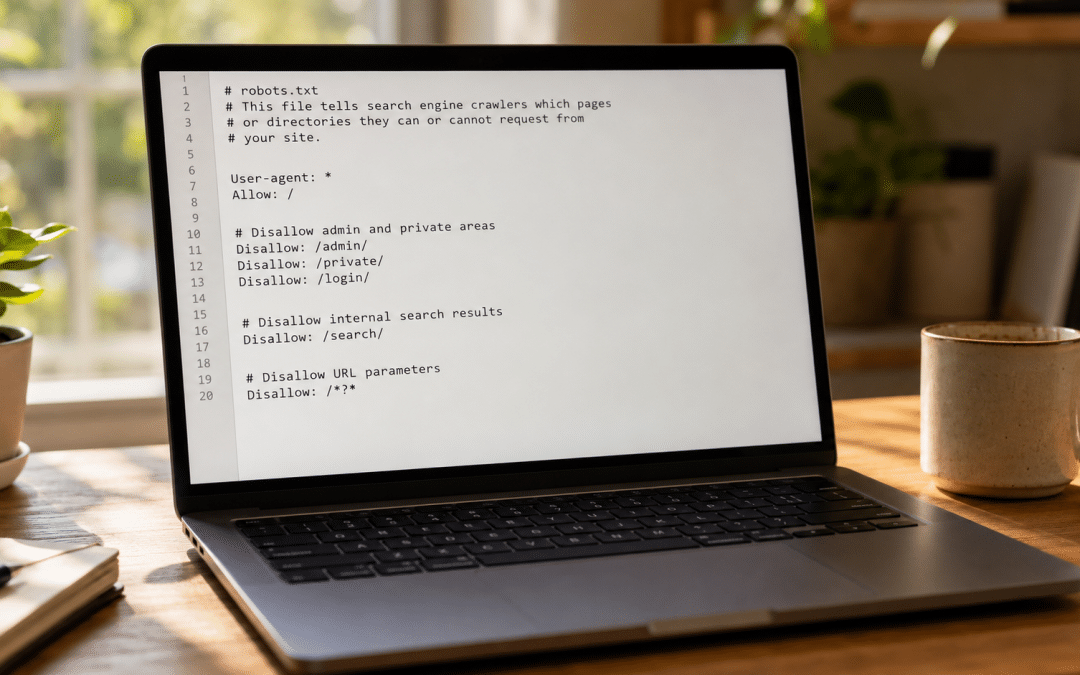
AI crawlers robots.txt decisions come down to one rule that most SA businesses get wrong: allow the search and retrieval crawlers that put you in AI answers, and treat the training crawlers as a separate, deliberate choice — never reflexively block them all, as our full guide to answer engine optimisation in South Africa explains.
The panic move of 2025 — blocking every AI bot to "protect" your content — quietly removed thousands of sites from ChatGPT, Perplexity and Gemini answers. This guide shows you which bots to allow, which to decide on, and how to answer the GPTBot question specifically, building on what answer engine optimisation is.
Quick Answer
Your AI crawlers robots.txt policy should follow one principle: block training, allow search. Search and retrieval crawlers — OAI-SearchBot, PerplexityBot, Bingbot, Googlebot, Claude-SearchBot — are how you appear in AI answers, so allow them unless you want to be invisible. Training crawlers like GPTBot and CCBot are a values and bandwidth decision with no direct citation cost. Blocking GPTBot does not remove you from ChatGPT search — that is a separate bot.
Not sure which AI bots your robots.txt is silently blocking right now? We'll audit it for free.
Get a Free Crawler AuditHow AI Crawlers robots.txt Rules Actually Work
Your AI crawlers robots.txt file is an access-control list: it tells each named bot what it may and may not fetch, and the major AI crawlers respect it. It is not a ranking file and not a citation file — it simply governs which crawlers can reach your content in the first place.
The crucial thing to grasp is that AI companies run more than one bot, each with a different job. One bot gathers content to train models; another fetches pages in real time to answer a user's question. They're separate user-agents, controlled by separate lines, and they have opposite consequences when blocked. For the wider context of how crawling and indexing fit into search, our SEO guide for South Africa is a useful place to start.
robots.txt is necessary but not sufficient. A page also has to be reachable and renderable — no firewall throttling the bot, no noindex or nosnippet on pages you want quoted. Allowing a crawler is step one; making sure it can actually read the page is step two.
Key Takeaway
robots.txt is an access-control list that named AI crawlers respect — not a ranking or citation lever. Each AI company runs multiple bots with different jobs and opposite consequences when blocked, governed by separate lines. And robots.txt alone isn't enough: a page you want cited must also be reachable, renderable, and free of noindex or nosnippet directives.
The Two Bot Families: Training vs Search
Every major AI engine runs two families of bot — training crawlers and search crawlers — and the difference decides everything about your robots.txt strategy. Blocking the wrong one is the most common and costly mistake in AI search.
Training crawlers gather content to improve model weights. GPTBot, ClaudeBot, CCBot and Google-Extended fall here. Blocking them keeps your content out of future training runs — a values and bandwidth decision — but has no direct effect on whether you're cited in AI answers today.
Search and retrieval crawlers fetch pages to build the live answer, and this is visibility infrastructure. OAI-SearchBot, PerplexityBot, Bingbot, Googlebot and Claude-SearchBot sit here. Block one of these and you remove yourself from that engine's answers entirely — there is no way to be cited without being crawled by the search bot.
Key Takeaway
Training crawlers (GPTBot, ClaudeBot, CCBot, Google-Extended) feed model weights — blocking them is a values and bandwidth call with no citation cost. Search crawlers (OAI-SearchBot, PerplexityBot, Bingbot, Googlebot, Claude-SearchBot) build the live answer — blocking any one removes you from that engine's answers. There's no setting that lets you be cited without allowing the search bot.
Want to know if your site is accidentally blocking the search crawlers that earn AI citations? Ask us for a free check.
Get a Free AI Visibility CheckAllow or Block GPTBot? The Direct Answer
Blocking GPTBot is a legitimate choice with no cost to your ChatGPT search visibility, because GPTBot is OpenAI's training crawler — not its search crawler. ChatGPT cites pages using OAI-SearchBot, a completely separate user-agent, so the two decisions are independent.
That means you can allow OAI-SearchBot to stay citable in ChatGPT while disallowing GPTBot to keep your content out of training. It's a valid, common combination. Allowing GPTBot means your content helps train OpenAI's models — long-term brand knowledge, but no citation guarantee — and consumes real crawl bandwidth, since training crawlers fetch far more pages than they ever refer back.
Sensible: An SA firm that wants ChatGPT citations but is uneasy about training allows OAI-SearchBot and ChatGPT-User, and disallows GPTBot. It stays fully citable in ChatGPT search while opting out of the training crawl.
Own goal: A business panics and disallows every bot containing "GPT" or "AI," accidentally blocking OAI-SearchBot too. It disappears from ChatGPT answers entirely — the exact opposite of what protecting content was meant to achieve.
The Crawlers You Should Almost Always Allow
The crawlers you should almost always allow are the search and retrieval bots, because they're the ones that put you in AI answers and send real referral traffic. Unless invisibility is your goal, these stay on Allow.
| Crawler | Engine / job | Block it? | Verdict |
|---|---|---|---|
| Googlebot | Google Search, AI Overviews, AI Mode | Never | Always allow |
| Bingbot | Bing + Microsoft Copilot (one bot) | Never | Always allow |
| OAI-SearchBot | ChatGPT search citations | Never | Always allow |
| PerplexityBot | Perplexity answers | Never | Always allow |
| Claude-SearchBot | Claude retrieval answers | Never | Always allow |
Notice the pattern: every search and retrieval crawler earns an allow. These are your presence in the AI answers your buyers now read, and blocking any single one silently deletes you from that engine.
The Training Crawlers: A Deliberate Choice
The training-crawler side of your AI crawlers robots.txt policy is a genuine judgement call rather than an automatic allow or block, because they trade content ownership against a modest, indirect benefit. Decide them on purpose rather than leaving your CMS default to guess.
The case for blocking is real: training crawlers fetch enormous numbers of pages for very little return — industry analysis puts some crawl-to-referral ratios in the thousands to one — and allowing them means your content trains models you don't control. The case for allowing is that being part of the base model can help an engine "know" your brand over the long term.
One important caveat sits with Google-Extended. Unlike GPTBot, it isn't purely a training toggle — it also governs your eligibility to be grounded in Gemini's answers. Blocking it opts you out of Gemini training but can also cost you Gemini citation visibility, so it isn't the free opt-out GPTBot is.
Key Takeaway
Training crawlers are a deliberate choice: block them to keep content out of model training and save bandwidth, or allow them so engines build long-term knowledge of your brand. Decide on purpose, not by CMS default. The exception is Google-Extended — it doubles as Gemini's grounding control, so blocking it can quietly cost you Gemini citations, unlike the clean opt-out that blocking GPTBot gives.
The #1 Own Goal: Blocking Everything
The single most common own goal in AI search is a blanket block on every AI bot, which deletes you from the answers your buyers increasingly rely on. It usually comes from a well-meaning panic about content or a default plugin setting, not a considered decision. If you are unsure what your robots.txt allows today, a free technical SEO audit from our founder-led team is a sensible first check.
Two traps make it worse. First, a firewall or CDN rule can silently block a crawler even when robots.txt allows it, so the file says one thing while your server does another. Second, blocking by broad user-agent patterns can catch agentic browsers that send normal Chrome signatures — and real human visitors with them.
Key Takeaway
Blanket-blocking every AI bot is the top own goal in AI search — it removes you from the answers buyers now read, usually from panic or a plugin default rather than a real decision. Watch two traps: a firewall or CDN can block a crawler your robots.txt allows, and broad user-agent blocks can catch agentic browsers and real humans. Decide deliberately, then verify at the server too.
A Sensible Starting robots.txt for SA Businesses
A sensible starting point for most SA businesses allows every search crawler, makes the training decision explicit, and blocks the open training archive. Treat the block below as a starting template to adjust to your own policy, not a finished answer.
User-agent: OAI-SearchBot
Allow: /
User-agent: PerplexityBot
Allow: /
User-agent: Claude-SearchBot
Allow: /
# Training decision — allow if you're comfortable with training use
User-agent: GPTBot
Disallow: /
# Block the open training archive
User-agent: CCBot
Disallow: /
# Everyone else
User-agent: *
Allow: /
Sitemap: https://yoursite.co.za/sitemap.xml
Keep Googlebot and Bingbot on their default allow so Google, Copilot and their AI surfaces keep working. Keep genuinely sensitive paths — admin, checkout, account areas — disallowed for all bots. And remember this is a policy that lives, not a file you write once and forget.
Real-World Example: An SA Firm That Unblocked Its Crawlers
A Johannesburg B2B firm had unknowingly blocked every AI bot through a security plugin's default setting, wiping it from AI answers its buyers were using. We audited the robots.txt, allowed the search and retrieval crawlers, made the training decision explicit, and confirmed the firewall wasn't overriding the file.
| Metric | Before (all AI bots blocked) | After (search crawlers allowed, 90 days) | Change |
|---|---|---|---|
| Cited in AI answers (20-query test) | 0 of 20 | 9 of 20 | +9 queries |
| AI-attributed referral visits / month | 4 | 231 | +5,675% |
| Qualified enquiries / month | 12 | 27 | +125% |
| Monthly pipeline value | R280,000 | R610,000 | +118% |
Nothing about the content changed — only its accessibility to the search crawlers. The firm had been invisible in AI answers purely because a default setting blocked the bots that build them. Unblocking them was the entire fix.
How to Check Your robots.txt Is Working
Checking your AI crawlers robots.txt policy works means confirming the allowed crawlers actually visit, because allowing a bot in robots.txt doesn't prove it's getting through. Open yoursite.co.za/robots.txt in a browser first and read exactly what's there — many sites are surprised by what a plugin wrote.
Then audit your server logs monthly. Search the raw access logs for the bot names — OAI-SearchBot, PerplexityBot, Bingbot, Googlebot — and confirm they're appearing. A healthy site sees the search crawlers visiting regularly.
If a major bot stops appearing for two weeks or more, investigate straight away. The usual culprits are a CMS security-plugin update, a CDN or firewall change, or an accidental robots.txt edit — any of which can silently cut a crawler your file still claims to allow.
The Growth Pulse Media Difference
Most agencies either ignore robots.txt entirely or hand you a scary "block all AI" default that makes you invisible. We don't — because we've audited enough SA sites to know how often a plugin or firewall has quietly deleted a business from AI answers, and how much pipeline that costs. We treat the AI crawlers robots.txt file as a living policy and make the call deliberately, per bot.
Our AEO services for South African businesses configure your crawler access as part of the wider job of getting cited — search crawlers allowed, training decided on purpose, firewall verified, logs monitored. If you'd rather see the state of play first, we can run an LLM visibility audit that includes a full crawler-access check.
Who This Is NOT For
This "allow search, decide training" approach fits most SA businesses — but a few situations call for a different response. Here's when it doesn't apply cleanly.
Not for you if your core value is unique, paywalled content. Publishers whose entire business is proprietary content may rationally block training crawlers more aggressively — though even then, keeping the search crawlers allowed usually preserves valuable discovery.
Not for you if you can't edit robots.txt or firewall settings. This work needs access to your site root and, sometimes, your CDN or WAF. Without that access and no developer, you can't implement or verify the changes that matter.
Not for you if you assume robots.txt alone controls everything. Some scrapers ignore the file, and agentic browsers send human-like signatures. If your real concern is aggressive scraping, that's a server and firewall job, not a robots.txt one.
Not for you if you want a one-time set-and-forget file. Bots launch and change constantly, and plugins overwrite rules. This is a living policy that needs a monthly log check, not a file you write once and never revisit.
Still weighing allow versus block for your site? Let's set your crawler policy deliberately, per bot, for your goals.
Book Your Free robots.txt SessionFrequently Asked Questions
Should I allow or block AI crawlers in robots.txt?
Allow the search and retrieval crawlers — OAI-SearchBot, PerplexityBot, Bingbot, Googlebot, Claude-SearchBot — because they put you in AI answers. Treat training crawlers like GPTBot and CCBot as a separate values-and-bandwidth decision. The one thing to avoid is a blanket block on all AI bots, which quietly removes you from AI search results.
Does blocking GPTBot remove me from ChatGPT?
No. GPTBot is OpenAI's training crawler, not its search crawler. ChatGPT cites pages using OAI-SearchBot, a separate user-agent. You can block GPTBot to opt out of training while keeping OAI-SearchBot allowed, and remain fully citable in ChatGPT search. The two are governed by separate lines in your robots.txt.
What's the difference between training and search AI crawlers?
Training crawlers gather content to improve model weights — blocking them keeps you out of future training but doesn't affect citations. Search and retrieval crawlers fetch pages to build live AI answers — blocking one removes you from that engine's answers. The rule of thumb is block training if you wish, but always allow search.
Is it safe to block Google-Extended?
Blocking Google-Extended opts you out of Gemini training, but it's not a free opt-out. Google-Extended also governs your eligibility to be grounded in Gemini's answers, so blocking it can cost you Gemini citation visibility. Unlike GPTBot, which is purely a training crawler, Google-Extended carries a real visibility trade-off.
Can robots.txt stop all AI scraping?
No. robots.txt is respected by the major, well-behaved AI crawlers, but some scrapers ignore it entirely and agentic browsers send normal browser signatures. If your concern is aggressive or non-compliant scraping, that requires server-level controls like a web application firewall, not robots.txt rules, which those bots simply disregard.
How often should I review my AI crawler robots.txt?
Review it monthly by checking server logs to confirm your allowed crawlers are actually visiting, and re-check after any CMS or plugin update, since those often overwrite the file. New AI bots launch regularly, so a robots.txt is a living policy, not a set-and-forget file. If a major bot disappears from your logs, investigate immediately.
Still unsure whether allowing training crawlers is right for your business? The safe default is to allow all search crawlers unconditionally and make the training call deliberately — if you're undecided on training, blocking GPTBot while keeping OAI-SearchBot allowed loses you nothing in ChatGPT citations.
Make Sure AI Answers Can Actually Find You
We'll audit your robots.txt and firewall against every major AI crawler, confirm the search bots that earn citations are getting through, test 20 real buyer queries to see where you appear, and send you a fixed configuration plus a priority report. Built by operators who run PayFast, Klaviyo and The Courier Guy stacks daily, not theorists. No obligation — we'll get back to you within 24 hours.
Get My Free Crawler Access Report