
 Add to Preferred Sources
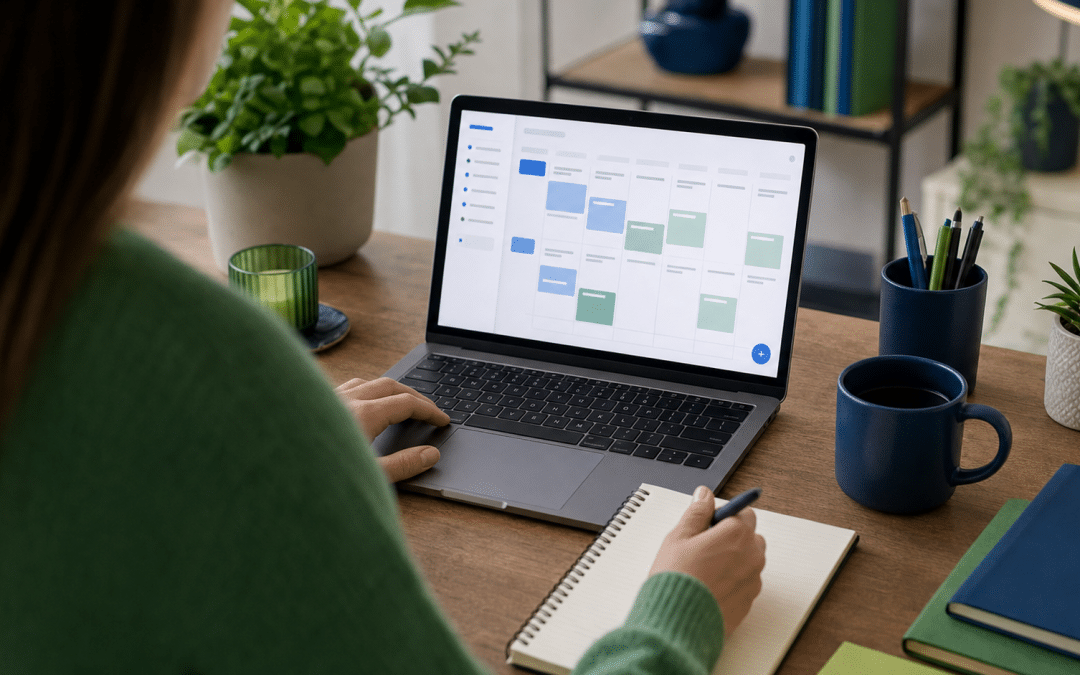
How to schedule a post on Facebook comes down to one route for business Pages: open Meta Business Suite, choose Create post, turn on "Set date and time", pick a slot and click Schedule. Crowbert describes the native tool as free, and it is the same routine whether you run a Page for a Johannesburg plumber or an ecommerce brand selling nationally through Meta Ads in South Africa.
Scheduling matters in South Africa because the reachable audience is large. DataReportal's Digital 2026 report, drawing on Meta's advertising tools, shows 27.9 million Facebook users in late 2025, and Meta itself warns that such estimates are not a proxy for active users or engagement.
That is large enough to justify a plan, and a queue is how a small team keeps that plan running through load-shedding, school runs and month-end.
Quick Answer
To schedule a post on Facebook, use a Facebook Page in Meta Business Suite (desktop or app), create the post, switch on "Set date and time", choose a slot and click Schedule. Several guides, including Hootsuite's, report that the slot must fall between 20 minutes and 29 days from now, though Crowbert notes Meta's older documentation cited a longer limit, so trust the date picker. Guides report that personal profiles cannot schedule natively; Buffer describes switching on professional mode as the route to unlock it.
Jump to
Is your Page publishing on a schedule nobody planned?
Send us your Page and your last month of content for a free audit, and we will show you where the gaps and dead slots are.
Request a free auditHow to Schedule a Post on Facebook From Meta Business Suite on Desktop
Scheduling from a desktop in Meta Business Suite means building the post once and handing Facebook a future publish time, so the Page posts without anyone being online. The sequence below follows the steps Hootsuite and Crowbert both describe for 2026; menu labels shift from time to time, so match the intent rather than the exact wording.
- Go to the Page you want to publish as and open Meta Business Suite.
- Click Create post and add your text, photos or video.
- Under scheduling options, turn on Set date and time.
- Pick the date and the time. Check the time zone shown next to it before moving on.
- Click Schedule. The item moves into your queue instead of publishing.
If the Page belongs to a client or a colleague, you need access to it first. Our guide to adding an admin to a Facebook Page covers how to grant that access without handing over your personal login.
On a phone, you can schedule posts in Meta Business Suite through the app (iOS and Android), which follows the same logic: tap Create post, add the content, and choose the scheduling option (Meta's Help Centre listing for the app calls it Schedule for later) instead of publishing. The app is handy for adding a photo you have just taken at the shop, while the desktop version is better for longer captions and checking the preview.
Which Scheduling Route Fits Your Situation?
The right scheduling route depends on whether you are posting as a Page or a person, how far ahead you plan, and how many Pages you run. The table maps each constraint to the route that handles it.
| Your situation | Route | Best for |
|---|---|---|
| One business Page, planning a week or two ahead | Meta Business Suite on desktop | Most SA small businesses and owner-run Pages |
| Adding a quick photo or update while away from the desk | Meta Business Suite app | Shops, restaurants, tradespeople posting from site |
| You post from a personal profile | Turn on professional mode, or move the content to a Page | Consultants and creators building a personal brand |
| Admin or moderator of a Facebook Group | The calendar icon in the group composer, as Buffer describes it | Community and recurring discussion posts |
| You need to queue further out than the native window, or run several Pages | A third-party scheduler | Agencies and multi-brand operators |
Buffer describes the personal-profile route as turning on professional mode, and we cover the switch in how to turn on professional mode on Facebook. For a business, though, a Page is usually the better home: it can be shared across a team, and it is the asset you can later run ads from. The trade-offs are in Facebook Page vs website.
Takeaway: pick the route by the asset
Before you work out how to schedule a post on Facebook, confirm the asset: a Facebook Page schedules natively and can be shared across a team. If you currently post from a personal profile, either switch on professional mode or move the business content to a Page before you build a queue.
How Far Ahead Can You Queue Content, and Where Do the Limits Differ?
The native scheduler is reported to accept a publish time no sooner than 20 minutes from now and no later than 29 days away, according to Hootsuite, FeedHive and PostDaily. The sources disagree on the upper end: Crowbert says Meta's older documentation mentioned 75 days, while users now widely report roughly 30. We could not read Meta's own current help text, so treat the date picker as the final authority.
Two practical consequences follow if the shorter limit applies to you. First, a December promotion cannot be queued in October from the native tool; you set a reminder and queue it inside the window. Second, a monthly content plan needs loading in two halves unless you start on the 1st.
Working through a calendar month (assuming a 29-day limit)
Queue on the 1st and the window reaches the 30th: enough for a 30-day month, one day short of a 31-day month. Queue on the 15th and it reaches the middle of next month, so a fortnightly session keeps you comfortably inside the limit whatever the month length. If your picker allows more, you have more room; the routine below still works.
FeedHive's analysis points the same way for another reason. It found that content scheduled beyond 29 days performed worse, and it recommends batching in one-to-two-week intervals because relevance fades when posts are written too far from the day they run. That is one publisher's dataset, not a Meta rule, but it matches how local trading conditions move: a stock-out, a price change or a courier delay can make a post written three weeks ago embarrassing.
Can Reels, Stories and Other Content Types Be Queued?
PostDaily reports that Reels and Stories can be queued on a Page through Meta's own tools, with the same window as other content, while Hootsuite and PostDaily both list Facebook events, check-ins and photo albums as items that cannot be scheduled. Check the composer on your own Page, because available options vary by account and change over time.
PostDaily also reports that Stories scheduled through apps carry no stickers, links or music, so a Story that depends on a link sticker is better posted live. For video, our Facebook Reels playbook for SA businesses covers what to film before you worry about when it goes out.
Works well queued: a Tuesday product photo with a caption, a Friday Reel, a recurring "specials of the week" update, an announcement of trading hours over a public holiday.
Better posted live: a load-shedding or stock update that changes by the hour, an event page, a Story that relies on a link sticker, anything that responds to a comment thread as it happens.
How Do You Edit, Reschedule or Find a Queued Item?
A queued item can be edited, moved or deleted before it publishes, and you manage it from the Planner calendar or the Content section of Meta Business Suite. Crowbert describes the path: select the item, choose Edit post, make your changes and click Schedule or Save. You can also delete the item or move it to a new slot from the same menu.
To see the whole queue, PostDaily points to Content, then Posts & reels, then the Scheduled tab, with Stories in their own tab. Before you close the laptop, look at that tab once to confirm that each item sits in the slot you meant. A quick look catches the easy mistakes, such as a wrong date or a duplicate.
Why Did a Queued Item Not Go Out at the Right Time?
A queued item that publishes late or not at all has several possible causes, and the check that separates them is quick. Only the time zone cause is reported by a source (PostDaily); the other rows are our own working hypotheses, listed with the check that confirms or rules each out, not documented platform behaviour.
| Symptom | Hypotheses to test | Check that tells them apart |
|---|---|---|
| Item went out an hour or more off | Time zone mismatch between where it was set and where it was read | Compare the time zone shown in the scheduler with the one on your device and in the Page's settings. South Africa does not use daylight saving, so a shift of an hour is a clue that one of them is set to another region's zone |
| Item is missing from the queue | It was saved as a draft, or edited and not re-scheduled | Open Content, then Posts & reels, and look at drafts as well as the Scheduled tab |
| Cannot choose a date you want | Slot is outside the allowed window (reported as 20 minutes to 29 days) | Try a date inside the window; if it works, the limit was the cause |
| Item failed on the day | Permissions changed, or the media or text hit an error | Open the item in Meta Business Suite and read the error shown |
| Link or tag looks different from the draft | Preview was not rechecked after editing | Reopen the item and read the preview before the slot arrives |
A Weekly Batch Routine That Fits a Small SA Team
A batch routine means writing, approving and queuing the next one to two weeks of content in one sitting, so that daily posting stops competing with running the business. FeedHive's data suggests that one to two weeks ahead is also where scheduled content performs best, and it keeps you inside the native window.
- Pick one fixed slot. Monday morning or Friday afternoon works; the point is that it is protected.
- Decide the slots first. Choose times from your own Page insights. Buffer's analysis of over 14 million posts put 9 a.m. on Thursday as the best global time, which is a starting hypothesis, not an SA finding. Our guide to the best time to post on Instagram in South Africa covers the same slot-testing method for the sister platform.
- Write to a calendar. A social media content calendar stops you opening the composer with nothing to say.
- Queue everything, then check the Scheduled tab. Confirm dates, time zone and previews.
- Leave one open slot a week for live news, replies and whatever happened on the day.
That is how to schedule a post on Facebook week after week with the native tool: one sitting, one check. If you run a single Page, you can schedule Facebook posts this way without extra software; a third-party Facebook post scheduler becomes worth considering once you hit the window limit or run several Pages.
Takeaway: scheduling saves time, it does not replace presence
A queue lets a Page publish on time, but it does not answer comments or react to local events. Schedule the predictable content, keep one slot free for the unpredictable, and check the Scheduled tab after every batch.
When Should a Queued Item Get Ad Spend Behind It?
A queued item deserves paid reach only when it has a clear next step, such as a booking, a quote request or a purchase, and when it has proven itself organically. Scheduling controls timing; it does not make a weak offer perform.
When a queued item does earn money, the question is whether to use the Boost button or build a campaign. That decision, and what each costs you in control, is covered in boosted posts vs Ads Manager, and the budget logic is in our Facebook ads budget guide for South Africa.
Not sure which posts deserve a budget?
Send us your top five organic posts and we will audit which ones are worth putting spend behind.
Request a free auditWhy South African Businesses Choose Growth Pulse Media
Growth Pulse Media is a Johannesburg agency founded by Dirk van Greuning, who built and scaled a large South African ecommerce business first, and it exists for the step after the queue: turning the attention a Page earns into enquiries and sales.
That is where our Meta Ads management comes in: we work on Meta and Facebook Ads, all work is executed in-house, and we keep a limited client load so that senior attention stays on your account. A free audit through our contact page is no obligation, and we get back to you within 24 hours.
Who This Is Not For
You want one tool to run ten brands. Native scheduling handles one Page at a time, according to Crowbert. If you manage many Pages, a third-party scheduler will serve you better than this walkthrough.
You plan content months ahead. If the native window is the roughly 29 days most guides report, long campaign calendars need an external tool or a rolling top-up routine.
You want growth from scheduling alone. A queue makes posting reliable. It does not create demand, and an unclear offer posted on time is still an unclear offer.
Frequently Asked Questions
How do I schedule a post on a Facebook Page?
For Facebook post scheduling on a Page, open Meta Business Suite, select your Page, click Create post and add your content. Turn on "Set date and time", choose the slot and click Schedule. The item then appears in your Scheduled queue until it publishes.
How far ahead can I schedule a Facebook post?
Hootsuite, FeedHive and PostDaily report that you can schedule between 20 minutes and 29 days ahead. Crowbert notes that Meta's older documentation mentioned 75 days, while users now widely report roughly 30. The date picker in Meta Business Suite is the final authority.
Can I schedule a post on my personal Facebook profile?
Guides such as Crowbert's report that personal profiles cannot schedule natively. Buffer describes turning on professional mode as the route to scheduling from a profile. Otherwise, move the business content to a Facebook Page.
Can I schedule Facebook Reels and Stories?
PostDaily reports that Reels and Stories can be scheduled on a Page, with the same window as other content, and that Stories scheduled through apps carry no stickers, links or music. Hootsuite and PostDaily list events, check-ins and photo albums as items that cannot be scheduled.
How do I edit or delete a scheduled Facebook post?
Open Meta Business Suite, go to Content, then Posts & reels, then the Scheduled tab, or use the Planner calendar. Select the item, choose Edit post to change it, or use the menu to reschedule or delete it before it publishes.
Why did my scheduled post go out at the wrong time?
A frequently reported cause is a time zone mismatch, where the post was set in one zone and read in another. Check the zone shown in the scheduler against your device and Page settings. South Africa does not use daylight saving, so an hour's shift suggests one of them is set to another region's zone.
Ready to turn a content queue into customers?
We work on Meta Ads and Facebook Ads for South African businesses, from first campaign to scaling. No obligation, and we will get back to you within 24 hours.
Book your free audit