
 Add to Preferred Sources
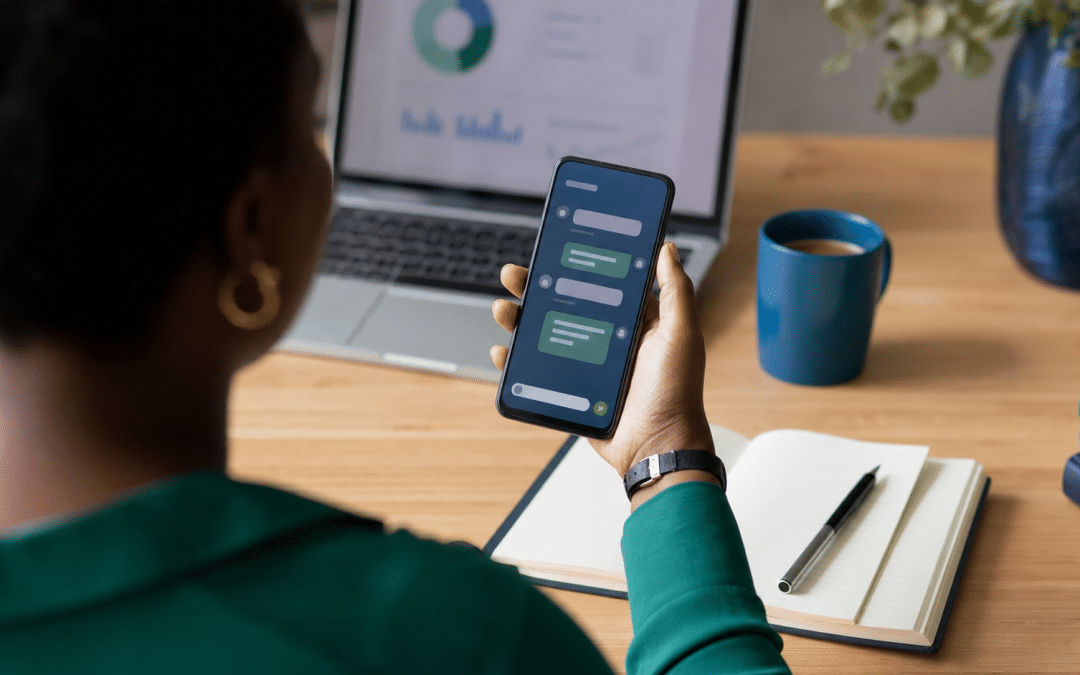
The WhatsApp green tick is the verified badge Meta gives an Official Business Account (OBA), and Meta's current documentation describes it as a blue checkmark beside the business name. It is only available to numbers on the WhatsApp Business Platform (the API), never to WhatsApp Business app numbers, and Meta's help-centre guidance, as quoted by providers, expects the business to be notable. If you are weighing it up as part of your WhatsApp marketing in South Africa, the first job is to find out whether you can qualify at all.
Most small South African businesses cannot yet, and that is not a failure on their side. The badge rewards brand notability and a particular technical setup, so this post lays out the eligibility conditions, the application path, the paid alternative and what to do while you wait.
Quick Answer
A WhatsApp green tick (now shown as a blue checkmark) is granted by Meta to Official Business Accounts. To apply, your number must be on the WhatsApp Business Platform for at least 30 days, your business must pass Meta Business Verification, two-step verification must be on, and the display name must be approved. Meta's help-centre guidance, as quoted by providers, also expects a notable business with media coverage. WhatsApp Business app numbers are excluded from OBA status.
Not sure which WhatsApp setup you are on?
Tell us whether your number runs on the Business app or the API and we will point you to the route that fits your business.
What Is the Official Business Account Badge, and Why Is It Blue Now?
A WhatsApp Official Business Account is a business phone number that Meta has verified as an authentic business, and Meta's developer documentation says OBA numbers carry a blue checkmark beside their name in the contacts view. The old name "green tick" survives in search queries and in plenty of provider blogs, but the badge you apply for today is described as blue.
The badge is more than decoration. Meta's documentation notes that numbers without OBA status do not appear in WhatsApp search results unless they are already in the user's contacts. For a brand people might look up by name, that is a discoverability difference as well as a trust signal.
It also helps to know the scale of the audience. According to Meltwater's Global Digital Report 2025, WhatsApp was used by 93.8% of active social media users in South Africa, in a sample of 26.7 million active social media users aged 18 and over (early 2025 data). Customers are on the app already; the badge only tells them the number is the real brand.
Takeaway: it is a badge for numbers, not for people
The Official Business Account badge attaches to one business phone number on the WhatsApp Business Platform. It is reviewed by Meta, it is not something an agency or provider can award, and it is separate from the paid verification options Meta sells to smaller businesses.
Who Qualifies for the WhatsApp Green Tick?
A business qualifies for the WhatsApp green tick when its number meets five technical conditions in Meta's developer documentation and Meta also judges the business notable. The green tick requirements split into two kinds: five conditions you can check yourself, and a notability judgement that is Meta's call.
| Requirement | What Meta's documentation says | What it means for an SA business |
|---|---|---|
| Messaging policy | The business complies with the WhatsApp Business Messaging Policy | Opt-in and template discipline matter before you apply, not after |
| Time on the platform | Registered on the WhatsApp Business Platform for at least 30 days | A new API number cannot apply on day one |
| Business Verification | Business portfolio verified through Business Verification | Your legal name, address and website details need to line up across documents |
| Two-step verification | Enabled on the business phone number | Switch it on before you submit the request |
| Display name | The display name is approved | Use the real brand name; a declined name blocks the request |
Notability is the part small businesses should plan around. We could not load Meta's Business Help Center page itself, but its wording as reproduced in search results describes a notable business as a well-known business with a substantial presence in news articles from publications with sizable audiences. The provider guide at respond.io, which we did read, summarises the same guidance and adds that Meta does not accept paid or promotional content as review sources. A local plumber with loyal customers and a busy Facebook page would not obviously meet that description.
A realistic self-check: search your brand name in Google News. If independent publications, not your own press releases or paid placements, cover you, you have a case. If nothing comes up, our reading is that the technical conditions are unlikely to rescue the request. The rejection notice quoted in Meta's documentation says the team "has reviewed your account and determined that it does not meet the eligibility requirements at this time"; that wording does not name the failed requirement.
Can a Business App Number Get the Badge?
A number registered on the free WhatsApp Business app cannot receive Official Business Account status, because Meta states that it does not grant OBA status to business employees, test accounts or WhatsApp Business app phone numbers. Any route to the free badge starts with moving the number onto the API.
That move has consequences beyond the badge: message templates, a provider, messaging charges and a different way of working in the inbox. If you are still on a personal number, start with the Business app versus a personal account. Our guide to the WhatsApp Business app versus the API compares the two, and WhatsApp Business API pricing in South Africa covers what the API costs to run. If you are still deciding what the API even is, start with what the WhatsApp Business API is.
Do not move to the API for the badge alone. If your brand has no independent press coverage, you would take on API costs and complexity for a badge that, on our reading of Meta's guidance, you may not be granted.
What about Meta Verified?
Meta Verified is a separate, paid subscription aimed at the WhatsApp Business app. WhatsApp's own Meta Verified page lists a verified badge, a custom web page, enhanced support, a multi-agent account and a verified channel, and says you reach it through Tools in the Business app. Meta's September 2026 Meta One announcement lists a verified badge in its Essential plan, from $14.99 a month, subject to successful verification.
We could not confirm that this badge is on sale in South Africa today. Neither source lists South Africa or a local price. Open Tools in your Business app and see what it offers your account before planning around it.
Is the API worth it for your volumes?
Send us your monthly enquiry numbers and your current setup and we will tell you whether moving to the API makes sense or whether the Business app still does the job.
How to Apply: The Application Path in Order
Green tick verification is a five-step path: put the number on the Business Platform, complete Business Verification, get the display name approved, enable two-step verification, then request OBA status in WhatsApp Manager. The only step you cannot rush is the 30 days on the platform, so use that time to fix everything else.
- Get the number onto the Business Platform. This normally means working through a solution provider. The 30-day clock starts when the number is registered.
- Complete Business Verification for the business portfolio that owns the number. Keep legal name, address and website consistent with your registration documents.
- Get the display name approved. Meta's documentation says a rejected name returns a DECLINED status, and the fix is to edit it against the display name guidelines or file an appeal through Developer Support.
- Turn on two-step verification on the business phone number.
- Request OBA status. In WhatsApp Manager, go to Overview, select the phone number, then Phone numbers, Profile and Official business account. The same request can be made through the Official Business Account Status API.
Before you start the green tick application, settle the display name. For an OBA number, Meta's documentation says you must contact direct support to change the display name, so a name you regret is harder to fix after the badge is granted.
Which Route Fits Your Business?
The right verification route depends on whether your number is on the app or the API and whether your brand has independent press coverage. Use this table as a decision aid, not a promise of approval: Meta makes every call.
| Your situation | Route to look at | Best for |
|---|---|---|
| On the Business app, small local brand, no press coverage | Stay on the app; strengthen the profile; check Tools for a Meta Verified offer | Most SA SMEs |
| On the Business app, wants the OBA badge | Not possible on the app; the number must move to the API first | Only if the API is needed for other reasons |
| On the API, under 30 days | Wait; use the time to finish Business Verification and the display name | New API setups |
| On the API, 30+ days, no independent coverage | Hold the request and build coverage first; notability is the most probable obstacle on our reading of Meta's guidance (inference, not a Meta statement) | Growing brands without press |
| On the API, 30+ days, covered by national or industry media | Request OBA in WhatsApp Manager | Established or well-known brands |
| Rejected | Wait 30 days, fix what you can, then resubmit | Near-miss applicants |
Takeaway: three questions decide your route
Is the number on the API or the Business app? Has it been registered for 30 days? Do independent publications with sizable audiences write about the brand? Any no means hold the request; three yeses mean you can submit it from WhatsApp Manager, and Meta still makes the final call.
What to Do If You Are Rejected or Not Eligible
A rejected badge request does not stop you operating a trusted business number, because Meta's documentation says a number keeps its business profile (picture, email, website and description) during the 30-day wait before a new request. The profile does the daily trust work that customers see.
Put the effort where customers actually look:
- Fill in every field of the business profile, as set out in a business profile that converts.
- Use a display name that matches the name on your website, invoices and signage.
- Link the number from your website and Google Business Profile so customers can cross-check it.
- Earn independent coverage through trade media, industry awards and local press. This is slow, but it is what the notability test measures.
- Use click-to-WhatsApp ads that open the chat from an ad your customer already trusts, so they are not messaging an unknown number cold.
Be sceptical of anyone selling the badge outright. Meta decides based on its own criteria, and a provider or agency can submit the request but cannot guarantee the result.
What the Badge Does Not Change
The green tick badge verifies and surfaces your number; Meta's OBA page is silent on message limits, template approval and messaging costs, so treat it as a trust and discovery feature, not a performance upgrade. Do not budget around benefits the documentation does not list.
It also does not replace the basics. A template that Meta rejects is still rejected on a badged number (see why a template gets rejected), and opt-in rules still apply. A badge on a number that sends unwanted messages is a quick way to lose the trust it signals.
Why South African Businesses Choose Growth Pulse Media
Growth Pulse Media is a Johannesburg agency founded by Dirk van Greuning, who built and scaled a large South African ecommerce business before starting the agency. All work is executed in-house, with a limited client load so senior attention stays on each account.
For this topic, the useful first check is whether your brand has the independent press coverage Meta's guidance points to, and whether your volumes justify the API at all, before anyone spends on setup. Our WhatsApp marketing in South Africa page explains how we approach the channel, and the free audit via our contact page is no obligation.
Who This Is NOT For
Chasing verification is the wrong next step for the three readers below.
A one-person service business that wants the badge for credibility. The notability test and the move to the API make it a poor trade. A complete business profile and consistent branding will serve you better.
Anyone who has been sold the badge with a promised result. Meta reviews every request itself. A promise from a third party is a warning sign, not a service.
A business that has not yet set up opt-in. If your contacts have not agreed to hear from you, fix that first. A badge does not protect a number from complaints.
Ready to plan the channel properly?
Send us your current WhatsApp setup and goals and we will show you where verification sits in a sensible order of priorities.
Frequently Asked Questions
How do I get the WhatsApp green tick in South Africa?
Put your number on the WhatsApp Business Platform, wait at least 30 days, complete Meta Business Verification, enable two-step verification and get the display name approved. Then request Official Business Account status in WhatsApp Manager. Meta's help-centre guidance, as quoted by providers, also expects a notable business, so the request can still be declined.
Is the WhatsApp green tick now blue?
Yes, in Meta's current developer documentation, Official Business Account numbers show a blue checkmark beside their name. "Green tick" is still the term most South Africans search for, which is why it remains in this post's title and keyword.
Can a WhatsApp Business app number get the green tick?
No. Meta states that it does not grant Official Business Account status to WhatsApp Business app phone numbers, employee accounts or test accounts. Meta Verified is a separate paid subscription for the Business app, and you should check Tools in the app to see whether it is offered to your account.
Why was my green tick request rejected?
Meta's notice says only that the team reviewed the account and determined that it does not meet the eligibility requirements at this time. The display name, the Business Verification details and independent press coverage are our suggested starting points, not causes Meta has named. You can submit a new request after 30 days.
Does the green tick cost money?
Meta's OBA documentation we checked does not list an application fee, and we could not verify one either way. Paid verification is a separate product, Meta Verified, which Meta lists from $14.99 a month in its Essential plan, with South African availability unconfirmed. Ask any provider helping you exactly what they charge for the request.
Get a straight answer on your WhatsApp verification options
Dirk van Greuning and the Growth Pulse Media team will review your number type, your brand coverage and your wider Meta Ads and Google Ads acquisition, then tell you what to do first. No obligation, we will get back to you within 24 hours.
