
 Add to Preferred Sources
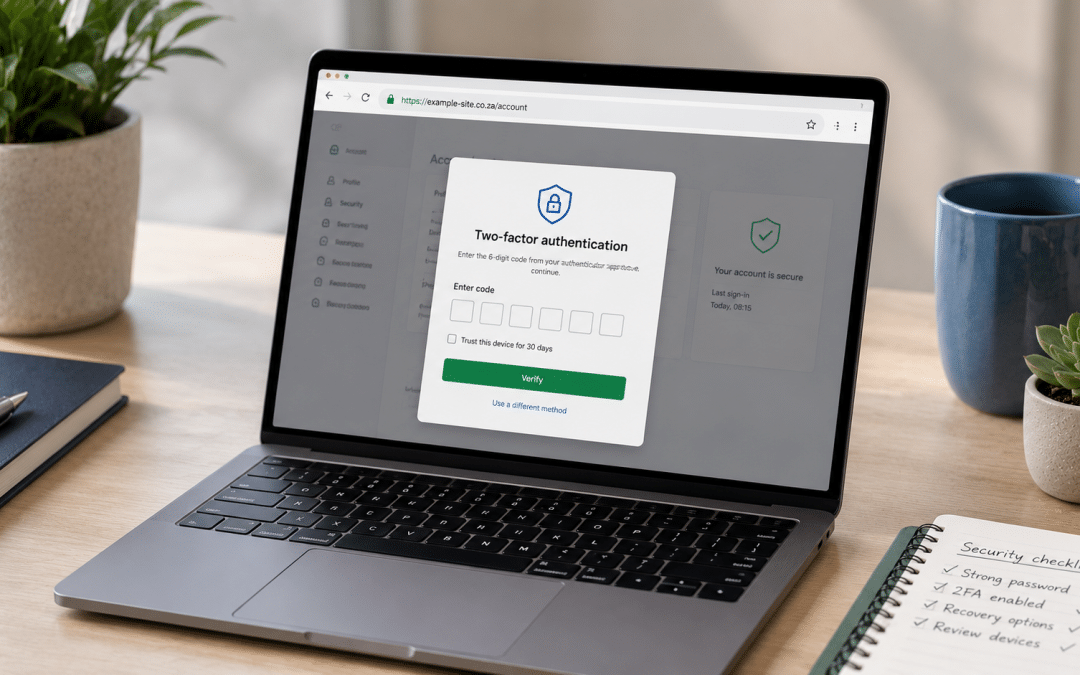
Website security south africa is not an optional extra — it protects your data, your visitors, your rankings, and, under POPIA, your legal standing. A hacked site can lose customer trust, get flagged by Google, and trigger legal exposure, yet most attacks exploit a handful of preventable weaknesses. For the wider build context, see our web design guide; this page covers the threats that matter and the protections every SA site needs.
The reassuring part is that good security is mostly discipline, not wizardry. The overwhelming majority of compromised sites were running outdated software, weak passwords, or misconfigured settings — all of which are fixable. Getting the basics right removes most of the risk, and the rest is sensible monitoring and backups.
Quick Answer
Strong website security comes down to a clear checklist: HTTPS with a valid SSL certificate, keeping the platform and plugins updated, strong passwords with two-factor authentication, regular backups, a firewall and malware scanning, and secure hosting. For South African sites that collect personal data, POPIA also makes reasonable security a legal duty, not just good practice. Most breaches exploit outdated software or weak access — fix those first.
Worried your site might be exposed? Let us run an honest security check.
Get a Free Security CheckWhy Website Security Matters for SA Businesses
Website security matters because a compromised site damages far more than a few files — it costs trust, traffic, and potentially money. A hacked site can expose customer data, redirect visitors to malicious pages, or be quietly used to send spam, and the reputational hit with customers is often harder to repair than the technical damage itself.
Search visibility is directly at stake. When Google detects malware or a hack, it flags the site with a warning that scares visitors away and can remove it from results entirely until it is cleaned — wiping out rankings that took months to build. Security is therefore part of protecting the technical SEO foundation, not a separate concern.
Then there is the legal dimension, which is sharper in South Africa than many owners realise. If your site holds any personal information, POPIA requires you to protect it with reasonable security measures — so a breach is not just an IT problem but a compliance failure with real consequences. Security and the law are now intertwined.
A Breach Costs More Than Files
A compromised site loses customer trust, gets flagged or deindexed by Google, and — if it holds personal data — creates POPIA exposure. The reputational and ranking damage often outlasts the technical fix. Security is not a back-office task but a direct protector of revenue, search visibility, and legal standing, which is why it deserves real attention rather than an afterthought.
The Most Common Website Threats
Most website attacks are not sophisticated — they exploit known, preventable weaknesses at scale. The biggest culprits are outdated software, weak or reused passwords, and misconfigured settings, with automated bots constantly probing sites for any of these openings. Understanding the common threats is the first step to closing them.
The global picture confirms it. According to the OWASP Top 10 — the recognised standard for web application security risks — issues like broken access control, security misconfiguration, and vulnerable or outdated components consistently rank among the most critical and widespread. These are not exotic attacks; they are everyday gaps that discipline closes.
For the WordPress sites most South African businesses run, the practical threats are familiar: out-of-date core, themes, or plugins; weak admin passwords with no two-factor protection; nulled or abandoned plugins from untrusted sources; and brute-force login attempts. Each has a straightforward defence, which is what the next section sets out.
Attacks Exploit the Predictable
The common threats are not clever — outdated software, weak passwords, misconfiguration, and untrusted plugins, probed automatically by bots at scale. The OWASP Top 10 reflects the same pattern globally: broken access control and outdated components lead the list. Because the weaknesses are predictable, the defences are too, and closing the obvious gaps removes most of the real-world risk.
Not sure which of these gaps your site has open? Ask us to take a look.
Get a Free Vulnerability ScanWebsite Security South Africa: The Essential Protections
The essential protections for website security south africa businesses need form a clear, achievable checklist rather than a specialist project. Start with HTTPS and a valid SSL certificate so all traffic is encrypted, then keep the platform, themes, and plugins updated — because outdated software is the single most exploited weakness. These two steps alone close a large share of the risk.
Access and recovery come next. Use strong, unique passwords with two-factor authentication on every admin account, limit login attempts to defeat brute-force bots, and apply least-privilege user roles so people have only the access they need. Pair that with automatic, off-site backups so that even a worst-case compromise is a restore-and-recover, not a catastrophe.
Finally, add active defences and a secure foundation. A web application firewall and regular malware scanning catch threats before they spread, while quality hosting with built-in security hardening underpins everything. Good hosting and good security go together, which is why we treat them as part of the same job rather than separate add-ons.
| Protection | What it does | Priority |
|---|---|---|
| HTTPS / SSL | Encrypts traffic, builds trust | Essential |
| Updates | Closes known vulnerabilities | Essential |
| 2FA + strong passwords | Stops account takeover | Essential |
| Backups | Enables fast recovery | Essential |
| Firewall + scanning | Blocks and detects attacks | High |
POPIA and Website Security: Your Legal Duty
In South Africa, securing your website is partly a legal obligation under POPIA, not just best practice. The Act requires anyone holding personal information to protect it with appropriate, reasonable technical and organisational measures — which, for a website, means exactly the protections above: encryption, access control, updates, and secure storage of any data the site collects.
The consequences of getting it wrong are real. A data breach must be reported to the Information Regulator and to the affected people, and serious POPIA contraventions can attract penalties of up to R10 million or imprisonment. For a small business, the reputational fallout of telling customers their data was exposed is often the bigger blow.
The practical takeaway is simple: if your site has a contact form, a login, accounts, or takes payments, it holds personal information and falls under these duties. Building security in is how you meet them — which is why, for SA sites, security and compliance are best handled together from the start rather than after an incident.
What to Do If Your Site Is Hacked
If your site is hacked, act quickly and methodically rather than panicking. Take the site offline or into maintenance mode to protect visitors, change all passwords, and contact your host, who can often help identify and contain the issue. Then restore from a clean backup taken before the compromise, rather than trying to patch an already-infected site.
Recovery does not end at restoration. Once the site is clean, update everything, scan thoroughly to confirm the threat is gone, and request a review from Google if the site was flagged. If personal data was exposed, remember the POPIA duty to notify — and treat the incident as a prompt to close the gap that let it happen in the first place.
Treating website security south africa businesses can actually sustain as an ongoing habit, rather than a one-off scramble after a hack, is the real lesson. A short monthly routine — apply the updates, confirm the backups ran, and glance at the malware scan — keeps a site secure for a fraction of the cost of an emergency cleanup. Security is cheapest and most effective when it is boring and continuous, not reactive.
Prevention Beats Recovery
Recovering a hacked site means taking it offline, restoring from a clean pre-breach backup, updating everything, and clearing any Google warning — plus POPIA notification if data was exposed. It is stressful, costly, and avoidable. The same basics that prevent the hack — updates, strong access, backups, and scanning — are far cheaper than the cleanup, which is why prevention is always the better investment.
A Real-World Example: Before and After
The clearest illustration is a representative SA business whose neglected site was compromised through an outdated plugin, then rebuilt and hardened properly. The cleanup and lost trust cost far more than basic security ever would have, and once hardened, the site stayed clean and stable with simple ongoing maintenance.
| Metric | Before — neglected, vulnerable site | After — hardened, maintained site | Change |
|---|---|---|---|
| Security incidents / year | 2 (one serious) | 0 | Eliminated |
| Downtime from attacks | Days | None | Resolved |
| Google security warning | Flagged once | Clean | Cleared |
| Annual cost of incidents | R40,000+ in cleanup | R0 in cleanup | −100% |
| Ongoing protection cost | None | Modest, predictable | Worth it |
The cleanup-cost row makes the case on its own. A modest, predictable spend on prevention replaced tens of thousands of rand in emergency cleanup, lost business, and stress — and removed the Google warning that had been scaring visitors away. Security pays for itself most clearly in the incidents that never happen.
The GPM Differentiator
Plenty of advice on website security south africa businesses receive is either fear-driven upselling or a generic checklist with no sense of priority. We come at it from an operator's seat, having run South African sites where a breach would have meant real lost revenue — so our web design services build security and POPIA-aware data handling in from the start, with honest priorities rather than scare tactics.
For clients that means the essentials done properly — HTTPS, disciplined updates, two-factor access, backups, scanning, and secure hosting — plus a clear view of what POPIA actually requires for their site. You own the site, the domain, and the data, with no lock-in, and a straight answer on what genuinely matters versus what is security theatre.
Who This Is NOT For
This practical, prioritised view of security suits most businesses, but not everyone. Being clear about that upfront saves wasted spend — so here is who should read it differently.
Large enterprises with dedicated security teams. If you run a major platform with in-house security staff, formal audits, and compliance frameworks, your needs go well beyond this general overview. The fundamentals still apply, but the depth and tooling you require sit far outside a guide aimed at typical South African business sites.
Anyone hoping for a one-time "set and forget" fix. Security is ongoing — updates, monitoring, and backups never truly stop, because the threats keep evolving. If you want to pay once and never think about it again, you will be disappointed, and the site will drift back into vulnerability the moment maintenance lapses.
Owners unwilling to keep software updated. Outdated plugins and platforms are the single biggest cause of compromises, so a refusal to keep things current undermines every other protection. If nobody will maintain updates, even the best initial hardening will erode — the discipline of updating is non-negotiable.
Sites holding personal data but ignoring POPIA. If your site collects customer information and you have no intention of meeting POPIA's security duties, this guide will sit uncomfortably — because it treats that obligation as real. The legal and reputational risk of ignoring it is precisely what proper security is there to prevent.
Want an honest, no-scare security review of your site? Start free.
Get a Free Security CheckFrequently Asked Questions
What is the most important thing for website security?
Keeping your platform, themes, and plugins updated is the single highest-impact step, because outdated software is the most commonly exploited weakness. Close behind are HTTPS with a valid SSL certificate, strong passwords with two-factor authentication, and regular off-site backups. No single measure is enough alone, but disciplined updates plus those basics close the large majority of real-world risk.
Does my small business website really need security?
Yes. Most attacks are automated and target weaknesses, not specific companies, so small sites are probed just as often as large ones — often more, because they are less protected. A compromise can expose customer data, trigger a Google warning, and create POPIA exposure. Basic, ongoing security is far cheaper than recovering from an incident.
Is an SSL certificate enough to secure my website?
No. An SSL certificate encrypts traffic between the visitor and your site, which is essential and builds trust, but it does not protect against outdated software, weak passwords, or malware. Think of SSL as one necessary layer among several. Real security also needs updates, strong access control, backups, scanning, and a secure host working together.
What does POPIA require for website security?
POPIA requires anyone holding personal information to protect it with appropriate, reasonable technical and organisational measures — for a website, that means encryption, access control, updates, and secure data storage. If a breach occurs, you must notify the Information Regulator and affected people. Serious contraventions can attract significant penalties, so security on a data-collecting site is a legal duty, not just good practice.
How do I know if my website has been hacked?
Common signs include unexpected redirects, unfamiliar pages or content, a Google security warning, a sudden traffic drop, sluggish performance, or your host suspending the account. Some compromises are hidden and only show up in a malware scan. Regular scanning and monitoring are the reliable way to catch issues early, rather than waiting for obvious symptoms.
How much does website security cost in South Africa?
Costs vary from basic measures bundled with good hosting to dedicated firewalls, scanning, and managed maintenance for larger sites. The key point is that ongoing protection is modest and predictable, while recovering from a serious breach — cleanup, lost business, and possible POPIA fallout — costs far more. Prevention is consistently the cheaper path.
If you are not sure whether your current site is secure or quietly exposed, that uncertainty is itself worth resolving — many businesses only discover a weakness after it has been exploited. A straightforward security check usually answers the question quickly, and the fixes are often simpler and cheaper than the worry suggests.
Get a Free Website Security Check
Tell us about your site and we will run an honest security check — SSL, updates, access, backups, and exposure — and map the priorities that actually matter for your business and its POPIA obligations, as a one-page plan you own outright. No obligation — we will get back to you within 24 hours.
Get My Free Security Check