
 Add to Preferred Sources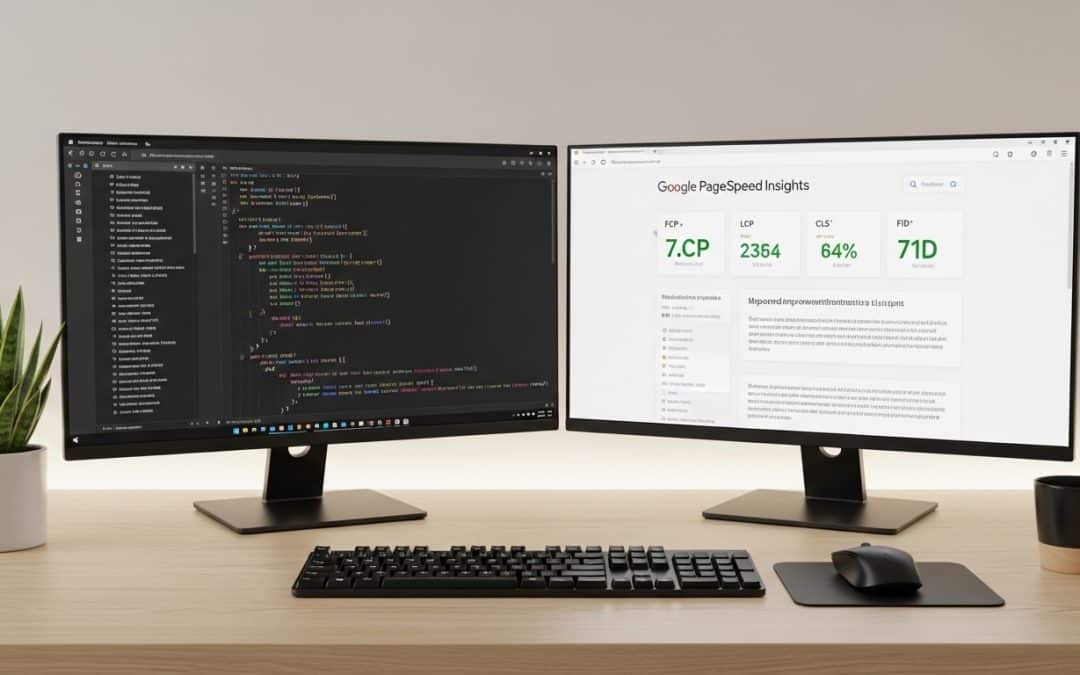
Technical SEO is the foundation that determines whether Google can find, crawl, index, and rank your South African website — and without it, no amount of content, backlinks, or keyword targeting will produce results. If your SA business website has pages stuck in "Discovered — currently not indexed" in Google Search Console, slow mobile load times, or ranking drops you cannot explain, the problem is almost always technical. This guide covers every SEO technical element that matters for SA websites in 2026, what to fix first, what tools to use, and how to tell whether your site's technical foundation is helping your rankings or silently destroying them. Most SA businesses see first page 1 rankings appear between months 5–6 of consistent SEO execution — but only if the technical foundation is solid from the start.
Want to know whether technical issues are holding your SA website back from ranking? We will run a full technical audit and show you exactly what to fix first — no strings attached.
Get a Free Technical SEO AuditTechnical SEO: What It Is and Why SA Websites Need It
Technical SEO is the practice of optimising your website's infrastructure so that search engines can efficiently crawl, understand, index, and rank your pages — it is the plumbing that makes everything else in SEO work, from content to backlinks to keyword targeting.
Think of it this way: content tells Google what your page is about, backlinks tell Google your page is trustworthy, but technical SEO tells Google your page exists and is worth visiting in the first place. If Google's crawler cannot access your pages, loads them too slowly, or encounters errors, your content never enters the index — and pages that are not indexed cannot rank, no matter how good they are.
For South African websites specifically, technical SEO carries extra weight because of three local factors: slower average internet speeds mean page speed optimisation matters more, mobile accounts for 70%+ of SA web traffic so mobile-first indexing is critical, and load shedding disrupts hosting uptime which affects crawl reliability.
Technical SEO is not optional — it is the prerequisite for every other SEO activity to produce results. A website with excellent content and strong backlinks but broken technical foundations is like a shop with great products and great marketing but a locked front door. Google cannot rank what it cannot crawl, and it will not rank what it cannot load quickly on mobile.
Technical SEO: Site Speed and Core Web Vitals for SA Websites
Technical SEO site speed is the single most impactful factor for South African websites because 53% of mobile visitors leave a page that takes longer than 3 seconds to load — and with SA's slower average connection speeds and mobile-dominant traffic, every millisecond of load time directly affects whether visitors stay or bounce.
Google measures site speed through three Core Web Vitals:
| Metric | What It Measures | Good Score | How to Fix |
|---|---|---|---|
| Largest Contentful Paint (LCP) | How fast the main content loads | Under 2.5 seconds | Compress images, upgrade hosting, reduce server response time |
| Interaction to Next Paint (INP) | How fast the page responds to user interaction | Under 200 milliseconds | Reduce JavaScript execution time, defer non-critical scripts |
| Cumulative Layout Shift (CLS) | How much the page layout shifts while loading | Under 0.1 | Set explicit image dimensions, avoid injecting content above the fold |
Quick win for SA sites: Convert all images to WebP format and compress them to under 100KB each. For a typical SA business website with 20–50 images, this single change can reduce total page weight by 60–80% and cut load times by 1–3 seconds — often enough to move your Core Web Vitals from "Poor" to "Good" without touching anything else.
Common SA mistake: Using unoptimised hero images at 2–5MB each. A single uncompressed banner image on your homepage can take 4–8 seconds to load on a South African mobile connection. Resize to 1200px wide maximum and compress to WebP — your LCP score will improve immediately.
Technical SEO: Crawling and Indexing — Making Sure Google Can Find Your Pages
Technical SEO crawling and indexing determines which of your pages Google actually knows about and can show in search results — and the most common technical failure for SA websites is pages that exist on the site but never appear in Google because crawl barriers prevent the search engine from accessing them.
According to Google's crawling documentation, Googlebot must be able to access your pages without being blocked by robots.txt, rendered JavaScript errors, or authentication walls before any indexing can occur.
| Issue | What Happens | How to Check | How to Fix |
|---|---|---|---|
| Robots.txt blocking important pages | Google cannot crawl blocked URLs — they never enter the index | Visit yoursite.co.za/robots.txt | Remove Disallow rules for pages you want indexed |
| Noindex tags on key pages | Google crawls the page but deliberately excludes it from search results | Google Search Console → Pages → "Excluded by noindex tag" | Remove the noindex meta tag or Rank Math noindex setting |
| Orphan pages (no internal links pointing to them) | Google discovers fewer pages and may deprioritise crawling them | Use Screaming Frog or Ahrefs Site Audit | Add internal links from relevant pages |
| Slow server response (TTFB over 600ms) | Google's crawl budget is wasted on slow responses — fewer pages crawled per session | Google PageSpeed Insights → Server Response Time | Upgrade hosting, enable server-side caching, use a CDN |
| XML sitemap missing or outdated | Google misses new or updated pages | Visit yoursite.co.za/sitemap_index.xml | Ensure Rank Math or Yoast generates and updates the sitemap automatically |
The fastest way to diagnose technical SEO crawling issues is Google Search Console's Pages report. If you see pages listed under "Discovered — currently not indexed" or "Crawled — currently not indexed," Google knows the pages exist but has decided not to index them. For SA business websites, the most common causes are thin content on the page, slow load times, or the page being a near-duplicate of another URL on your site. Fix those three issues and resubmit via URL inspection.
Got pages stuck in "Discovered — currently not indexed" and not sure why? We will check your Search Console data and tell you exactly what is blocking them — free, no commitment.
Get a Free Indexing DiagnosisTechnical SEO: Mobile-First Indexing for South African Websites
Technical SEO mobile-first indexing means Google uses the mobile version of your website as the primary version for ranking — not the desktop version — and for SA websites where about 77% of web traffic comes from mobile devices (StatCounter, September 2026), a poor mobile experience does not just lose visitors, it directly suppresses your rankings across all devices.
Google completed the switch to mobile-first indexing for all websites in 2023. This means:
What this means in practice: If your desktop site has content, internal links, or structured data that your mobile version does not, Google ignores the desktop-only elements entirely. Your mobile site IS your site in Google's eyes. Every element that matters for SEO must be present and functional on mobile.
For SA websites built on WordPress with Divi, Elementor, or similar page builders, mobile responsiveness is usually handled automatically — but "responsive" does not mean "optimised." Common mobile technical SEO issues for SA sites include text too small to read without zooming, buttons too close together to tap accurately, horizontal scrolling caused by elements wider than the viewport, and pop-ups or interstitials that block mobile content.
Test your mobile experience using Google's Mobile-Friendly Test or the mobile preview in Google Search Console. Fix any issues flagged before investing in content or backlinks — mobile usability problems suppress rankings across your entire site, not just the affected pages.
Technical SEO: Structured Data and Schema Markup
Technical SEO structured data tells Google exactly what your content represents — whether it is a product, a FAQ, a business, a review, or an article — and this additional context helps Google display rich snippets in search results that increase your click-through rate by 20–30% compared to plain blue links.
| Schema Type | What It Does | Best For |
|---|---|---|
| LocalBusiness | Shows business name, address, phone, hours in search and Maps | Any SA business with a physical location |
| Product | Shows price, availability, and reviews in search results | Ecommerce stores — essential for Google Shopping |
| FAQPage | Shows expandable Q&A directly in search results | Any page with a FAQ section |
| Article / BlogPosting | Identifies content as editorial — helps with news and blog visibility | Blog posts and guides |
| BreadcrumbList | Shows site hierarchy in search results | All websites — improves navigation signals |
For SA businesses using WordPress with Rank Math, Article schema is added automatically to blog posts and FAQPage schema can be configured per post. LocalBusiness schema should be added site-wide through Rank Math's Local SEO module or manually via a JSON-LD block. Product schema on Shopify stores is handled natively by the platform but should be validated using Google's Rich Results Test to confirm it is rendering correctly.
Technical SEO: HTTPS, Security, and Hosting for SA Websites
Technical SEO security starts with HTTPS — Google confirmed HTTPS as a ranking signal in 2014, and in 2026 any SA website still running on HTTP is penalised in rankings, flagged as "Not Secure" in Chrome, and losing visitor trust before they read a single word on the page.
Beyond HTTPS, hosting quality directly affects technical SEO performance for South African websites:
| Hosting Factor | SEO Impact | SA Recommendation |
|---|---|---|
| Server location | Closer servers = faster TTFB for local visitors | Use a host with SA or African data centres, or a CDN with SA edge nodes |
| Uptime reliability | Downtime during Google crawls = failed crawl attempts = deferred re-crawl | Choose hosting with 99.9%+ uptime SLA — factor in load shedding backup |
| SSL certificate | Required for HTTPS — no SSL = "Not Secure" warning = lost trust | Free Let's Encrypt SSL is sufficient — no need to pay for premium SSL |
| Server response time (TTFB) | TTFB over 600ms wastes crawl budget and hurts LCP scores | Target under 400ms — enable server-side caching and use a lightweight theme |
For SA websites, the single biggest hosting decision that affects technical SEO is server location. A website hosted on a US server adds 200–400ms of latency for South African visitors compared to a server in Johannesburg or Cape Town. Over a full page load with 30–50 requests, that latency compounds into 2–4 seconds of additional load time — enough to push your Core Web Vitals from "Good" to "Poor" and your bounce rate from acceptable to catastrophic.
Technical SEO: The Complete Audit Checklist for SA Websites
A technical SEO audit for a South African website should check every element that affects whether Google can crawl, index, and rank your pages — run through this checklist quarterly or after any major site change to catch issues before they suppress your rankings.
| Check | Tool | What to Look For |
|---|---|---|
| Indexing status | Google Search Console → Pages | Pages in "Discovered — not indexed" or "Crawled — not indexed" |
| Core Web Vitals | PageSpeed Insights | LCP under 2.5s, INP under 200ms, CLS under 0.1 |
| Mobile usability | Google Search Console → Mobile Usability | Any errors flagged for text size, tap targets, viewport |
| Broken links (404s) | Screaming Frog or Broken Link Checker | Internal and external links returning 404 errors |
| HTTPS status | Browser padlock icon | All pages load on HTTPS with no mixed content warnings |
| XML sitemap | yoursite.co.za/sitemap_index.xml | Sitemap exists, is current, and is submitted in GSC |
| Robots.txt | yoursite.co.za/robots.txt | No important pages blocked by Disallow rules |
| Structured data | Google Rich Results Test | Schema renders correctly with no errors |
| Canonical tags | View page source → search "canonical" | Every page has a self-referencing canonical — no duplicates |
| Redirect chains | Screaming Frog | No chains longer than 2 hops — each redirect should go directly to final URL |
Do not have the tools or time to run a full technical audit yourself? We will crawl your site, check every element on this list, and give you a prioritised fix list — free, no obligation.
Get a Free Technical SEO AuditWhy Growth Pulse Media for Technical SEO in South Africa
Growth Pulse Media is an SEO agency in South Africa that builds organic growth strategies on solid technical foundations — because no amount of content or backlinks compensates for a site that Google cannot crawl properly, loads slowly on SA mobile connections, or has indexing issues suppressing visibility.
We work with a limited number of SEO clients at a time so that every website gets direct access to the person auditing your site, fixing your technical issues, and monitoring your Search Console data. Every SEO engagement starts with a full technical audit before we write a single piece of content — because publishing content on a technically broken site is wasting the content's potential.
We build on WordPress with Rank Math because it gives us full control over every technical SEO element — meta tags, schema markup, sitemaps, redirects, and canonical tags — without relying on third-party plugins that add script weight and create conflicts. Our technical work includes SA-specific optimisations: server location recommendations for local speed, image compression for SA mobile connections, and Core Web Vitals monitoring calibrated for South African traffic patterns.
If your website's technical foundation is already solid and you do not need ongoing technical work, we will tell you that. Honest diagnosis saves you from paying for services you do not need.
Technical SEO: Who This Is NOT For
Technical SEO is essential for every website, but a dedicated technical SEO engagement is not the right investment for every SA business at every stage.
Not for brand-new websites with fewer than 10 pages: A 5-page brochure website does not need a comprehensive technical audit. Install Rank Math, submit your sitemap, compress your images, and confirm HTTPS is working. That covers 90% of what a small site needs. Invest the technical SEO budget into content creation instead — you need pages worth indexing before optimising the crawl path to them.
Not for businesses that have not fixed their content first: Technical SEO makes your existing content visible to Google — it does not create content. If your site has 5 thin pages with 200 words each, fixing crawl issues and Core Web Vitals will not generate rankings because there is nothing substantive for Google to rank. Build your local SEO content foundation first, then optimise the technical layer.
Not for businesses expecting overnight ranking jumps: Technical SEO fixes remove barriers to ranking — they do not guarantee immediate position improvements. After fixing indexing issues, Google needs to re-crawl and re-evaluate your pages, which takes 2–8 weeks depending on your site's crawl frequency. If you need leads this week, Google Ads delivers traffic from day one while your technical fixes take effect in the background.
Technical SEO South Africa: Frequently Asked Questions
What is technical SEO and why does it matter?
Technical SEO is the practice of optimising your website's infrastructure so search engines can efficiently crawl, index, and rank your pages. It matters because without solid technical foundations, Google cannot access your content properly — meaning your pages either never appear in search results or rank lower than they should. For SA websites, technical SEO is especially important because slower mobile speeds and high mobile traffic percentages make page speed and mobile optimisation critical ranking factors.
How do I know if my website has technical SEO problems?
The fastest way to check is Google Search Console. Look at the Pages report for pages listed under "Discovered — currently not indexed" or "Crawled — currently not indexed." Check the Core Web Vitals report for pages with Poor or Needs Improvement scores. If your site has more than 20% of its pages not indexed, or any Core Web Vital metric in the Poor range, you have technical SEO issues that are actively suppressing your rankings.
How much does a technical SEO audit cost in South Africa?
A comprehensive technical SEO audit from a specialist agency in South Africa typically costs between R3,000 and R10,000 as a once-off engagement, depending on site size and complexity. Some agencies include the technical audit as part of their monthly SEO retainer. The audit identifies all technical issues and prioritises them by impact — you then decide whether to fix them yourself or have the agency implement the fixes.
What are Core Web Vitals and do they affect rankings?
Core Web Vitals are three metrics Google uses to measure user experience: Largest Contentful Paint (loading speed), Interaction to Next Paint (responsiveness), and Cumulative Layout Shift (visual stability). Yes, they affect rankings — Google confirmed page experience signals as a ranking factor. For SA websites, LCP is the most impactful metric because slower local internet speeds make loading performance a bigger differentiator between competing sites.
How often should I audit my website's technical SEO?
Run a full technical SEO audit quarterly and after any major site change — new theme, platform migration, major content restructure, or hosting change. Between audits, monitor Google Search Console weekly for new crawl errors, indexing issues, or Core Web Vitals regressions. If you publish content frequently, check your sitemap monthly to confirm new pages are being discovered and indexed within 1–2 weeks of publication.
What is the difference between technical SEO, on-page SEO and off-page SEO?
Technical SEO makes sure Google can crawl, render and index your site quickly and securely. On-page SEO makes each page relevant to its search terms through content, headings, titles and internal links. Off-page SEO builds authority from outside your site through backlinks, citations and reviews. All three are needed, but technical problems block the other two from working.
Ready to Fix the Technical Issues Holding Your SA Website Back?
Growth Pulse Media runs full technical SEO audits for South African businesses — crawl analysis, Core Web Vitals assessment, indexing diagnosis, structured data validation, mobile usability checks, and a prioritised fix list you can action immediately. We build on WordPress with Rank Math and optimise specifically for SA mobile speeds and hosting conditions. No obligation — we will get back to you within 24 hours.
Get Your Free Technical SEO Audit