
 Add to Preferred Sources
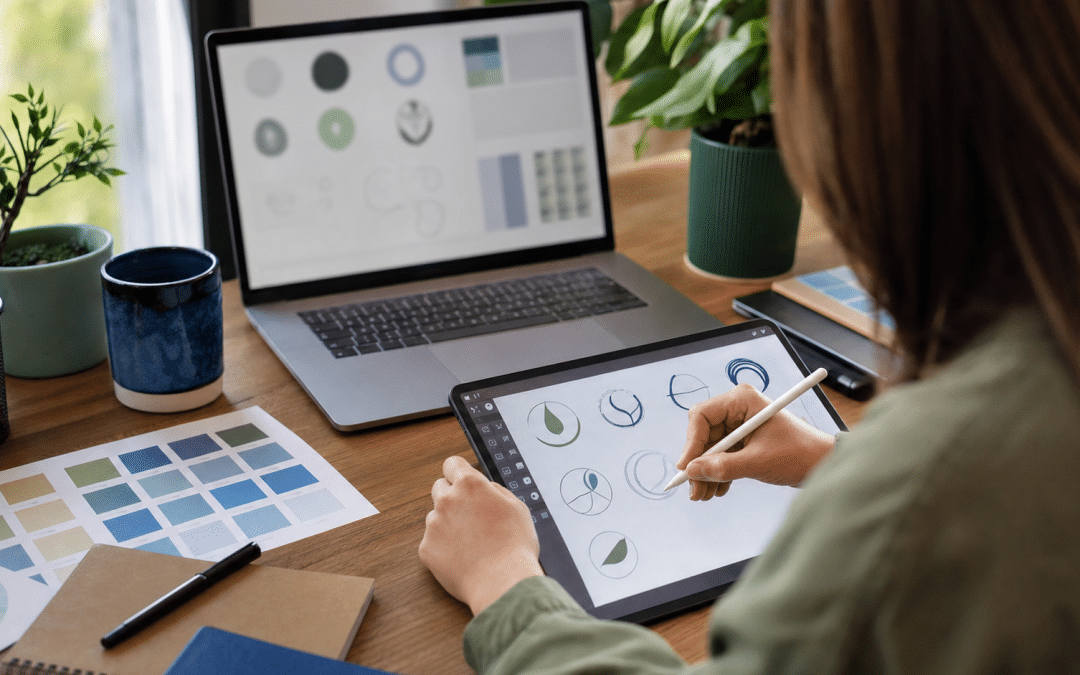
DIY logo vs professional is a choice between a template-based mark you build yourself, which one South African studio's August 2026 price guide puts at R0–R350, and custom artwork, which the same guide puts at R950–R4,500 at the small-business standard. That choice sits inside branding in South Africa, and it is far cheaper to get right before the mark is printed on anything.
The money gap is small. The gap that matters is ownership: Canva's content licence, as quoted by a trademark firm, bars Canva library content from being used in a logo or trademark. A mark built from that content is one that other businesses can legitimately assemble too.
This post prices each route in Rand, explains what the Canva licence means for ownership, and gives a decision table keyed to your situation, so you can tell when a self-made mark is a sensible stage and when it becomes an expensive one.
Quick Answer
In a DIY logo vs professional comparison, the DIY route costs R0–R350 and, per one SA studio's guide, usually delivers a PNG with no ownership guarantee; the same guide prices a professional SME-standard logo at R950–R4,500 and describes it as including full vector files and real ownership. Choose DIY to test an idea cheaply. Choose a designer before you file a trademark, order signage or vehicle graphics, commission embroidery, or sell or franchise the business.
In This Post
Not sure which route your business is on?
Send us your current logo and where it will be used, and we will tell you which of the situations below you are in.
DIY Logo vs Professional: What Does Each Route Cost in South Africa?
Logo costs in South Africa run from R0–R350 on the DIY route to R950–R4,500 at the professional small-business standard, according to one studio's guide dated 4 August 2026. At that SME standard, professional logo design cost is a few thousand Rand; the agency tier below runs higher. The guide is a vendor's own market view rather than a survey, but its tiers are a usable ladder.
| Route | Price range | What the source says you get | Best For |
|---|---|---|---|
| DIY and AI tools | R0–R350 | Template-based, no ownership guarantee, usually PNG only | Testing an idea |
| Entry-level freelancer | R500–R1,500 | Basic design, limited concepts, file formats often incomplete | Tight budgets, if you brief the files in writing |
| Professional, SME standard | R950–R4,500 | Custom concepts, full vector files, real ownership | Most established small businesses |
| Agency or brand studio | R5,000–R25,000+ | Strategy, naming, full brand guidelines, multi-application design | Rebrands and multi-channel roll-outs |
Source for all four rows: Dot Digital's logo price guide, read in November 2026.
Set against the top of the DIY range (R350), the SME-standard premium is R600 at the low end and R4,150 at the high end, paid once.
That compares against the vendor's R0–R350 range only; a paid Canva plan, if you use one, adds its own subscription. A published price list shows the same pattern from the other side: Bunnypants lists a logo at R2,080 excluding VAT, with two concepts, vector files and two free revision rounds, plus colour codes and fonts at handover.
Takeaway: The Premium Is a One-Off
Moving from a DIY logo to a professional SME-standard one adds roughly R600 to R4,150 once, measured against the R350 top of the DIY range. The expensive part of a weak logo is rarely that premium; it is reprinting signage, uniforms and stationery when the mark has to change.
The cheap middle tier deserves care. The entry-level freelancer band is where files go missing. If you hire there, put the deliverables in the brief: vector files, every colour version, and written confirmation of who owns the artwork (ask an attorney what that document should say). Our logo file formats guide lists what to ask for, and graphic design rates in South Africa covers what designers charge across other jobs.
Can You Trademark a Canva Logo?
Canva's licence gives you no right to use its library content in a logo, so a mark built from that content starts on shaky ground for registration. The Content License Agreement, as quoted by TM Miami, reads: "You may not use any Free or Pro Content as part of a trademark, design mark, trade name, business name, service mark, or logo."
Both the quote and the exceptions below come from secondary sources, TM Miami and LicenseOrg, because Canva's own pages would not load for us.
The clause is about what the licence permits; whether a mark can be registered is a separate question, and the link between them is our reasoning, not Canva's stated purpose.
WIPO defines a trademark as "a sign capable of distinguishing the goods or services of one enterprise from those of other enterprises". South Africa's Trade Marks Act has the same core test: an Adams & Adams article on section 9 says a mark must be capable of distinguishing the goods or services of one undertaking from those of another.
Artwork that every Canva user can license on a non-exclusive basis is a poor candidate for that test. Read the TM Miami write-up for the licence wording, the WIPO trademark overview for the definition, and Adams & Adams on distinctiveness for the South African position.
There is a narrow exception. LicenseOrg's summary of Canva's position lists fonts, basic shapes and lines as allowed, and says a mark made entirely from your own uploaded artwork could potentially be trademarked. Terms change, so check the current wording on Canva's site before relying on any of this.
Where South African law comes in
This section covers Canva's licence, not South African trademark law. Registration, fees and the CIPC process are in our guide on how to trademark a logo in South Africa. General information only, not legal advice; an attorney should look at anything you plan to defend.
What Do You Walk Away With After Each Route?
A designer's handover gives you artwork you can reproduce anywhere, whereas a DIY logo maker may give you only a screen-size export. Dot Digital's guide says DIY and AI tools usually deliver PNG only, and describes its professional SME tier as full vector files with real ownership. That is a vendor's generalisation, not a Canva rule, so check what your own plan exports.
The file matters once the mark leaves the screen. A PNG that looks sharp as a social profile picture blurs when a signmaker enlarges it. Before you put the mark on a vehicle, workwear or shopfront, ask your signmaker, printer or embroiderer which file they need and whether the one you hold will do.
Whichever route you take, hold the editable source, not just the exports. The ten-minute check for that is in the business logo files guide, and the rules for using each version belong in your brand guidelines.
Which Route Fits Your Situation?
In a Canva logo vs professional design decision, the right route depends on what the mark has to do in the next twelve months, not on how it looks today. The table below keys the decision to six common situations; the verdicts are our judgement from the sourced facts above, not a rule.
| Your situation | DIY route | Professional route | Best For |
|---|---|---|---|
| Testing an idea before registering a company | R0–R350 and replaceable; low regret | Premature until the idea has paying customers | DIY |
| You intend to file a trademark | Library content barred by Canva's licence; per LicenseOrg, fonts, basic shapes or your own uploads could potentially qualify | Custom artwork plus written confirmation of ownership | Professional |
| Signage, vehicle wrap, uniforms or embroidery | Dot Digital says DIY tools usually deliver PNG only; check what your plan exports | Vector master and a single-colour version, if your signmaker or embroiderer asks for them | Professional |
| Online-only service or a new Shopify store on a tight budget | Workable if the mark is simple and you save the source files | Worth it before the website build starts | DIY now, upgrade before the site build |
| Selling to corporates, where your mark sits beside larger suppliers | Visible gap against a custom mark | Custom concepts at the SME standard | Professional |
| You may sell, franchise or license the business | Unclear title to the artwork weakens the asset | Clean assignment and full file set | Professional |
Takeaway: Match the Route to the Job
In the DIY logo vs professional decision, a self-made logo suits a business that is still testing demand and will only use the mark on screens. A professional logo suits one that plans to trademark it, print it large, stitch it, or sell the business. If any of those is likely in the next year, pay once now rather than twice later.
Planning a website around your logo?
Tell us your launch window and we will say whether your current mark and files are ready for the build or need a designer first.
How Do You Keep a DIY Mark From Becoming a Liability?
A DIY mark stays low-risk when you treat it as a stage with an end date, keep the source files, and avoid the parts of the tool that other users can also pick. Five habits cover most of the exposure:
- Build from allowed parts. Per LicenseOrg's summary of Canva's rules, use fonts, basic shapes and lines, or artwork you upload yourself, rather than library icons and logo templates.
- Check the font licence. Confirm the typeface may be used commercially in a logo before you commit to it.
- Save the editable design and the best export your plan allows. The export is a copy; the design is the master. Our Canva brand kit setup post covers keeping assets organised.
- Look for look-alikes. Search the icon or style you used and see how many other businesses in your category carry something similar.
- Write the upgrade date down. Decide now what event will trigger a redraw, as set out below.
Starting lean is a legitimate call for a business that is not trading yet; branding for SA startups covers what to spend on first.
When Should You Replace a DIY Mark With a Designed One?
Replace a self-made mark before the first event that makes changing it expensive, because every printed or stitched copy has to be redone once it changes. The practical triggers are the first signage or vehicle order, the first uniform run, a decision to file a trademark, a website build, and any plan to sell or franchise.
A website is the one many owners miss. The header, favicon and social preview all need the mark in several formats, so doing the logo first saves a redraw part-way through a build. If the mark is already in circulation, refresh vs rebrand: cost and risk shows how to change it without losing recognition.
A sensible sequence. Launch with a simple wordmark built from a licensed font and basic shapes. Save the editable file. Set the trigger as the first vehicle sign or trademark filing. Brief a designer for vector files and written confirmation of ownership before that date, and budget in the R950–R4,500 band.
The expensive sequence. Build a logo from a Canva template, print it on stationery and a vehicle, then find that a competitor uses the same template and that the only file you hold is a PNG. The fix now includes reprints as well as the design.
Already printed a logo you are unsure about?
Send a photo of it in use and we will flag what is likely to cause trouble when you scale.
Why South African Businesses Choose Growth Pulse Media
Growth Pulse Media is a Johannesburg agency run by Dirk van Greuning, who built and scaled a large South African ecommerce business before founding it. All work is executed in-house and the client load is limited, so senior attention stays on each account.
We are not selling you a logo in this post, and the DIY logo vs professional call is yours. The mark matters to us at the website stage, where it has to work in the header, the favicon and every ad and social preview, and our web design work starts from whatever files you hold.
Who This Is Not For
This comparison is not for readers who need a legal opinion on a mark, are changing an established brand, or need a full identity rather than a logo, and each of those has a better first step.
You need a legal opinion on your mark. This post reports Canva's licence wording as quoted by others; it does not say whether your specific logo is registrable. An attorney does that.
You are changing an established brand. If customers already know the mark, the question is not DIY or designer but how much to change; start with the refresh-or-rebrand decision.
You need a full identity, not a logo. Naming, positioning and guidelines sit above this decision and belong in the agency tier of the price table.
Frequently Asked Questions
Is there a big price difference between a DIY and a professional logo?
No. One South African studio's August 2026 guide puts DIY logos at R0–R350 and the professional SME standard at R950–R4,500, a one-off premium of R600 to R4,150 over the top of the DIY range. The larger cost is reprinting signage and stationery if you have to change the mark later.
Can you trademark a Canva logo?
Canva's Content License Agreement, as quoted by TM Miami, bars using Free or Pro library content as part of a trademark or logo. A mark made only from fonts, basic shapes, lines and your own uploaded artwork may be different, per LicenseOrg's summary. Check Canva's current terms and take legal advice before filing.
What does professional logo design cost in South Africa?
One August 2026 price guide gives R950–R4,500 for the SME standard and R5,000–R25,000+ for agencies and brand studios. Bunnypants lists R2,080 excluding VAT for two concepts and vector files. Check whether a quote includes VAT, vector files and written confirmation of who owns the artwork.
Is a Canva logo good enough for a small business?
A Canva logo is good enough while the business is testing demand and the mark appears only on screens. It stops being enough when you want to trademark it, enlarge it for signage, stitch it, or sell the business, because DIY tools usually deliver PNG only, according to one SA studio's guide, and Canva's licence is non-exclusive. Check what your plan exports.
What files should I get from a professional logo designer?
Ask for an editable vector master, vector copies for printers, PNG exports of each colour version, and written confirmation of who owns the artwork. The business logo file formats guide lists each file and which job it belongs to.
Logo decided, website next?
Send us your logo files and the pages they will appear on, and we will tell you what the build needs from you before work starts. No obligation: we will get back to you within 24 hours.
