
 Add to Preferred Sources
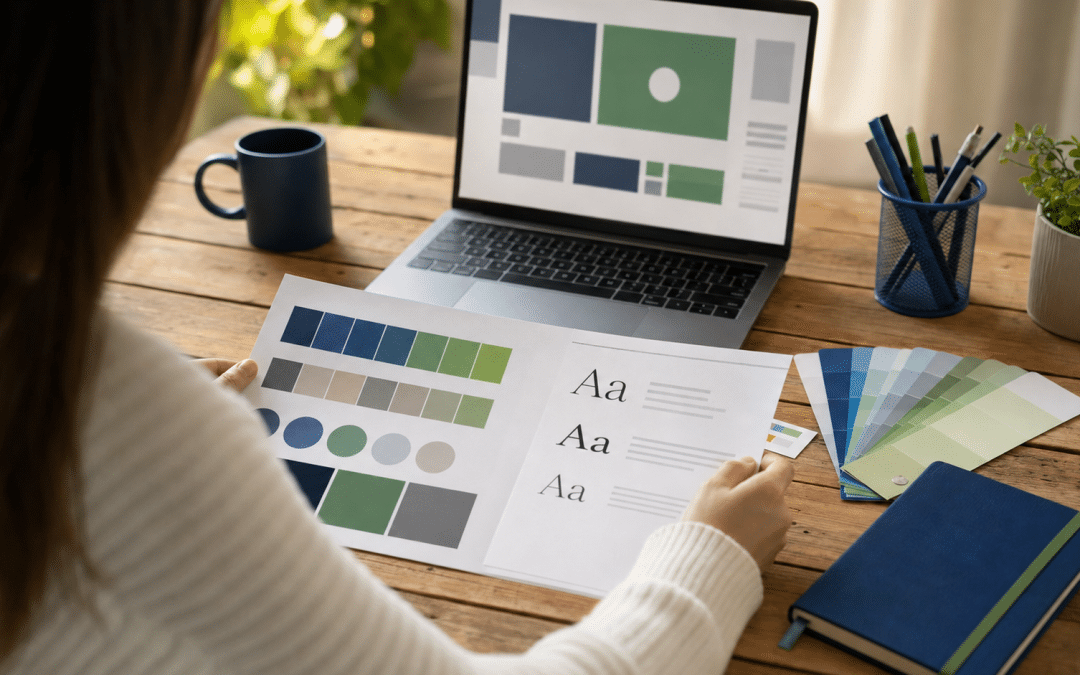
A Canva brand kit setup centralises your business's logos, colours and fonts in one place so every design — from a Facebook post to a quote document — uses the same assets without hunting through folders or retyping hex codes. It sits inside your Canva account and works alongside whatever website builder your business uses, ensuring your digital presence stays visually consistent. For South African businesses juggling multiple social platforms, changing team members, and tight design budgets, the Brand Kit is the single fastest way to look consistent across every customer touchpoint.
The setup process itself takes under an hour once your assets are ready — but most businesses waste that hour inside Canva realising they don't have the right logo file, can't find the hex code for their primary colour, or never agreed on a brand font. This guide fixes that: plan comparison first, pre-flight asset checklist second, then the steps. If you're evaluating a broader design and web presence strategy, see our guide to branding in South Africa for the bigger picture.
Quick Answer
A canva brand kit setup stores your logos (PNG/SVG format), brand colours (hex codes), and fonts in Canva so every design pulls from the same source. The free plan provides one limited Brand Kit (3 colour slots maximum; custom font uploads and expanded logo slots require a paid plan) — most SA businesses need Canva Pro ($18/month, billed in USD) for up to 5 full kits with unlimited colours and custom font uploads. Setup takes under an hour with assets ready in advance. The most common failure is showing up to Canva without a transparent-background logo — collect your files first, open Canva second.
Jump to a section
Not sure your current brand assets are ready for digital?
Send us your logo files and brand brief — we'll tell you exactly what's missing before you spend time on any design platform.
Get a free brand asset reviewWhat Does a Canva Brand Kit Include?
A Canva Brand Kit is a brand asset library that lives inside your Canva account and auto-populates the design panel when you open a new template. Rather than searching for your logo each session, the kit makes your brand elements the default.
Elements you can add to a Brand Kit:
- Logos — multiple variants: full colour, white version, black version, icon-only, wordmark
- Canva brand colours — added via hex codes; these replace Canva's default colour swatches in every template
- Canva brand fonts — heading and body font pairings, with size and weight settings per use case
- Brand Voice — written tone guidelines embedded in the kit (available on higher plans)
- Imagery — reusable product photos, team headshots, background textures
- Chart colours — consistent data visualisation palettes
- Reusable templates — locked designs your team can populate without changing the structure
One behaviour to know before you start: Canva automatically generates colour palettes from any logos you upload. These auto-generated palettes rarely match your exact brand colours. Delete them and add your colours manually using your exact hex codes — the auto-palette is a shortcut that creates inconsistency.
Colour order matters: colour sequence is difficult to change after initial setup, so plan the order before you begin adding. Add your primary colour first, secondary second, and accent colours after — in the order you want them to appear in your palette.
Which Canva Plan Do You Need for Your Brand Kit?
The right plan depends on how many brands you manage and whether you have a team who needs controlled access to your brand assets. The free plan exists but is too restricted for most operating businesses.
| Plan | Brand Kits | Colours per kit | Custom fonts | Template locking | Best for SA scenario |
|---|---|---|---|---|---|
| Free | 1 | 3 max | No | No | Testing Canva only |
| Pro ($18/mo USD) | Up to 5 | Unlimited | Yes | No | Sole traders, SMEs with 1–3 brands |
| Business ($25/user/mo USD) | Up to 100 | Unlimited | Yes | Yes | Agencies, franchises, growing design teams |
| Enterprise (custom) | Up to 1,000 | Unlimited | Yes | Yes | Large corporates, multi-brand conglomerates |
Canva bills South African accounts in USD by default; your bank converts at the prevailing exchange rate on each billing date. Canva also charges 15% VAT on top of the subscription for SA customers, in line with South Africa's digital services VAT rules. For a broader look at Canva's features and plan structure, Shopify's South African overview of Canva covers how the platform fits into different business workflows.
Check canva.com/pricing for current local pricing or promotions before subscribing. If you are comparing Business with Pro, template locking — the ability to freeze design elements so staff cannot move your logo or change brand colours — is the deciding feature for any team with more than two people producing content.
Pro is the practical choice for most SA SMEs. If you run one business brand and need your team to work from the same assets — and you want to upload your actual brand font rather than picking from Canva's library — Pro is sufficient. The template locking in the Business plan only matters once you have staff who might accidentally move design elements.
The Free plan will frustrate you quickly. Three colour slots cannot hold a typical SA brand colour palette (primary, secondary, two accent colours, and a neutral). You'll work around it, creating inconsistency exactly where the kit is supposed to fix it.
What to Prepare Before You Open Canva
The pre-flight step is what separates a canva brand kit setup that actually gets used from one that sits half-finished. Gather every item on this list before you touch Canva — the ten minutes spent here saves an hour of back-and-forth between Canva and your email looking for files.
SA Brand Kit Asset Checklist
Logo files
☐ Full-colour logo — PNG with transparent background (minimum 500px wide; 1,000px or more is ideal for large-format designs such as banners and presentation backgrounds)
☐ White/reversed logo — PNG transparent (for dark backgrounds)
☐ Black/single-colour logo — PNG transparent (for print and single-colour contexts)
☐ Icon or monogram only — PNG transparent
☐ SVG versions of the above if your designer can supply them
Brand colours
☐ Primary colour hex code (e.g. #1A3C6E)
☐ Secondary colour hex code
☐ Accent colour hex codes (maximum 2–3)
☐ Neutral/background colour hex code
☐ Text colour hex code (usually near-black, not pure #000000)
Fonts
☐ Heading font name (and OTF/TTF file if it is not in Canva's library)
☐ Body/paragraph font name (and font file if required)
☐ Font licence confirmation — you may only upload fonts you are licensed to use digitally
Brand voice
☐ 2–3 sentences describing your tone (formal/informal, direct/warm, industry-specific language)
☐ Any words or phrases you always use or never use
If you don't have a transparent-background PNG of your logo, stop here. A logo on a white or coloured background will embed that background into every Canva design. Ask your original designer for the source file, or use a background-removal tool to create the PNG before proceeding. This one file is the make-or-break asset.
How to Set Up Your Canva Brand Kit: Step by Step
Once your pre-flight assets are ready, the canva brand kit setup process itself is straightforward. These steps apply to Canva Pro and Business accounts.
- Access Brand Kit from the homepage. In the Canva homepage left panel, click Brand. From the Brand Kit dropdown, select Create new Brand Kit. Name it clearly — "Company Name – October 2026" works better than "My Brand" when you later add a second kit.
- Upload your logos. Click Add new in the Logos section and upload your full-colour PNG first. Then upload the white version and the black version. Upload the icon variant last. Avoid uploading low-resolution or JPG versions — they will appear pixelated on large-format designs.
- Add brand colours in order. Click the + tile to add a colour. Paste your hex code directly into the hex field — do not use the colour picker unless you are sampling from an uploaded image. Add colours in the order you want them displayed: primary first, then secondary, then accents, then neutrals. Colour sequence is difficult to change after setup, so set it correctly first time.
- Delete auto-generated palettes. Canva pulls a colour palette from your logos automatically. These rarely match your exact brand colours. Delete every auto-generated palette before adding your own — it removes the temptation to use incorrect colours.
- Set brand fonts. If your brand font exists in Canva's library, search and select it. If not, click Upload a font, select your OTF or TTF file, and assign it as your heading or body font. Set up heading and body font pairs, not just individual fonts — this is what allows team members to apply your typography system in one click.
- Add reusable imagery and templates. Upload frequently used images — product photography, team photos, background textures — to the Brand Kit so they appear alongside your colours and fonts in the design panel. On Canva Business, you can lock template elements so staff cannot accidentally move your logo or change colours.
- Assign a Brand Kit owner. Designate one person — typically the business owner, marketing manager, or a trusted designer — as the sole person who can add, edit or delete Brand Kit assets. Teams with multiple editors quickly accumulate duplicates, outdated logos, and colour variants that undo the consistency the kit was meant to create.
Testing the kit: After setup, open a blank Instagram post template and check that your Brand Kit colours appear in the colour panel and your logos appear in the media panel. If they don't, refresh the page. If they still don't appear, check that you are in the correct Canva team and that the kit is published (not in draft).
According to a 2019 Lucidpress State of Brand Consistency Report that surveyed more than 200 organisations, consistent branding across all channels can increase revenue by up to 33%. The Brand Kit is the mechanism that makes consistency possible when multiple people are producing content.
Brand Kit Setup — What Good Looks Like
A correctly set up Brand Kit means a team member can open any Canva template and your brand colours replace the default swatches, your logo appears in the media panel, and your brand fonts are pre-selected. New designs start on-brand rather than defaulting to Canva's generic palette. You should not need to re-upload a logo or paste a hex code after the initial setup. If you do, the kit is incomplete.
Want a complete brand brief before you start in Canva?
Tell us about your business and we'll assess whether your current brand foundation is ready for a DIY setup or needs professional structuring first.
Book a brand assessment callCommon Canva Brand Kit Mistakes SA Businesses Make
The Canva brand kit setup is simple to complete incorrectly — most problems stem from skipping the preparation step rather than misunderstanding the tool.
Uploading JPG logos. A JPG logo carries a coloured or white background that appears in your designs. Canva's background-removal tool can help, but it introduces soft edges on text-based logos. Always use a PNG with a transparent background — ask your designer for this file specifically.
Adding every brand colour you've ever used. Some businesses accumulate 15–20 colours across years of inconsistent design. Adding all of them to the Brand Kit embeds the inconsistency rather than fixing it. Audit your colours first: most brands operate with 5–8 core colours. Pick those and leave the historical variants out.
Skipping the black and white logo variants. South African businesses printing on branded packaging, clothing, vehicle wraps, or sponsorship boards regularly encounter single-colour requirements. If you don't have a black-only logo in your Brand Kit, someone on your team will improvise — and the result usually looks poor. Upload both variants from the start.
Letting the Brand Kit become a general asset dump. The kit is for brand assets — logos, colours, fonts — not for storing campaign artwork, seasonal promotions, or office photos. Put campaign-specific material in a Canva folder instead. A bloated Brand Kit becomes harder to use than having no kit at all.
Not verifying font licensing before upload. If your brand uses a premium or commercially licensed font, check that your licence permits digital reproduction and team use before uploading it to a shared Canva account. Font licences for web and print often differ from licences for shared design tools. When in doubt, contact the font foundry.
Who This Is NOT For
A DIY Canva Brand Kit setup is the right tool for many SA businesses, but not all of them. Be honest about which of these applies to you.
Businesses without an established brand identity. The Brand Kit stores your brand assets — it doesn't create them. If you don't yet have a defined colour palette, a consistent font strategy, or a logo that works across contexts, setting up a Brand Kit will encode your current inconsistency. Sort the brand identity first; Canva is the implementation step, not the design step.
Operators who need client-grade print deliverables. Canva produces solid social media, presentation and marketing material, but it has real limitations for high-resolution print: colour profiles, bleed settings and file formats suited to professional print production are either restricted or absent on most plans. A signage company, packaging supplier or commercial printer will likely need source files from a dedicated design tool.
Franchises or multi-location businesses needing brand enforcement. Canva Business's template locking is a start, but it is not a brand governance system. If you need franchisees across Gauteng and the Western Cape to produce approved material with no deviation, you need a proper brand management platform and a governance process — not just a shared Canva account.
Businesses whose main design output is their website. Canva cannot produce your website. It can produce static imagery for your site, but if your biggest branding challenge is that your website looks inconsistent or unconvincing, no Brand Kit configuration will fix that. The website itself needs to be addressed.
Why South African Businesses Work with Growth Pulse Media on Brand and Web
Canva is a legitimate tool for consistent day-to-day content production, and a well-structured Brand Kit makes a real difference. Where South African operators typically need professional support is at the layer below Canva — the brand brief, the logo variants, the web presence that the Canva content is driving traffic to.
Growth Pulse Media builds and manages digital presences for SA businesses at the intersection of web design, SEO and paid acquisition. Founder Dirk van Greuning built and scaled a large South African ecommerce business before founding the agency — which means brand consistency questions come from an operator's position, not a creative brief. When a client arrives with a Canva kit that's working and a website that isn't converting, the answer is usually in the site structure, not the colour palette.
Work is executed in-house. Client load is deliberately limited so every account gets senior attention. If you're trying to establish whether your digital presence is working as hard as your brand assets deserve, the starting point is a conversation.
Is your website letting your brand work down?
Send us your current site and we'll give you an honest assessment of where visitors are likely dropping off — and what would change that.
Get a free website assessmentCanva Brand Kit Setup — Frequently Asked Questions
Is the Canva Brand Kit available on the free plan?
Yes, but with significant restrictions. The free Canva plan gives you one limited Brand Kit — confirmed to a maximum of 3 colour slots; custom font uploads and expanded logo capacity require a paid plan. Most SA businesses will find the free kit too restricted for real brand use. Canva Pro ($18/month, billed in USD) expands this to 5 full brand kits with unlimited colours and custom font uploads. Check canva.com/pricing for the current full breakdown of free plan Brand Kit limits.
Can I upload my own fonts to Canva?
Yes — custom font uploads are available on Canva Pro and higher plans. You upload the OTF or TTF font file directly into the Brand Kit. Before uploading, confirm your font licence permits use in a shared team design tool, as some commercial font licences restrict this. Canva's own library contains hundreds of free fonts that may already include your preferred typeface.
What logo file format should I use for the Canva Brand Kit?
PNG with a transparent background is the best format for logo uploads — it ensures your logo sits cleanly on any background colour or image in your designs. SVG files are also supported and scale to any size without quality loss. JPG files are the format to avoid: they carry a solid background that will appear in your designs and cannot be removed cleanly by Canva's background tool on text-based logos.
Does the Canva Brand Kit apply to all designs automatically?
Your Brand Kit assets appear in the left sidebar of every new design — colours, fonts, logos and imagery are available one click from any template. They do not override existing designs or force settings onto templates automatically. Each designer still selects from the kit; the kit just makes selecting the correct assets the path of least resistance. Template locking (to prevent elements from being changed at all) requires the Canva Business plan.
How much does Canva Pro cost in South Africa?
Canva Pro is priced at $18 per month (paid monthly) or at an annual rate — both billed in USD by your card. South Africa does not currently have fixed ZAR pricing on most plans, so the rand amount you pay depends on the USD/ZAR exchange rate at each billing date. Canva also charges 15% VAT on subscriptions for South African customers, in line with SA's digital services tax rules. Check canva.com/pricing directly for current pricing and any local promotions before subscribing.
Need your brand to work harder across every channel?
Growth Pulse Media helps South African businesses build digital presences that convert — from web design that loads fast and ranks well, to brand systems that your team can actually execute without a designer on call for every post. We work in-house, with a limited client roster so you get senior attention from day one. No obligation — we'll get back to you within 24 hours.
Talk to us about your brand and website