
 Add to Preferred Sources
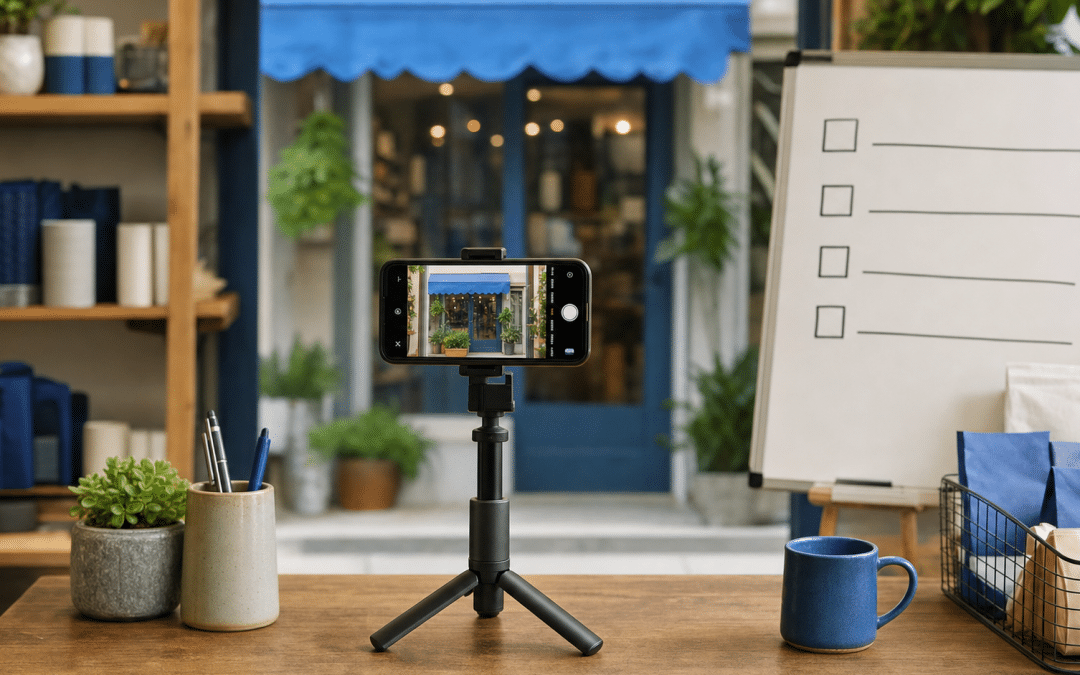
Google business profile video verification is the method where you prove to Google that your business exists at its listed address by filming it on your phone and uploading the clip. It is a small step inside SEO in South Africa, but it comes early in any Google Business Profile setup.
Google reviews the recording after you upload it, so knowing how to verify google business profile with video correctly the first time saves a resubmission.
Avoidable causes of rejection include filming the wrong things, a sign whose name differs from the profile name, and confusing the recorded-video method with the live video call. This guide sets out what Google's own help pages require, what to film for common South African business setups, and how to diagnose a rejection. Where a point is practical judgement rather than a Google rule, it is labelled as such.
Quick Answer
Google business profile video verification means recording one unedited clip of at least 30 seconds on a mobile device, showing where you are, that the business exists, and that you manage it. You cannot upload an older recording, and Google decides which verification methods you see. Review can take up to five business days, and a rejection notification lists the specific issues under "Review issues".
Stuck on a profile you cannot verify?
Send us your profile link and address and we will check whether your name and address look eligible and consistent before you record.
What Is Google Business Profile Video Verification?
Video verification is the Google method where you film your premises and upload the recording so Google can confirm the business is real and managed by you. Google's verification help page lists phone or text, email, live video call, mail (postcard) and video recording, so the "video" label covers two different things. The two video options behave differently, and mixing them up is the commonest reason people record the wrong thing.
| Method | How it works | Key constraint | Best for |
|---|---|---|---|
| Video recording | You film a clip in the Business Profile on your phone and upload it for review | At least 30 seconds, unedited, no breaks, recorded in the moment | Operators who can walk the premises on their own schedule |
| Live video call | You show your location and ownership during a call | You must be at the business during business hours; may not be available for all businesses | Businesses Google offers it to, with someone on site at opening times |
| Postcard | Google mails a 5-digit code to the address | Most codes arrive within 14 days; codes expire after 30 days | Addresses that receive mail reliably |
| Phone, text or email | A code is sent to a contact method | Availability depends on business type, public info, region and business hours | Whoever Google offers it to |
Google states that where your business is eligible for video verification it recommends that option. The postcard route depends on your address resolving to somewhere that actually receives mail, which is a real question for businesses in industrial parks, farms or informal addresses. That is an inference about address types, not a Google statistic, but it is a good reason to check whether the video option appears first.
If you do end up on the postcard route, Google says not to request a new code, because it invalidates the one in the mail, and not to edit your business name, address or category, or the code won't work.
Will Google Offer You Video Verification?
Google decides which verification methods you see, and you cannot choose one that is not shown. Its help page says the options "depend on your business type, public info, region, or business hours", and that methods are determined automatically and cannot be changed. If the video option is absent, the fix is not a better video; it is checking whether the profile itself is eligible.
Under Google's guidelines for representing your business, a business needs a physical location customers can visit, or must travel to customers where they are. The guidelines attach specific conditions to three setups, so check them before you start:
- Virtual offices and remote mailboxes. Google says P.O. boxes or mailboxes at remote locations are not acceptable, and a virtual office is not eligible for a Business Profile.
- Co-working desks. An office in a co-working space qualifies only if it has clear signage, receives customers during business hours and is staffed by your own people during those hours.
- Home-based service businesses. A service-area business at a residential address should hide the address from customers, but can still be verified by showing the neighbourhood.
Eligibility check
If the profile represents a virtual office, a remote mailbox or a shared desk without your own signage and staff, Google's guidelines treat it as ineligible, so a better video will not change that. Sort the address first, then verify.
What Should You Film for Verification?
Your video has to answer three questions: where is this, does the business exist there, and do you manage it. Google's help page on verifying with a video recording specifies the proof by business type, and the shot list below maps it onto common South African setups. The Google column is what the help page states; the South African note is practical judgement, not a Google rule.
| Your setup | What Google asks to see | South African practical note | Best for |
|---|---|---|---|
| Shop on a street | Street signs, building numbers, nearby businesses; permanent signage matching the profile name; access to a register or storage room | Film the street name and exterior signage first, then walk in and show the till or storeroom in the same take | Retail, restaurants, salons |
| Shop inside a mall or centre | Same storefront proof: location, permanent signage, management access | Show the centre name board or entrance, then the walk to your shopfront and your own signage. Check with centre management beforehand whether filming is allowed | Retail and services in centres |
| Service-area business (plumber, mobile detailer, installer) | Street signs or landmarks at the business address; tools, equipment, business cards or branded apparel; proof of managing, such as performing a service or accessing branded assets | Show branded vehicle, uniform and tools in one continuous take. Google also allows a business permit, invoice or utility bill as an alternative route to proving management | Trades and mobile services |
| Home-based service business inside an estate or complex | Landmarks and signs in the immediate neighbourhood to verify the address | Film the street name, the estate entrance board and nearby landmarks. Google tells residential service-area businesses to hide their address from customers, so avoid lingering on your own door. Keep other residents out of shot | Consultants, tutors, home-based trades |
Two limits apply to every setup. Google says to avoid sensitive information such as bank account, tax or ID numbers appearing in the video, and to avoid other people's faces. For a shop with customers, film at a quiet moment.
South African access checks (practical judgement, not Google rules). Sort these out before you press record, because the clip has to be one continuous take. Estate and office-park security gates: tell the guard you are filming and agree your route. Sectional-title complexes: if the unit number on your profile differs from the sign on the building, show both the unit sign and the complex entrance board. Malls: ask the centre manager about filming permission.
How Do You Record the Video Without Failing It?
A verification recording is accepted or rejected on whether it is continuous and complete, so preparation decides the outcome, not the filming itself. Google requires an unedited, unique and complete recording with no breaks, made on a mobile device, and says you cannot record it offline and upload it later. That means you cannot stitch clips together or reuse a promotional video.
- Match the name first. The business name in the video must match the name on the profile. Google's guidelines describe the name as the real-world name used consistently on the storefront, website and stationery. As practical judgement, if your signage shows a trading name and your profile carries a longer name with extra words, align one with the other before recording.
- Plan the route. Walk it once without recording: street sign, building number, signage, entrance, management proof. A continuous take is easier from a rehearsed path.
- Open the recorder in the profile. On your phone, open your Business Profile, choose the Business video method, and start recording with the built-in tool. Record for at least 30 seconds, and longer if your route needs it.
- Review before upload. Google's steps include reviewing the recording before you upload it. Check that the sign is readable and nothing sensitive is visible.
- Wait for review. Google says this can take up to five business days.
Daylight and power. Google's own example of a rejection is a business name not visible on the storefront. As practical judgement, film in daylight rather than relying on an illuminated sign that may be off during load-shedding.
Not sure your profile name matches your signage?
Share your profile link and a photo of your sign and we will flag name mismatches before you record.
Why Do Google Business Profile Videos Get Rejected?
A rejected video is a diagnostic message, not a verdict, because Google tells you what failed. When a recording is not accepted you receive a "Review issues" notification, and Google's help page gives "Business name not visible on storefront" as an example. Open it, read the listed reasons, and fix every item before you resubmit.
The table pairs symptoms with hypotheses and the check that tells them apart. It is a diagnostic aid, not a list of Google's internal rules.
| Symptom | Possible causes | How to tell them apart | Fix |
|---|---|---|---|
| "Review issues" mentions the business name | Sign not in shot; sign unreadable; sign name differs from profile name | Pause your clip on the sign. Is it legible, and does it match the profile word for word? | Re-film the sign in clear light, or align the profile name and signage |
| Issues mention location | No street sign, building number or landmarks shown; the clip starts indoors | Does the clip show the exterior and a street sign before going indoors? | Re-record starting outside, with street sign and landmarks |
| Issues mention proof of management | No register, storage room, tools or branded assets shown; no sign of you operating the premises | Check the clip for a point where you open or access something only staff would | Add the till, storeroom, tools or branded vehicle to the take |
| Video option never appears | Profile ineligible (virtual office, shared desk); Google has not offered it for this business type, region or hours | Compare the address with the eligibility rules; check again during business hours | Fix eligibility first; otherwise use the method Google shows |
| Recording will not upload | Clip made outside the Business Profile recorder; clip edited or pieced together | Was it filmed in the profile's recorder in one take? | Re-record inside the profile in one take |
Resubmitting
When a verification attempt fails, the "Review issues" screen names the specific deficiency. Fix every item listed and re-record in one continuous take, rather than patching the first clip.
What Happens After Verification?
Verification confirms to Google that the business is real and managed by you; it does not by itself make a profile perform. What the profile achieves afterwards depends on the information on it and how customers find and review it. Three follow-ups belong with the local SEO fundamentals for any new profile:
- If you are waiting on a postcard instead, leave the name, address and category alone and do not request a second code, because Google says either one stops the mailed code working.
- Build a review request process, for example with a Google review link and QR code at the till or on the invoice.
- Learn how the surrounding system works through how local SEO works, then work through the local SEO citation checklist so your details are consistent elsewhere.
Why South African Businesses Choose Growth Pulse Media
A verified profile is one task inside a wider local search plan, and that plan is what Growth Pulse Media offers businesses beyond this guide.
Growth Pulse Media is led by Dirk van Greuning, who built and scaled a large South African ecommerce business before founding the agency. All work is executed in-house and the client load is limited, so senior attention is on the account rather than handed down. For businesses who want the verified profile to sit inside a wider search plan, start with the SEO service in South Africa.
Want a second pair of eyes before you submit?
Request a free audit and consultation. No obligation, and we will get back to you within 24 hours.
Who This Is Not For
This guide will not help if your listing fails Google's eligibility rules, if you plan to reuse existing footage, or if you need a promise of approval.
Virtual-office and remote-mailbox operators. Google's guidelines say these locations are not eligible for a Business Profile, so this guide cannot rescue that listing.
Anyone hoping to reuse a promotional video. The recording must be made through the profile on a mobile device, unedited and complete. A polished brand film will not qualify.
Businesses wanting certainty of approval. Google decides the methods offered and whether the recording passes. Nobody can promise acceptance.
FAQ
How long should a Google Business Profile verification video be?
Google says the video must be at least 30 seconds long. It must also be unedited, unique and complete with no breaks, recorded and uploaded from a mobile device.
How long does Google business profile video verification take?
Google says the review process can take up to 5 business days after you submit the recording. If it is not accepted, you get a "Review issues" notification showing why.
What is the difference between video recording and live video call verification?
A video recording is filmed and uploaded from your phone for review. A live video call requires you to be at the business during business hours and show your location and ownership during the call, and Google notes it may not be available for all businesses.
Can I choose video verification instead of a postcard?
No. Google says verification methods are determined automatically and cannot be changed, and the options depend on business type, public information, region or business hours. Google recommends video where your business is eligible for it.
What if my business is home-based?
A home-based service business records landmarks and signs in its immediate neighbourhood to verify the address. Google's guidelines say a service-area business at a residential address should hide the address from customers.
Get your Google Business Profile verified and working
Whether you run a shop in a Johannesburg centre or a mobile service across Gauteng, tell us your setup and we will review it. No obligation. We will get back to you within 24 hours.
For Google's own wording, read Google's help page on verifying with a video recording.
