
 Add to Preferred Sources
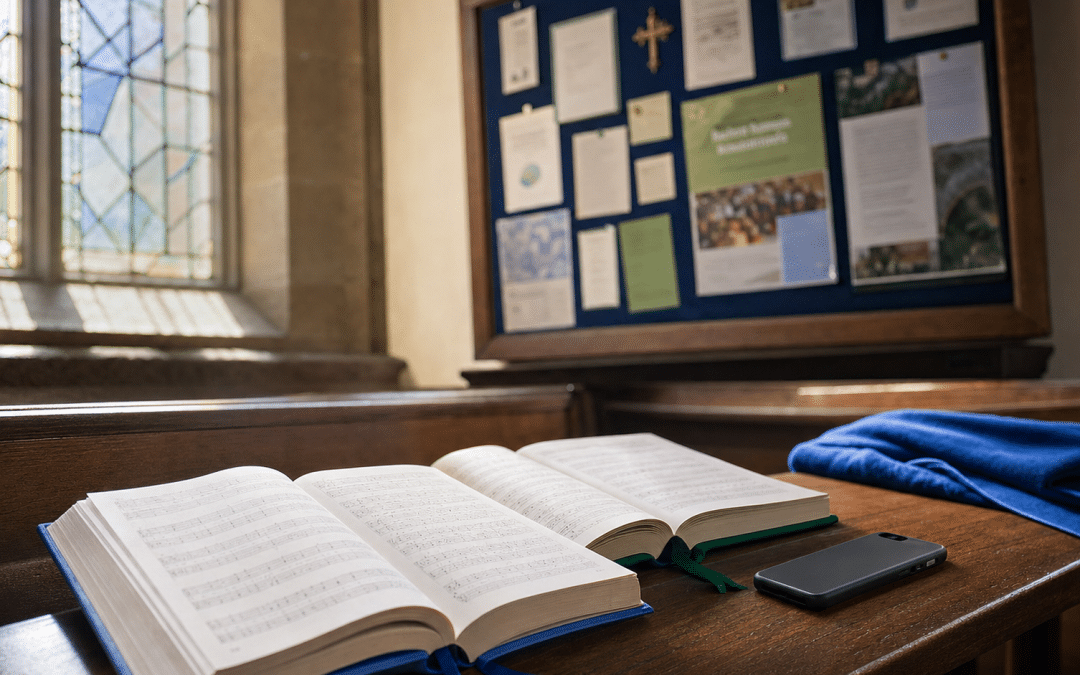
SEO for churches is the work of making your congregation easy to find, and easy to decide on, when someone nearby searches for a church, a service time or a Sunday school. It applies our SEO in South Africa pillar guide to a single congregation or a small group of branches, and needs a complete Google Business Profile, one clear page for first-time visitors and care over what you publish about people.
The searcher is usually not a member. It is a family that has just moved suburb, a visitor with a funeral to attend, or someone who has been thinking about walking into a church for months. They want the address, the start time and a sense of what happens inside, in under a minute, on a phone.
Quick Answer
SEO for churches starts with a verified, accurate Google Business Profile, because Google ranks local results on relevance, distance and prominence. Add a plain-text "Plan your visit" page with service times, address and what to expect, and think carefully before publishing names, photos or prayer requests. Distance is fixed by your building, so the other two are where effort pays.
In this post
Not sure your congregation shows up on the map?
Send us your profile link and we will tell you what a first-time visitor sees.
Request a profile reviewWhat does SEO for churches involve, and what does it compete for?
SEO for churches competes for Google's local results block, the short list of nearby places shown for searches with a local meaning. According to Google's local ranking help page, those results rest on three factors: relevance (how well a profile matches the search), distance (how far each place is from the searcher) and prominence (how well known the place is, which includes things like website links and review volume).
The same page recommends verifying the profile, keeping business hours current and managing reviews. None of that is specific to churches, which is exactly why the church-specific part is about what the visitor needs. A congregation is not selling anything at the door, so the success measure is a first visit, not a transaction.
Takeaway
A congregation can influence two of Google's three local factors and cannot move the third. Relevance comes from how completely the profile and website describe who you are and when you meet. Prominence is built partly through reviews and links from other sites. Distance is set by where your building stands.
How should a congregation set up its Google Business Profile?
A church Google Business Profile is the listing that appears on the map and beside your name in search, and it is bound by the same guidelines as any business. Our Google Business Profile guide covers the general setup. Four points matter more for congregations.
Eligibility and address. Google's representation guidelines say a profile needs a physical location customers can visit, or a business that travels to them. P.O. boxes are not acceptable addresses, and businesses showing their address "should maintain permanent fixed signage of their business name at the address". A congregation that meets in a rented school hall or a borrowed venue should read those lines carefully before claiming that address, because Google reserves the right to suspend profiles that break its guidelines.
Name. The name should match your real-world name as used consistently on your signage, website and stationery, with no taglines, hours or phone numbers added. "Grace Community Church" works. "Grace Community Church - Sundays 9am - Pastor Sipho" does not.
Category. The guidelines say to use as few categories as possible, and to test each with "this business is a..." rather than "this business has a...". Pick the one that names what you are. Whether a denomination-level category is on offer in your region is worth checking in the profile editor itself; third-party guides list several, but the editor is the authority.
Hours. Google's guidelines name "worship services" among the examples of varied-hours schedules for which a business shouldn't list hours. Check what the profile editor allows for your building, and keep the full service times, by day and language, on your website and in your profile posts.
What do first-time visitors search for?
First-time visitors search in a small number of patterns, and each pattern is answered by one page or profile field. The table is a working model of how these searches are phrased, not a keyword-volume study, so test the wording against your own suburb and tradition.
| Visitor's question | Typical search | What answers it | Best for |
|---|---|---|---|
| Where is the nearest one? | church near me | Verified profile, correct category, address | Every congregation |
| Is there one in my area for my tradition? | [denomination] church [suburb] | Homepage naming denomination and suburb as text | Congregations with a clear tradition |
| When does it start? | church service times [suburb] | Plan Your Visit page with times in text, not an image | Every congregation |
| Will my children be looked after? | church with children's ministry [suburb] | A children's page: age groups, times, safety practices | Family-focused congregations |
| Which language is the service in? | Afrikaans church [town], isiZulu church service | Language of each service stated on the visit page | Multilingual or single-language congregations |
| Can I watch first? | online church service, [name] live | A watch page for the livestream and recent sermons | Congregations that stream |
In a multilingual country, a visitor who wants a service in their home language may say so in the search. Put the language of each service in plain text; do not assume a visitor will guess it from your name.
What should a Plan Your Visit page contain?
A Plan Your Visit page is the single page that answers a stranger's practical questions, and it is the page most worth getting right for church website SEO because every other page can point to it. Write it as text a phone can read, not as a flyer saved as a picture.
- Service times: day, start time and language for each service, matching the profile.
- Address and directions: street address, a map, parking and the nearest taxi or Gautrain stop if relevant.
- What to expect: length of the service, dress, music style, whether there is a collection.
- Children and youth: age groups, times and the adult who is responsible.
- Accessibility: step-free access, parking for the elderly, hearing support if you have it.
- A contact route: a form or a WhatsApp number for questions before the first visit.
Keep the page current. A service time that changed last month and still shows the old hour sends a visitor to a locked door, which is a worse outcome than no page. For the mechanics of building the pages themselves, see our guide to website design for churches.
Works: "Sunday 09:00, English, about 75 minutes. Children's programme runs during the sermon. Parking behind the hall." Text, specific, easy to lift into a search result.
Does not work: A beautifully designed image titled "Join us this Sunday!" with the times inside the picture, which search engines and screen readers cannot read.
Marking up the building and the address
Structured data states your address and hours in a form machines read directly. The vocabulary at schema.org has a Church type, nested under PlaceOfWorship. Google's LocalBusiness documentation recommends address, opening hours, geo-coordinates and telephone, but the documentation names no church-specific type, and Google states it does not guarantee that markup produces any feature. Treat markup as tidy housekeeping that supports the visible page, never as a ranking lever.
Visit page written but still not found?
Share your site and we will review which pages and times are readable as text.
Ask for a fit assessmentHow should livestreams, sermons and events be published?
Livestreams and sermon recordings are found best when each one has its own watch page, because Google's video guidance says a watch page's main purpose is to show users a single video. Embed it with standard HTML, give it a title and a short written summary, and avoid burying it inside a gallery or a pop-up.
For a live service, Google's video documentation describes BroadcastEvent structured data as the way to be eligible for a "LIVE" badge, and the Search Console video indexing report as the place to check whether your pages are being picked up. Our DIY SEO audit in 60 minutes shows how to read it.
Events need more care.Google's Event documentation requires a name, start date and a physical location, says virtual-only experiences are not supported, and says events must be bookable by the general public.
It also says the feature is limited to specific regions, so do not build a plan on the assumption that event results will display in South Africa. As a practitioner's rule, one-off occasions open to the public, such as a carol service or a conference, suit event pages; a weekly service belongs on the visit page, and a private or members-only gathering does not fit the "bookable by the general public" test.
Takeaway
For a congregation, the order of effort is the profile, then the visit page, then one watch page per recorded or streamed service. Event markup suits one-off public occasions and carries no promise of a result, so it comes last. Each step fixes something a first-time visitor would otherwise have to guess.
What should a congregation not publish about its people?
A congregation should publish less about individuals than a business would, because information that reveals someone's religious beliefs is special personal information under POPIA. Section 26 reads that a responsible party may, "subject to section 27, not process personal information concerning" the religious or philosophical beliefs of a data subject, among other categories, as reproduced on popia.co.za. A photo captioned with a name and a congregation may reveal a belief, which is this article's reading of the rule rather than a ruling.
The Act's later sections set out authorisations, including, according to one secondary summary, a provision for religious organisations in respect of their own members. Those authorisations are conditional and do not obviously cover every visitor or website user, so read them against what your site actually collects before you add a feature. This is general information and not legal advice; ask a qualified adviser about your own setup. Some practical defaults for the site itself:
- Prayer requests: do not publish them with names or details, and tell people how a submitted request is stored and who sees it.
- Member directories: keep them behind a login, if you keep them at all.
- Photos: prefer wide shots over portraits, and get permission before using identifiable faces and, as a safeguarding practice, a parent or guardian's permission for children.
- Home groups: publish the area and a contact route, not a host's residential address.
- Contact forms: collect only what you need to reply.
Search engines index what you publish, and what is indexed is hard to withdraw. Our noindex versus robots.txt guide explains why blocking a page and removing it from results are different jobs.
How do reviews and links build trust for a congregation?
Reviews and links from other sites contribute to prominence, which Google defines partly through review volume and website links. Reviews are also what an unsure visitor reads before they decide to walk in.
Ask for reviews gently. A visitor who felt welcomed will often say so if asked once, through a link or QR code in the welcome pack rather than from the pulpit, and our Google review link and QR code guide shows how to build the link. Reply to every review, including the critical ones, calmly and without defensiveness.
For links, ask the school, the community forum, the denomination's directory and the local ward or neighbourhood page to list you with your correct name and address.
Many congregations already communicate on Facebook, which DataReportal counts at 27.9 million users in South Africa in late 2025. Keep service times identical there and on your profile; a mismatch between channels is how visitors end up at the wrong time.
DataReportal's Digital 2026 South Africa report counts 51.7 million people online at the end of 2025, and puts internet penetration at 79.6% in its January 2026 report. That is national data, not church-searcher data, but it means most of your potential visitors can look you up before they arrive.
Want an outside read before you publish?
Contact us for a free audit of your profile and website.
Request a free auditWhat is a realistic routine for a volunteer team?
A realistic routine for a volunteer-run office is a short monthly check and a short check before every change of schedule, because accurate times count for more than a high volume of posts. As a working rule of thumb, not a measured benchmark, treat this SEO for churches checklist as roughly an hour of work to set up and a few minutes a week to maintain. It is also the realistic scope of SEO for small churches with no paid staff.
- Claim and verify the profile; correct the name, category, address and hours.
- Write the Plan Your Visit page and make its times match the profile.
- Add one watch page for the most recent service if you stream.
- Set a reminder to update times before Christmas, Easter and school holidays.
- Look at Search Console monthly to see which queries bring people in. Our explanation of how local search works and the local search guide cover the next level of local SEO for churches in South Africa.
Once a visitor becomes a regular, communication moves off search. Our posts on email for churches and WhatsApp for churches cover that stage.
Why South African Businesses Choose Growth Pulse Media
Growth Pulse Media is a Johannesburg agency that executes all work in-house, with a limited client load so senior people stay close to each account. Founder Dirk van Greuning built and scaled a large South African ecommerce business before founding the agency. Our SEO service in South Africa starts from the fundamentals in this post: accurate listings, readable pages and honest measurement. A free audit is available through the contact page, with no obligation.
Who This Is NOT For
These situations are where the steps in this post are unlikely to help.
Congregations with no fixed premises. A group that meets in homes or moves venues each month may not meet Google's physical-location and signage guidelines, so a profile may not be available to it.
Anyone who wants to rank first for "church" nationally. Local results depend on distance, so the realistic target is people near your building.
Teams that will not keep times current. Several steps depend on someone updating the profile and page when the schedule changes.
Anyone planning to publish member lists or prayer details openly. That may conflict with POPIA unless consent or another authorisation applies.
Frequently Asked Questions
What is SEO for churches?
SEO for churches is the work of making a congregation appear in Google's local results and on its own website for searches like "church near me" or "service times" in your area. It covers the Google Business Profile, a plain-text visit page, and careful handling of what is published about members.
Does a church need a website, or is a Google Business Profile enough?
A verified profile is the usual first step and may suffice for a small congregation at the start. A website holds what a profile cannot: full service times by language, children's information, a livestream watch page and a contact route.
Can a church that meets in a school hall have a Google Business Profile?
Possibly, but eligibility is not guaranteed. Google's guidelines call for a physical location customers can visit and say businesses showing their address should maintain permanent fixed signage there, so a congregation using a rented venue should read them before claiming it.
Is a church's membership information protected under POPIA?
Information concerning religious beliefs is special personal information under POPIA section 26, and processing it is restricted subject to section 27. Authorisations exist, so check them against what you collect and take legal advice for your setup.
How do I get more Google reviews for my church?
Ask visitors once, with a direct review link or QR code in a welcome pack, and reply to every review. Google lists review volume under prominence, one of its three local ranking factors.
Help the next visitor find your door
Contact us for a free audit of your Google Business Profile and website. No obligation, and we will get back to you within 24 hours.
Get your free audit