
 Add to Preferred Sources
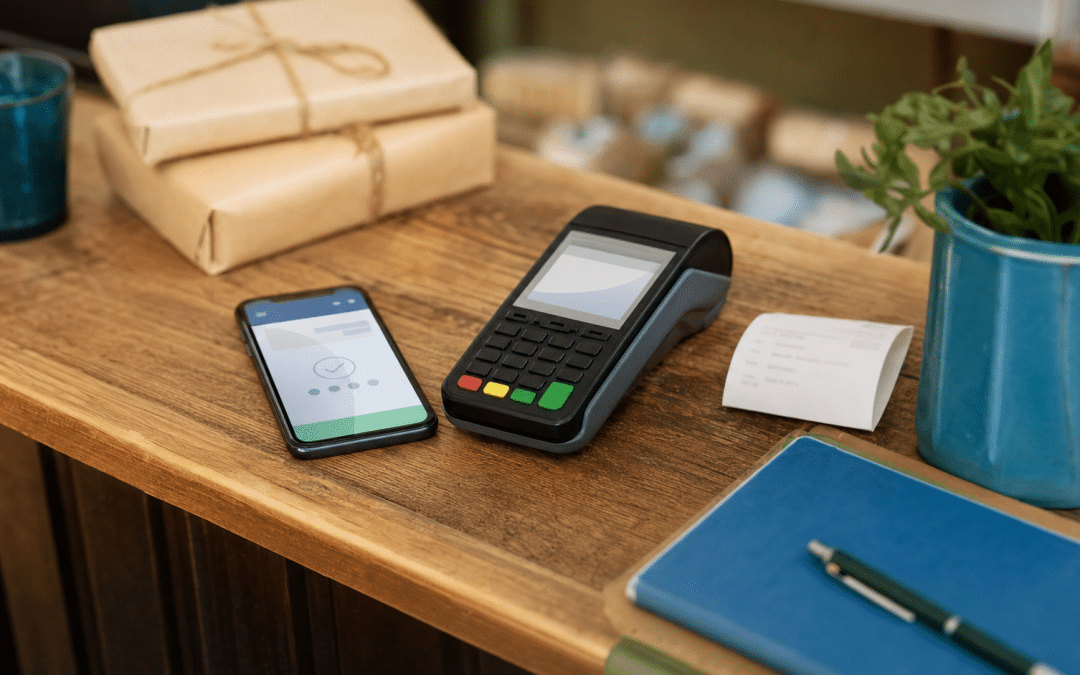
WhatsApp payments in South Africa currently means sending a customer a payment link inside a chat, because we found no South African version of WhatsApp's own in-chat payment feature: the Meta payment documentation we reviewed covers India and Brazil, Infobip reports limited Singapore pilots, and we could not confirm South Africa against WhatsApp's own country list. This post sits inside our WhatsApp marketing guide for South Africa and covers what is live, which rails fit which sale, and what would have to change before the picture does.
The gap matters because a sale that starts in a chat usually dies at the payment step if the customer has to leave, find your bank details and type in a reference. The fix is not waiting for Meta. South African providers already let you create a link or a request and drop it into the conversation, and the WhatsApp commerce overview covers the wider selling picture around it.
Quick Answer
WhatsApp payments in South Africa work by sending a payment link or payment request in the chat, with the customer paying on the provider's hosted page or in their banking app. The Meta payment documentation we reviewed covers India and Brazil (Infobip adds limited Singapore pilots), and we found neither a South African configuration nor a South African launch date. Choose the rail by how your customer prefers to pay: card link, pay-by-bank link or PayShap Request.
Sending payment details from a personal chat?
Send us your current order-to-payment steps and we will show you where customers are likely dropping out between the chat and the payment page.
WhatsApp Payments in South Africa: What Is Actually Live
Native in-chat payment, where the customer pays without leaving the conversation, exists in a short list of countries, and we found no sign that South Africa is on it. Meta's documentation for payments through payment gateways names BillDesk, Razorpay, PayU and Zaakpay, supports only INR and requires an India beneficiary address. The separate Brazil orders documentation uses BRL and lists Pix, boleto, payment links and off-site card payment.
Infobip's country summary lists India and Brazil as supported, Singapore as limited partner-led pilots only, and does not mention South Africa. It says availability depends on "local regulation, banking partners, and WhatsApp's rollout plans" and that there are "no official launch dates" for the markets under consideration, without naming South Africa. That summary comes from a messaging provider, not from Meta, and we could not read WhatsApp's own country list, so treat the conclusion as "none found" rather than a confirmed absence.
Two things are easy to confuse with it. In June 2026 WhatsApp Plus launched in South Africa at R28.99 a month, but it covers cosmetic extras such as stickers, themes and ringtones, not payments. And a payment link sent in a chat is a message containing a URL; the money moves on the provider's side, not inside WhatsApp.
The state of play in one paragraph
Meta's documentation we reviewed covers in-chat payments for India and Brazil, with rollout tied to local regulation and banking partners per Infobip, and we found no South African configuration or date. South African businesses that want to accept WhatsApp payments therefore use a provider's payment link or request, sent as an ordinary message.
What Is Telkom's Chat 2 Pay and How Does It Take Payment?
Telkom's Chat 2 Pay is a chat-initiated checkout that starts in a conversation and completes on a hosted card page, which shows both what works and where the payment actually happens. Telkom and Clickatell announced it on 10 March 2023: the customer sends "Hi" on WhatsApp, picks an option from a menu and receives a secure checkout link for phone and fibre bills, airtime, data bundles or SMS bundles.
The checkout page is fully hosted and accepts Mastercard and Visa debit and credit cards, so the card details are entered on that page, not typed into the chat. The chat handles the conversation and the link; the hosted page handles the money. Its current live status was not verified for this post, so check with Telkom before assuming it is running.
That structure is the template every South African option follows today: the chat starts and tracks the sale, and a hosted page or a banking app completes it. Where your products are browsed first, a WhatsApp Business catalogue link can sit in front of that step.
Which Payment Link Rail Suits Which Sale?
The right rail for WhatsApp payments depends on how your customer prefers to pay and how much each order is worth, because each South African provider supports different methods and carries different constraints. The table uses each provider's own published statements as at October 2026, and leaves out fees because several providers do not publish them on the relevant pages.
| Rail | How the customer pays | Published constraints | Best for |
|---|---|---|---|
| Yoco payment link | Card only, with 3D-Secure, on a secure page | Funds arrive in a maximum of 2 business days; normal Yoco transaction fees apply; amount cannot be edited once created; listed as included with any Yoco card machine | Card-paying customers, one-off orders and quotes |
| Ozow payment request | Pay by bank, cards and other methods listed on Ozow's site | None published on its homepage; Ozow lists "Payment Requests" via WhatsApp and does not show fees there | Customers who would rather pay from their bank app |
| Payfast payment request | Payfast lists "18+ different payment methods"; which ones your customer sees depends on your account setup | Payfast describes the request as an emailed clickable link, so you would paste the link into the chat yourself | Merchants already on Payfast who want several payment methods |
| PayShap Request | Customer approves the request in their own banking app | Limits and fees are set by each bank; the customer needs a ShapID registered with their bank (Nedbank's FAQ describes this for its own customers) | Low-value, instant bank-to-bank payments |
| Hosted-checkout menu (Chat 2 Pay model) | Card on a hosted page reached from a chat menu | Needs a provider to build and run the menu | Repeat, standardised payments such as bills and top-ups (our judgement, based on what Telkom's flow covers) |
| Native in-chat payment | No South African version found | Meta documentation reviewed covers India and Brazil; Infobip reports limited Singapore pilots | Nothing yet; do not plan around it |
Which of these is cheapest cannot be answered from published pages alone, since Yoco, Ozow and Payfast each leave rates to their own pricing pages or sales teams. Compare the all-in cost on your average order with our payment gateway fees comparison before you commit to one.
Not sure which payment rail fits your order value?
Tell us your average order size and how your customers usually pay, and we will talk through which rail suits your sales before you set anything up.
How Does PayShap Request Work for a Chat Sale?
PayShap Request is a bank-to-bank rail where the merchant sends a payment request to the customer's ShapID and the customer approves it in their banking app, with funds settling instantly once approved. It is not a WhatsApp feature, but it suits a chat sale because you can tell the customer in the conversation that the request is on its way.
PayShap launched on 23 March 2023 with a maximum of R3,000 per transaction. The per-transaction ceiling was raised to R50,000 in 2024, according to Netcash, and PayShap Request, which lets merchants initiate the request, arrived in December 2024. By late 2025 South Africa was processing about 45 million PayShap transactions a month, 80% of them under R500, according to Stitch's 2026 review.
The limits your customer sees depend on their bank. Nedbank's PayShap Request FAQ gives a standard limit of R5,000 per transaction, R10,000 with Approve-it authentication and up to R50,000 with biometric authentication. Requests default to 14 days before expiry and the customer can change that to any date within 45 days. A fee applies when sending money via PayShap, while the recipient does not pay to receive.
What the Nedbank limits mean for a chat sale
On Nedbank's published limits, a Nedbank customer using the standard limit can approve a request of up to R5,000, and other banks set their own limits, so check the customer's bank. A larger order, such as a deposit on a big job, needs the customer to use a higher authentication tier or a different rail, so state the amount and the likely approval step in the message instead of leaving the customer to find out.
How Should a Payment Message Be Built?
A good payment message in a chat states the amount, what it is for, and how to pay, then gives one link and nothing that asks for card details. As a working rule, never ask a customer to type or photograph a card number into the conversation: use the provider's hosted page, the way the Telkom flow does.
For WhatsApp Business payments on the app itself, you paste the link into a normal message. Once you send reminders at volume through the Business Platform, note that Meta's pricing page says utility messages sent within an open 24-hour customer service window are charged per message from 1 October 2026, so check the South African rate before you automate. Meta's utility template documentation lists payment reminders among its examples and allows a URL button.
Meta also says a utility template containing marketing material is automatically re-categorised as marketing, so keep a payment reminder to the payment. Our guide to WhatsApp Business app vs API covers when that switch makes sense, and WhatsApp Business API pricing covers what it costs.
A message that works: "Hi Thandi, your order of two cakes comes to [amount, including delivery]. Pay securely by card here: [link]. The link covers this order only. Reply here if you would prefer to pay from your bank app and we will send a request instead."
A message that leaks sales: "Please send me your card number, expiry and CVV and I'll process it." Card details sitting in a chat history are a risk to your customer and to you, and it gives the customer a reason to doubt the business.
Two practical details from Yoco's own support page are worth building into the process. A link's amount and description cannot be changed once created, so an unpaid link with a wrong amount is deleted and recreated, and refunds on paid links are requested in the sales history and cannot be undone once submitted. Agree the final amount, including delivery, before generating the link.
Payment messages in one paragraph
A payment-link message in a chat should carry the amount, the purpose, one secure link and a fallback payment option, and it should not invite card details into the chat. Generate the link only after the final amount is agreed, because providers such as Yoco do not let you edit an existing link.
What Could Change, and What Should You Do Now?
Native WhatsApp payments for business reaching South Africa depends on local regulation, banking partners and Meta's own rollout choices, and we found no published South African date for any of them, so a business plan should not depend on it. The practical move is to build a payment step that works with a link today and would survive a native option arriving.
Three decisions are worth making now.
First, pick one primary rail by your customers' payment habits, and keep a second as a fallback. Second, standardise the payment message so every agent sends the same wording and link type. Third, track where chats stall after the payment link is sent: our guides to WhatsApp cart recovery and ecommerce payment methods in South Africa cover follow-up and method choice. If you sell through a website as well, the same links can be reused for orders that start from an ad, as covered in click-to-WhatsApp ads.
Why South African Businesses Choose Growth Pulse Media
Growth Pulse Media is a Johannesburg digital marketing agency whose advice on commerce questions comes from an operator's side of the sale. It was founded by Dirk van Greuning, who built and scaled a large South African ecommerce business before starting it, so questions like "where does the customer drop out between chat and checkout?" are asked from the seller's side.
We are a Registered Shopify Partner and an Omnisend Certified Partner, all work is executed in-house, and we keep a limited client load for senior attention.
If WhatsApp is on your shortlist, the WhatsApp marketing South Africa service page explains how to start a conversation, and a free consultation is a straightforward way to find out where the payment step sits in your wider funnel.
Who This Is NOT For
This advice does not suit businesses expecting a native payment button, those that cannot confirm an order before sending a link, or those wanting a single rail to fit every sale.
Anyone waiting for WhatsApp Pay to arrive. We found no South African date, and the links and requests described here already work.
Businesses that quote loosely. If the amount changes after the link is sent, a non-editable link means recreating it each time. Fix the quote process first.
High-ticket sellers who need a single answer. Card links and PayShap Request carry different limits and approval steps, so large orders usually need a conversation about the right rail, not a default.
Want your payment step reviewed end to end?
Send us your chat flow and the link you currently use, and we will go through the step between "yes, I'll buy" and paid.
Frequently Asked Questions
Does WhatsApp Pay work in South Africa?
We found no South African version. The Meta payment documentation we reviewed covers India and Brazil, and we could not confirm South Africa against WhatsApp's own country list. South African businesses use a provider's payment link or request sent in the chat instead.
How do I accept payments on WhatsApp Business in South Africa?
Create a payment link or request with a South African provider such as Yoco, Ozow or Payfast, then send it to the customer in the chat. The customer pays on the provider's hosted page or in their banking app, not inside WhatsApp itself.
Is it safe to take card details in a WhatsApp chat?
As a working rule, no: use a hosted checkout page so card details are never typed into the chat. Telkom's Chat 2 Pay flow works this way, with a fully hosted checkout page, and Payfast describes its own platform as PCI DSS Level 1.
Which payment link is cheapest for WhatsApp payments?
That depends on your order size and payment method, and Yoco, Ozow and Payfast each leave their rates to their own pricing pages or sales teams. Compare the all-in fee on your average order for each rail before choosing.
Will WhatsApp payments launch in South Africa?
We found no South African launch date. Infobip's country summary says availability depends on local regulation, banking partners and WhatsApp's rollout plans, and that no official launch dates exist for the markets under consideration.
Get your chat-to-payment flow checked
As a Registered Shopify Partner and Omnisend Certified Partner with all work executed in-house, we will review how your customers move from enquiry to paid. No obligation, and we will get back to you within 24 hours.
