
 Add to Preferred Sources
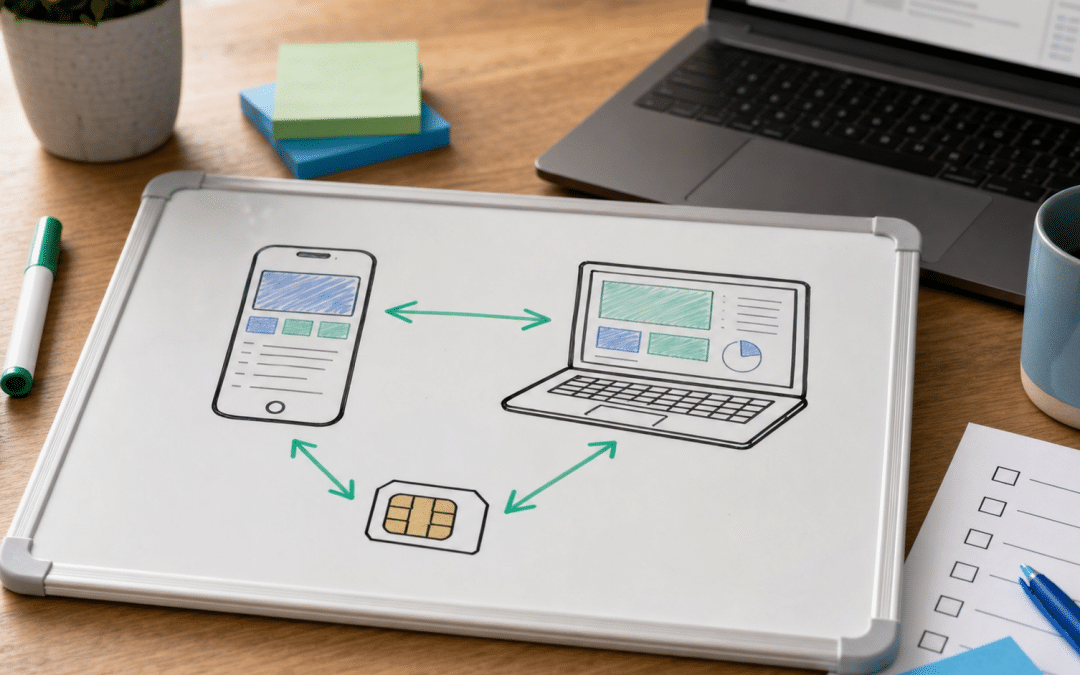
WhatsApp business number migration is moving a phone number's WhatsApp account to a new home (a new phone, a new number, the Cloud API or a different provider). The route you choose decides whether your chats, contacts and templates come with it. It belongs to the wider WhatsApp marketing guide for South African businesses, and this post covers the practical side: which route fits your starting point, what each one costs you, and what to sort out before you touch a setting.
Most guides give one recipe for a WhatsApp Business API migration: delete the app account, register the number on the API. That is one route of five, and it is the one that loses your history. The three API routes below come from Meta's own documentation, the in-app change-number route from a provider's help guide, and the new-phone route from the standard app set-up. Each section flags where the source is silent, including whether the app-and-API option is open to a South African number.
Quick Answer
A WhatsApp business number migration is one of five moves: a new phone, a new number in the app, the app to the Cloud API by deleting the app account (history lost), the same move through a partner (history preserved, with limits, if your provider confirms it supports your South African number), or one provider to another. Back up first as a precaution, confirm the number can receive an SMS or voice code, and know which of the five you are doing.
In This Post
Not sure which of the five moves you are making?
Send us what the number runs on today and where you want it to end up, and we will tell you which route to ask your provider about.
Get a route recommendationWhich WhatsApp Business Number Migration Route Fits Your Move?
The right route is set by two facts: where the number lives now (app, API or a provider) and where it needs to be, plus whether you can afford to lose chat history. The table sorts the five routes by those constraints and shows what each one puts at risk.
| Your move | Route | What you lose or must check | Best for |
|---|---|---|---|
| New phone, same number | Set up the Business app on the new handset with the same number and restore from backup (see our WhatsApp Business backup and restore guide) | Depends on a usable backup; no change to the account type | Replacing a lost, stolen or broken handset |
| New number, same business | Change phone number inside the Business app | The old-number account is deleted; group chats are still notified | Swapping a personal SIM for a business line |
| App to Cloud API, history not needed | Delete the app account, then register the number on the API | Messaging history is lost; the number cannot return to the app unless deregistered from the API | A young number with little history worth keeping |
| App to Cloud API, history needed | Partner onboarding (coexistence) | Groups are not synced and broadcast lists are disabled (existing lists read-only); the provider must support it, and SA availability needs confirming | A busy number your team still answers on a phone |
| One provider to another | Migrate the number from one WhatsApp Business Account (WABA) to another | Template ratings and limits may not follow; Meta's migration page says it is not supported for accounts on the new WhatsApp account model | Leaving a provider that is too costly or too limited |
If your question is really "should this number be on the app or the API at all", read our comparison of WhatsApp Business app versus API first. A migration you did not need is the cheapest one to avoid.
What Happens When You Move an App Number to the Cloud API?
A WhatsApp Business app migration to the Cloud API means the number can no longer sit in the app as a normal account, unless you use the partner route that keeps both running. Meta's migration documentation says a WhatsApp Messenger number must be deleted first, and gives a Business app number two options: delete the account, or onboard through a partner that supports business app number onboarding.
The delete route is blunt. Per Meta's migration documentation for existing WhatsApp numbers, you go to Settings, then Account, then Delete my account, and the existing messaging history will be lost. The number can take up to three minutes to become available afterwards, and you cannot use it with the Business app again unless you deregister it from the Cloud API.
The partner route is the one that keeps your history. Meta states that with it your messaging history is preserved and you can use the Business app and the partner's app at the same time. The practical terms come from Meta's separate business app onboarding documentation:
- The business must be on WhatsApp Business app version 2.24.17 or higher.
- The partner must be a Solution Partner or Tech Provider using Embedded Signup.
- History sync covers messages sent or received within 180 days of onboarding.
- Group chats are not synchronised. Broadcast lists are disabled: you cannot create new ones and existing lists become read-only.
- A number used on both has a fixed throughput of 20 messages per second (20 mps).
Keep the history or keep the app
Deleting the app account to reach the Cloud API loses your messaging history, according to Meta's own documentation. The partner route preserves history for 180 days of messages and keeps the app usable, but it stops you creating broadcast lists, makes existing ones read-only, and does not sync group chats. If you run your customer lists through broadcast lists, plan their replacement before you onboard.
One caution on WhatsApp number migration South Africa readers should not skip: availability of the partner route. Meta's changelog records coexistence launching in February 2025 and adding countries in October 2025, and its documentation gives no South Africa status either way. Third-party provider blogs contradict one another on it. Treat this as unconfirmed: ask the provider to confirm, for your specific number, that the onboarding flow accepts it before you commit to a date.
If you are migrating because you are moving to the API for volume, our WhatsApp Business API pricing guide for South Africa covers what the per-message model costs once you are there.
How Do You Change the Number Inside the WhatsApp Business App?
Changing the number inside the app moves your existing business account to a new phone number without creating a second account. According to Superchat's help-centre guide, you go to More options, Settings, Account, Change phone number, enter the old and new numbers with country codes, and choose whether to notify contacts.
The same guide says your profile picture, name, profile info, chats and settings transfer to the new number, and the account linked to the old number is deleted. It also notes that group chats are still notified even if you pick "Do not notify contacts". For a business, that last detail matters: a supplier group or a customer group will see the change regardless.
A source note
WhatsApp's own help-centre page on changing numbers would not load when this post was researched, so the behaviour above is attributed to Superchat's published guide rather than to WhatsApp. Run the change on a quiet day and confirm the result on a test contact before telling customers.
What Should You Check Before Anything Is Switched Over?
A pre-migration checklist exists to make sure nothing is lost that you did not choose to lose, and each step below closes one specific gap in Meta's documentation or in the number's ownership. Before you migrate a WhatsApp Business number, work through it in order.
- Back up the chats. Meta's migration page tells you to back up chat history from the Business app before you delete the account. Backing up before partner onboarding or a handset change is our recommendation, not a Meta requirement. Our backup and restore guide covers the app side.
- Confirm you own the number. Meta's phone-number requirements say a business number must be owned by you and able to receive voice calls or SMS, since verification uses a code sent either way. A number registered in a former employee's name or on a contract you do not control is a blocker to fix first.
- Check the display name and profile. The display name appears in the number's WhatsApp profile when you enrol it, so settle the wording before registration. Our business profile guide covers what belongs on it, and the green tick guide applies if you are chasing verification.
- Locate the two-step verification PIN and check paid-message activity. Meta's two-step verification documentation describes a 6-digit PIN needed when registering a number, resettable in WhatsApp Manager. Meta's phone-number documentation adds that a number cannot be deleted if it sent paid messages in the last 30 days. Either can stall a provider-to-provider move.
- Find out who currently answers. If several people use one number, check how they will keep answering after the move. Our guide to multiple users on one WhatsApp Business number sets out the options.
- List the templates you depend on. If you are leaving a provider, ask whether approved templates carry across and whether their quality ratings reset. If one is rejected on re-review, our template rejection guide covers the fixes.
- Keep your opt-in records. The consent evidence for each contact stays your responsibility whichever tool holds the chats; see our WhatsApp opt-in strategies.
The three blockers to clear first
Three things can block a move before any setting changes: no usable backup, a number you do not control, and a verification code that cannot reach the number. Meta requires a business number to be owned by you and able to receive an SMS or voice call, so clear all three before you change a setting.
Worried about the contacts you cannot afford to lose?
Tell us how many contacts and templates the number carries, and we will tell you which items on this checklist need attention first.
Request a fit assessmentWill a Migrated Number Keep Its Messaging Limit?
A messaging limit is the number of unique people your business can message outside a customer service window within a moving 24-hour period, and Meta sets it at business portfolio level, shared by every number in that portfolio. Meta's documentation says newly created portfolios start at 250. The first step up is 2,000, reached through business verification, partner verification, or 2,000 delivered messages to unique numbers within a 30-day moving period using high-quality templates. Beyond that, limits rise automatically through 10,000 and 100,000 to unlimited while quality stays high and at least half the current limit is used in a 7-day window.
The documentation does not say what happens to limits when a number moves between portfolios, so nobody can promise you the limit follows. As a practitioner precaution, not a Meta rule, avoid scheduling a large broadcast in the week after a provider-to-provider move until you have seen the limit shown in your new account.
Why Finish Mobile Number Porting Before You Migrate?
Number porting and WhatsApp migration are two separate changes, and the WhatsApp registration depends on the phone network delivering an SMS or voice code to the number. ICASA's numbering page says number portability lets subscribers keep their numbers when changing network operator, that only mobile and geographic numbers can currently be ported, and that an approved porting transaction takes a maximum of seven working days from the request.
If you are moving a business line to a different network as well, sequence it as port, confirm the code arrives, then register. Doing both in the same week risks a code that goes to the old SIM. That sequencing is a recommendation, not a documented rule. Meta only requires that the number can receive voice calls or SMS.
What Does POPIA Require When a Provider Holds Your Chats?
When a provider processes customer messages on your behalf, POPIA section 21(1), as reproduced at popia.co.za, requires a written contract that makes the provider maintain the section 19 security measures. Section 21(2) adds that the operator must notify you immediately where there are reasonable grounds to believe personal information has been accessed or acquired by an unauthorised person.
A provider that stores and processes your customers' chats will typically sit in the operator role, though how it applies to your set-up is a question for your legal adviser. A move from the app to a provider is the moment that contract comes into play, because the chats leave a device you control. Our POPIA operator agreement guide lists what the contract should cover.
Why South African Businesses Choose Growth Pulse Media
Growth Pulse Media is a Johannesburg agency founded by Dirk van Greuning, who built and scaled a large South African ecommerce business before starting it. Meta Ads, Google Ads, GA4 and Shopify work is executed in-house, with a limited client load so the person you brief is the person who reviews the work. We are a Registered Shopify Partner and an Omnisend Certified Partner.
For a business whose WhatsApp number carries customer enquiries from paid campaigns and orders from a store, a migration touches revenue as well as admin. Our WhatsApp marketing service page sets out how the channel fits alongside paid acquisition and retention, and our click-to-WhatsApp ads guide shows where the number is exposed to campaign traffic.
Want an outside check before you commit?
Ask for a free audit of how the number is used today. No obligation, and we will get back to you within 24 hours.
Request a free auditWho This Is Not For
You only have a new phone. Replacing a handset with the same number is a restore job, not a migration, and our backup and restore guide is the right read.
You expect migration to repair a restricted number. Moving a number does not appeal a restriction, and this post does not cover appeals.
You do not control the SIM or contract. Sort out ownership of the number first. Meta requires that a business number be owned by you, and no route above works around that.
FAQ
What is WhatsApp business number migration?
WhatsApp business number migration is moving a phone number's WhatsApp account to a new phone, a new number, the Cloud API or another provider. The route decides what is kept. Deleting the app account to reach the API loses history, while partner onboarding preserves it with limits.
Can I move my WhatsApp Business app number to the API without losing chats?
Meta's documentation says the partner onboarding route preserves messaging history, covering messages within 180 days of onboarding. Group chats are not synced, and existing broadcast lists become read-only. Whether the route is open to a South African number is not stated in Meta's changelog, so ask your provider to confirm before relying on it.
Will I lose my chats if I change my number in the WhatsApp Business app?
According to Superchat's help-centre guide, your profile, chats and settings transfer to the new number and the old-number account is deleted. Group chats are still notified of the change. Take a backup first, because WhatsApp's own help page could not be checked for this post.
How do I migrate WhatsApp Business number settings to a new phone?
For a new phone with the same number, set up the Business app on the new handset with that number and restore your chats from backup. That is a restore job, not a platform migration, and our backup and restore guide walks through it.
Can the same number run on the app and the Cloud API at once?
Through partner onboarding (coexistence), if your provider confirms it supports your South African number. You need app version 2.24.17 or higher and a Solution Partner or Tech Provider that supports it, and throughput is fixed at 20 messages per second on a number used both ways.
How long does a number migration take?
Meta says a number can take up to three minutes to become available after you delete the app account. The rest depends on the provider's onboarding and, if you are changing network, on mobile number porting, which ICASA says takes a maximum of seven working days once approved.
Move the number once, with nothing lost by accident
Tell us how the number is used across Meta Ads, your Shopify store and your team's inboxes, and we will map the route and the risks. No obligation. We will get back to you within 24 hours.
Talk to Growth Pulse Media