
 Add to Preferred Sources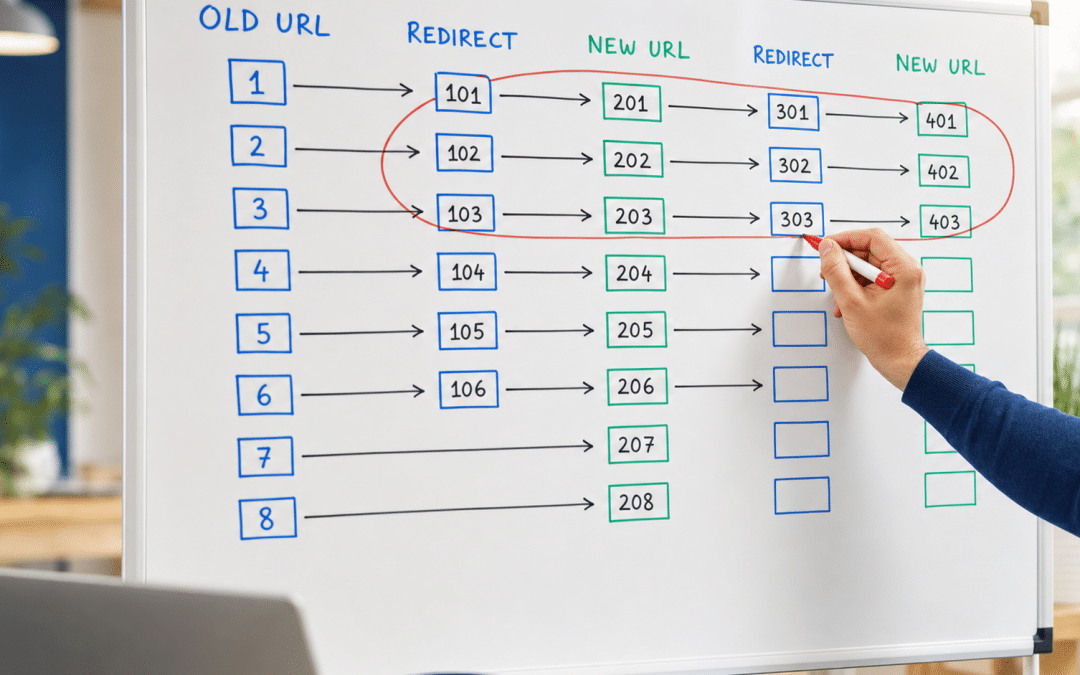
A website redirect checklist maps every URL change a site makes to the correct HTTP status code, implementation method, and post-launch verification test — the operational sequence that keeps rankings and traffic intact through any redesign, domain migration, URL restructure, or HTTP-to-HTTPS switch.
For South African businesses running on WordPress or WooCommerce, a missed redirect step has predictable consequences: previously-ranked pages disappear from search results, internal navigation breaks for real users, and technical debt compounds with every subsequent change. Effective web design in South Africa treats redirect management as a first-class deliverable, not a post-launch afterthought.
This website redirect checklist covers the complete lifecycle in three phases — before you change anything, during implementation, and after launch — with a decision table that maps every common scenario to the right HTTP status code and how to verify it in WordPress. If you are about to redesign a site or change URLs, work through this before you touch anything.
Quick Answer
A website redirect checklist covers three phases: (1) audit existing URLs and build a redirect map before any change is made, (2) implement server-side redirects (301 for permanent moves, 302 for temporary, 410 for intentionally deleted pages) and flatten any chains to a single hop, and (3) after launch, verify in Google Search Console that new URLs are indexed, crawl errors are zero, and rankings have stabilised. Never redirect deleted URLs to the homepage — Google warns that pointing old URLs at one irrelevant destination "might be treated as a soft 404 error", and a soft 404 is not indexed.
Jump to a section
When you need a redirect checklist
Redirect types: which code to use
Phase 1: Before you change anything
Phase 3: Post-launch monitoring
Redirect mistakes that cost rankings
About to change your URL structure or move domains?
Send us your current sitemap and we will review your redirect plan before you go live — free, no obligation.
Get a Free Redirect ReviewWhen Does a South African Website Need a Redirect Checklist?
A redirect checklist is necessary any time an existing, indexed URL changes — not just during full site migrations. The most common triggers for South African operators include:
- Site redesign or CMS change — moving from a custom build to WordPress, or from one WordPress theme to another with a different URL structure
- Domain name change — rebranding, acquiring a shorter .co.za, or moving from .com to .co.za
- HTTP to HTTPS migration — still a live issue for small-business sites that have not yet installed an SSL certificate
- URL structure change — switching from /blog/post-name/ to /post-name/, removing dates from URLs, or changing category slugs
- Content consolidation — merging two thin pages into one stronger page, or retiring a product category
- Deleting pages — removing outdated service pages, discontinued products, or old campaign landing pages
Each of these scenarios requires a different redirect approach. A website redirect checklist — and specifically a site migration redirect checklist when an entire domain or URL structure is changing — ensures you use the right status code in each case rather than applying a blanket 301 to everything, which creates its own problems.
Redirect Types: Which Status Code to Use When
The HTTP status code you return is the strongest single signal Google has when deciding which URL should be canonical, whether ranking signals move to the new URL, and whether the old page stays in the index — but Google's canonicalisation documentation lists redirects alongside HTTP-versus-HTTPS, sitemap presence and rel="canonical", and says a canonical preference is "a hint, not a rule". The table below maps each scenario to the correct code, the WordPress implementation method, and the verification test you should run.
| Scenario | Status Code | WordPress Method | Verification Test |
|---|---|---|---|
| Page permanently moved to a new, relevant URL | 301 Permanent | Redirection plugin or Rank Math redirect manager | Curl the old URL; confirm response is 301, Location header shows new URL |
| Page temporarily unavailable (e.g. maintenance, stock out) | 302 Temporary | Redirection plugin with temporary flag | URL Inspection tool: confirm the old URL is still the indexed, Google-selected canonical — recrawl timing varies by site |
| Full domain migration (rebranding) | 301 from every old URL to its new equivalent | Add Change of Address in Search Console + server-level 301s | Google Change of Address tool shows processing; verify with Screaming Frog crawl of old domain |
| HTTP to HTTPS switch | 301 from http:// to https:// | WordPress Address fields + .htaccess or Cloudflare rule | Curl http:// URLs; all return 301 to https:// equivalent |
| Page intentionally deleted (no replacement exists) | 410 Gone | Redirection plugin set to 410 | Curl returns 410; practitioners report faster de-indexing than a 404 — monitor Search Console for removal |
| Page removed with no replacement (neutral option) | 404 Not Found | Simply remove the page — WordPress returns 404 by default | Curl returns 404; monitor Search Console for crawl errors on that URL |
| No relevant page to redirect to | Do NOT redirect (let it 404) | No action needed | Confirm 404 is returned; do not redirect to homepage or category |
The homepage redirect trap: Redirecting deleted URLs to your homepage may be treated by Google as a soft 404 — the page appears to load (200 status) but serves content unrelated to what was requested. Google's soft-404 documentation explicitly warns against redirecting old URLs to the homepage as "one irrelevant single URL destination." Redirect only to a genuinely relevant equivalent page, or let the old URL 404.
Website Redirect Checklist — Phase 1: Before You Change Anything
The pre-change phase is where the majority of redirect failures originate. Operators who skip this phase are making the rest of the checklist harder, not easier.
1. Crawl your current site and export all indexed URLs
Use Screaming Frog SEO Spider (free for up to 500 URLs) to crawl your current site and export every live URL, its current title, H1, and inbound internal link count. This is your source-of-truth inventory. Filter for 200-status pages only — these are the URLs Google is currently indexing and that need redirect decisions.
2. Cross-reference with Google Search Console
Pull the URL list from Search Console's Coverage report (Pages → Indexed) and from Performance → Pages (by impressions). Any URL receiving organic impressions must be treated as a ranking asset — it needs either a 301 to a relevant replacement or a deliberate decision to accept the traffic loss. Never delete a URL that is driving impressions without a plan.
3. Identify high-authority URLs via backlink data
Use Ahrefs, Moz, or even the free Ahrefs backlink checker to identify which current URLs have external backlinks pointing to them. These URLs carry external links Google already counts. Its crawling and indexing FAQ states that "ranking signals (such as PageRank or incoming links) will be passed appropriately across 301 redirects" — so a 301 from each to the most relevant new page is what carries those signals into your redesigned site.
4. Build your redirect map before writing a single line of code
A redirect map is a spreadsheet with three columns: old URL, new URL, and status code. Every indexed URL gets a row. The rule for choosing the new URL is relevance, not convenience: service page to service page, product to product, category to category. A detailed redirect map checklist covers the mapping methodology if you need to build one from scratch.
5. Identify existing redirect chains before adding new ones
If your site already has redirects in place from previous changes, run Screaming Frog's Redirect Chains report (Reports → Redirects → Redirect Chains) to find any A → B → C chains. Flatten them to A → C in your redirect map before you implement anything new. Adding new redirects on top of existing chains compounds the problem.
Pre-Change Rule
Build your redirect map before you touch the CMS. Every URL that currently returns a 200 status and appears in Search Console needs a row in that spreadsheet. A missed URL after launch is a crawl error; a missed URL with backlinks is a lost ranking asset.
Phase 2 — Implementing Redirects Correctly
Correct redirect implementation on a WordPress site means server-side redirects that fire before the browser renders anything, with no chains and no loops. Think of this phase as the practical 301 redirect checklist that turns your redirect map into live configuration. Here is the implementation sequence.
6. Use server-side redirects, not JavaScript or meta refresh
According to Google's official redirect documentation, server-side redirects (implemented via .htaccess, your hosting panel, or a plugin like Redirection) are the most reliable method. JavaScript redirects are the last resort — Google's rendering pipeline may fail to detect them, meaning the old URL could remain in the index longer than intended or until rendering succeeds on a later crawl. Meta refresh redirects are a fallback, not a preference.
7. Set up redirects in WordPress using the Redirection plugin or Rank Math
For most South African WordPress sites, the Redirection plugin or the built-in redirect manager in Rank Math are the most practical tools. Upload your redirect map as a CSV, review the entries for accuracy, and activate. For large migrations (1,000+ URLs), consider implementing redirects at the server level or via your CDN (Cloudflare is common among SA hosts) to reduce plugin overhead.
8. Redirect each old URL directly to its final destination — no chains
Each redirect in your map must go from old URL directly to final new URL in a single hop. If old URL A needs to redirect to B, and B will redirect to C, your map entry for A must point to C. Google's site-move documentation advises "redirecting to the final destination directly", and where that is impossible, keeping chains "ideally no more than 3 and fewer than 5" hops. Chains also add latency at every hop — practitioners estimate each hop adds roughly 100–200ms of network round-trip time.
9. Update all internal links to point to the new URLs
Redirects carry the ranking signals from backlinks you cannot control. But internal links are under your control — every menu item, body link, image link, and widget that points to an old URL should be updated to point directly to the new URL.
Technical SEO practitioners consistently recommend updating internal links directly rather than relying on redirects, because every redirect hop adds an unnecessary round-trip for both users and Googlebot. Use a plugin like Better Search Replace to bulk-update URLs in the WordPress database after migration.
10. Update your XML sitemap
Your XML sitemap should contain only the final, live URLs. Remove all old URLs from the sitemap and resubmit it in Google Search Console after launch. A sitemap that lists old URLs alongside redirects confuses crawlers and slows re-indexing of your new URL structure.
11. Test on a staging environment before going live
Run a Screaming Frog crawl of your staging environment against the full redirect map before the live push. Confirm that every old URL in your map returns the correct status code and resolves to the expected destination. Catch errors before they reach real visitors and Googlebot.
Implementation Rule
Every redirect should be a single hop from old URL to final destination. If your redirect map has any row where the new URL itself redirects somewhere else, fix the map before you implement it — not after.
Unsure if your redirect implementation is correct?
We audit redirect maps and implementation for South African WordPress and WooCommerce sites. Tell us what you are changing and we will tell you what needs checking.
Request a Redirect AuditPhase 3 — Post-Launch Monitoring
Post-launch monitoring is the third phase of any website redirect checklist, and it is not optional: redirect errors that went undetected on staging will surface within hours of a live push, and the faster you catch them, the less ranking damage you absorb.
12. Re-crawl the live site immediately after launch
Run Screaming Frog against the live domain within 24 hours. Filter for 404 errors, 302s used where 301s were intended, and any chain longer than one hop. Fix every error the same day. A 404 on a previously indexed page surfaces as an error in Search Console once Googlebot next reaches that URL — Google states there are no fixed crawl frequencies, so the lag varies by site.
13. Submit your updated sitemap and monitor Coverage in Search Console
Submit the updated XML sitemap in Google Search Console immediately after launch. Check the Coverage report daily for the first two weeks: new indexed URLs and decreasing crawl errors confirm the redirects are working. An increase in "Excluded" or "Redirect error" entries signals that something in your implementation is wrong.
14. Monitor Google Search Console for soft 404s
Search Console flags soft 404s in the Coverage report under "Excluded" → "Soft 404". If any URLs appear there after your launch, check whether they are redirecting to the homepage or to an unrelated page. A soft 404 is a URL Google has chosen not to index, which means the redirect is not doing the job it was built for: carrying the old URL's signals to a relevant replacement.
15. Track ranking and organic traffic against the baseline
Compare organic sessions and keyword rankings week-over-week for 30 days after launch. Google's site-move documentation says to expect ranking fluctuations while it recrawls and reindexes, and that "for medium-sized websites, it can take a few weeks or more" before the new URLs replace the old ones — longer for larger sites. A decline still deepening well past that window warrants an audit of which pages lost rankings and whether their redirects resolved correctly.
16. Keep 301 redirects active for at least one year
Google's Change of Address tool documentation sets the floor at 180 days from a domain change, and longer if you are still seeing traffic from the old URLs in Search Console. Its site-move documentation goes further: "keep the redirects for as long as possible, generally at least 1 year". External backlinks can continue to point to old URLs for months or years after a migration — removing redirects too early breaks those links permanently.
Post-Launch Rule
Do not remove redirects until Search Console confirms the new URLs are fully indexed and organic traffic has stabilised. Google's Change of Address guidance sets a minimum of 180 days for domain changes, and its site-move documentation advises keeping redirects for as long as possible — generally at least one year.
Redirect Mistakes That Cost South African Websites Rankings
Four redirect errors appear repeatedly in post-migration SEO audits and account for most preventable traffic losses after a site change.
Using 302 where a 301 is needed
A 302 signals a temporary move, and Google documents the consequence: Googlebot follows the redirect, but the indexing pipeline does not use it as a signal that the target should be canonical, and Google keeps showing the source page in results. A 301 is documented as a strong signal that the target should become canonical.
The mistake persists for months because the site "works" for users — the redirect fires — while search results keep pointing at the old URL. It is not irreversible: John Mueller has said long-lived 302s end up treated the same as 301s. But a 302 leaves the outcome to Google's judgement instead of stating your intent, so use a 301 for permanent moves and keep 302 for genuinely temporary states.
Redirecting everything to the homepage
Directing deleted or changed URLs to the homepage because it is the "safest" option is the most common redirect mistake. Google's own soft-404 documentation warns against redirecting old URLs to "one irrelevant single URL destination, such as the home page" — such redirects "might be treated as a soft 404 error", and a URL Google treats as a soft 404 is not indexed, so nothing reaches the destination.
If you have no relevant page to redirect to, a clean 404 or a 410 is more honest and more useful than a homepage redirect that misleads both users and Googlebot.
Leaving redirect chains in place
Over the life of a website — multiple redesigns, URL changes, and content moves — redirect chains accumulate. A URL that now routes through three hops before reaching its destination adds latency at each hop and creates ambiguity for Googlebot about which URL should be indexed.
Based on practitioners' analysis of Google's public statements, redirect chains are not a direct ranking factor — but they are widely understood to slow page speed, strain crawl efficiency, and weaken canonical clarity. Audit for chains every six months on active sites.
Forgetting to update internal links
Internal links that still point to old URLs rely on redirects to reach their destination. This is unnecessary overhead for every user navigation event and every Googlebot crawl. After any URL change, run a search-replace on the WordPress database to update internal links to point directly to the final URLs. WordPress SEO in South Africa covers database update tools and plugin options for this step in more detail.
Why South African Businesses Choose Growth Pulse Media for Website Redirects
Redirect implementation sits at the intersection of technical SEO and web development — a combination that many local agencies handle poorly because the two disciplines rarely overlap in a single team. At Growth Pulse Media, Dirk van Greuning built and scaled a large South African ecommerce operation before founding the agency, which means he has paid the cost of a poorly executed redirect map and seen firsthand what a clean one protects.
Work is executed in-house, on a limited client load, with senior attention on every project. When a South African operator brings GPM a domain migration or a site redesign, the web design process includes a complete pre-launch redirect audit, implementation review, and a post-launch crawl before the project is closed.
We work with WordPress, WooCommerce, and custom builds — and we apply the same website redirect best practices and redirect checklist for websites outlined in this guide, using Screaming Frog, Search Console, Rank Math, and Redirection.
No obligation — we respond within 24 hours. Contact us to discuss your redirect requirements.
Who This Redirect Checklist Is NOT For
This three-phase process is designed for sites with an existing URL history, ranked pages, and external backlinks — it is unnecessary overhead for operators who fit any of the following descriptions.
Operators who have already gone live without a redirect map. If the site has launched and redirects are missing or wrong, the checklist is still useful — but you need to prioritise triage over the standard sequence. Start at Phase 3 (post-launch monitoring) and work backwards to identify and fix the errors already live.
New websites with no prior URL history. If you are launching a brand-new domain with no existing indexed pages and no backlinks, there is nothing to redirect. Build a sensible URL structure from the start and consult a guide like how to plan a business website before you need to migrate anything.
Sites changing one or two URLs with no inbound links. For a very small number of low-traffic, unlinked page changes, a quick plugin entry is sufficient — you do not need the full three-phase process. The full checklist is for structural changes: redesigns, domain migrations, and URL restructures affecting 20+ pages.
Developers who want to redirect everything to the homepage temporarily. There is no safe "temporary" version of this. Per Google's soft-404 guidance, sending old URLs to one irrelevant destination such as the home page might be treated as a soft 404 — intending it as temporary does not change how the redirect reads. Either implement the correct redirect to a relevant page, or leave the old URL returning a 404 until the destination exists.
Planning a site redesign or domain change in the next three months?
Book a timeline and fit assessment — we will tell you what the redirect scope looks like and what it will take to protect your current rankings.
Book a Timeline AssessmentFrequently Asked Questions: Website Redirect Checklist
What is the difference between a 301 and a 302 redirect for SEO?
A 301 is permanent: Google documents it as a strong signal that the redirect target should become canonical, and states that ranking signals such as PageRank and incoming links are passed across 301 redirects. A 302 is temporary — Google's indexing pipeline does not use it as a canonical signal and keeps showing the source page in results, although John Mueller has said long-lived 302s end up treated the same as 301s. Use a 301 for permanent URL changes and reserve a 302 for genuinely temporary states such as a maintenance window.
How do I find redirect chains on my website?
The fastest method is Screaming Frog SEO Spider, which has a free tier that crawls up to 500 URLs. After crawling, go to Reports → Redirects → Redirect Chains to export a report showing every chain on your site, the number of hops, and the source and destination URLs. Fix chains by updating each source URL's redirect to point directly to the final destination, bypassing any intermediate hops.
Should I redirect deleted pages to the homepage?
No. Google's soft-404 documentation warns against redirecting old URLs to "one irrelevant single URL destination, such as the home page" — such redirects "might be treated as a soft 404 error", and a URL Google treats as a soft 404 is not indexed, so the redirect carries nothing to the homepage. If no relevant replacement page exists, either serve a clean 404 or use a 410 (Gone) status, which signals intentional removal; practitioners report that a 410 de-indexes faster than a 404.
How long should 301 redirects stay in place after a site migration?
Google's Change of Address tool documentation recommends keeping redirects active for at least 180 days, and longer if Search Console still shows traffic arriving via the old URLs. Google's site-move documentation goes further, advising site owners to "keep the redirects for as long as possible, generally at least 1 year". External backlinks pointing to old URLs can generate traffic for years — removing redirects early permanently breaks those links.
What tools do I need to run a website redirect audit?
For most South African WordPress sites, four tools cover the full audit: Screaming Frog SEO Spider (free up to 500 URLs, paid for larger sites) to crawl and identify chains; Google Search Console to check indexing status, coverage errors, and soft 404s; the Redirection plugin or Rank Math to manage and implement redirects in WordPress; and a simple spreadsheet to maintain your redirect map. For domain migrations, also use Google Search Console's Change of Address tool.
When is it acceptable to let a page return a 404 instead of redirecting it?
A 404 is appropriate — and sometimes better than a redirect — when the deleted page has no relevant equivalent on the new site. Redirecting to an unrelated page misleads users and risks being read as a soft 404, which carries nothing to the destination.
A 410 (Gone) is a stronger signal than a 404 when you intend to permanently remove the content: it tells Google the removal was deliberate, and practitioners report it de-indexes faster than a 404. For pages with backlinks, try to redirect to the closest relevant page before accepting a 404.
Need a Redirect Review Before Your Site Launch?
Growth Pulse Media works with South African businesses on WordPress, WooCommerce, and custom web builds. We review redirect maps, audit chains, and confirm implementation is correct before you go live — so you keep the rankings your site has earned. All work is done in-house, senior attention, limited client load. No obligation — we will get back to you within 24 hours.
Get a Free Redirect Review