
 Add to Preferred Sources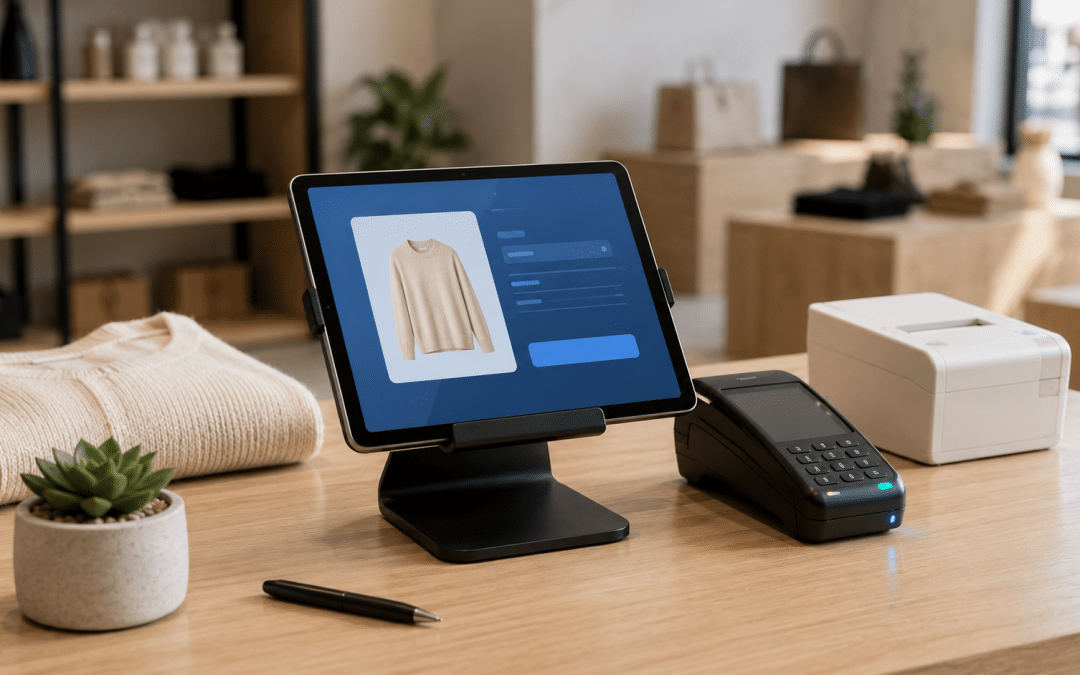
Running shopify pos south africa setups in 2026 requires understanding one fact most generic in-store implementation guides skip entirely: Shopify Payments is not available in SA, so the standard tap-card-to-Shopify-Payments workflow that powers in-store implementations everywhere else simply does not exist here.
SA operators run a hybrid model instead: the platform handles inventory, customer data, products, and reporting natively while a separate SA payment processor (typically Yoco, iKhokha, or SnapScan) handles the actual card transaction at the till. Getting this hybrid setup right is what makes omnichannel work for SA retailers. For broader cluster context, see our Shopify South Africa pillar guide.
Quick Answer
The platform's till works well for SA retailers running both in-store and online — unified inventory, single customer database, one product catalogue across channels — but the in-store payment processing happens through an SA card processor (Yoco being the most common) rather than Shopify Payments, which is unavailable in SA.
The implementation question is not "should we use the platform's till app" (yes if you sell both online and in-store on the platform) but "how do we integrate Yoco or iKhokha cleanly so the till reconciles correctly with Shopify orders, SARS-compliant receipts get generated, and our staff workflow is not broken by the split between till app and card reader".
Want a free review of your in-store + online setup against the eight SA-specific omnichannel checkpoints?
Get a Free Omnichannel AuditShopify POS South Africa: The Reality SA Operators Need to Know
Almost every generic guide about the platform's till app assumes Shopify Payments is available — meaning the card reader, the till app, and the back-office reconciliation all sit inside a single product. In SA, that assumption is wrong. Native first-party Payments has not launched in SA as of 2026, which changes the in-store implementation more than most operators expect when they first investigate the platform for omnichannel retail.
What this means practically: the platform's official hardware store (card readers, payment terminals, handheld devices) is not officially distributed in SA, and even if you import the hardware, it cannot process card payments because that requires native-payments activation.
SA retailers run the in-store till on an iPad or Android tablet using the till app, then process the card payment on a parallel SA card reader (Yoco, iKhokha) and manually capture the transaction in the till as an external payment. The till records the sale, syncs inventory, and updates customer data; the card reader independently handles the actual money movement.
This setup works — thousands of SA retailers run it successfully — but it has three consequences operators need to plan for. First, reconciliation between till sales and card processor settlements has to be done manually or via a custom integration, because the platforms are not natively connected.
Second, the lower-rate benefit that comes with native first-party payments elsewhere does not apply; you pay full SA card-processor rates (2.95–3.5%) on every in-store card transaction. Third, the streamlined hardware experience shown in generic marketing materials is not your experience — you assemble the till from tablet + third-party hardware + SA card reader yourself.
Shopify POS South Africa: Lite vs Pro for SA Stores
Subscription tiering for the in-store app comes in two versions: POS Lite (included free with every plan from Basic upwards) and POS Pro (paid add-on, USD$89/month per location, roughly R1,600–R1,800/month/location at current exchange rates). Shopify's official POS features overview covers the complete feature matrix; the practical question for SA operators is which tier actually fits your retail volume and complexity.
| Feature | POS Lite (Free) | POS Pro (~R1,700/mo/loc) |
|---|---|---|
| Sell anywhere on iOS/Android tablet | Yes | Yes |
| Inventory sync with online store | Yes | Yes |
| Customer profiles and order history | Yes | Yes |
| Multiple staff registers per location | 1 register only | Unlimited registers |
| Advanced inventory (transfers, counts, POs) | Limited | Full features |
| In-store analytics + staff reporting | Basic | Detailed |
| Staff PINs and custom roles | Limited | Unlimited + permissions |
| BOPIS (buy online pickup in store) | Not available | Available |
| Save and retrieve carts across devices | Limited | Full |
| SA payment processor integration | Manual (capture as external) | Manual (capture as external) |
The honest tier recommendation for SA retailers: start on Lite if you have one location with one till. Upgrade to Pro per location only when you hit any of three triggers — needing multiple registers at the same location, needing staff-attribution reporting for commission or accountability, or running BOPIS with online order pickup in store. The vast majority of single-location SA boutiques and specialist retailers run successfully on Lite forever.
Key Takeaway
POS Lite is free with every paid plan and covers about 80% of SA retail use cases at the single-location level. POS Pro is worth the ~R1,700/month/location only when you have multi-register operations, multi-staff accountability needs, or BOPIS workflows. Many SA retailers default to Pro thinking they need it, then never use the Pro-only features.
The bigger spend decision in SA is not Lite-vs-Pro — it is which SA card processor you integrate with, because that determines your transaction fees on every in-store sale forever.
SA Payment Processor Integration for In-Store
Because Shopify Payments is unavailable in SA, the in-store card transaction goes through a parallel SA payment processor. The three realistic options for SA retailers are Yoco, iKhokha, and SnapScan — each with different cost structures, hardware, and reconciliation patterns.
| SA Processor | Card Rate | Hardware | Best For |
|---|---|---|---|
| Yoco | 2.95% (no flat fee) | Yoco card readers from ~R499 | Most SA retailers — clean dashboard, lowest rate, unified online + in-store reporting |
| iKhokha | 2.75–2.95% (volume-tiered) | iKhokha card readers from ~R399 | High-volume retailers who can negotiate down to 2.75% |
| SnapScan | ~3.0% (QR code, no card reader) | QR code displayed at till | Cafes, markets, low-friction mobile-wallet preference |
| Standard merchant account + speedpoint | 2.5–3.5% + monthly fee | Bank-issued POS terminal | Established retailers with existing bank relationships |
The reconciliation workflow that actually works in SA: the staff member rings up the sale in the till app, the customer pays on the SA card reader (separate device), and the staff member then marks the till sale as "paid via [processor]" using a custom payment method configured in the platform admin.
At day-end, you reconcile the till's external-payment total against the SA processor's daily settlement report. This requires discipline but is operationally clean once staff are trained.
For deeper detail on choosing between SA payment processors specifically for the platform, read our dedicated comparison: Shopify payment gateways South Africa.
Not sure whether Yoco, iKhokha, or a bank speedpoint is the right SA card processor for your in-store volume?
Book a Free Card Processor ComparisonHardware Options for SA Stores
The official Shopify hardware store does not ship to SA, and even if you import a Shopify card reader, it cannot process payments without native-payments activation. The realistic SA hardware stack for retail uses a tablet running the till app paired with SA-sourced peripherals.
The minimum viable till setup for an SA retailer: a 9.7" or 10.2" iPad (R6,500–R9,000) or an Android tablet (R3,500–R7,000); a stand or enclosure to mount the tablet at the counter (R800–R2,500); a Yoco or iKhokha card reader for card payments (R399–R999).
Add: a Bluetooth or USB receipt printer compatible with the iPad/Android (R2,500–R5,500); a barcode scanner if you carry SKU-heavy inventory (R1,500–R3,500); and optionally a cash drawer if you handle cash (R1,500–R3,000).
Total minimum hardware investment: R15,000–R25,000 per till for a clean SA-compatible setup. This is significantly less than what generic in-store implementation guides quote because the platform's first-party hardware (which would typically add R8,000–R15,000 per till) is not used. The trade-off: you assemble the stack yourself, source SA-compatible peripherals, and verify driver compatibility with the platform's till app before committing to volume hardware purchases.
SA Operational Considerations Generic Guides Miss
Beyond hardware and payment processor selection, four SA-specific operational realities shape how an in-store + online setup actually runs. Each one has tripped up SA retailers who configured their stores against US/UK-centric documentation.
Loadshedding and offline mode. SA retailers must enable the till's offline mode and verify it works on their hardware before launching. When power fails and connectivity drops, the till needs to continue processing cash transactions (and queued card transactions for when connectivity returns). Without offline mode tested and configured, a loadshedding event becomes a no-sale event — which during winter loadshedding stages can compound to material lost revenue across multiple events per month.
SARS-compliant receipts. Any retail transaction over R5,000 requires a SARS-compliant tax invoice with specific elements (supplier VAT number, recipient details, ex-VAT subtotal, VAT amount, inclusive total). The platform's default receipt does not include all required SARS elements automatically — you need to customise the receipt template via the till app's settings or use a tax-invoice app, and verify SARS compliance before processing high-value transactions.
POPIA cross-channel customer data. When a customer buys online and then returns to your store (or vice versa), their data flows across channels through unified profiles. POPIA requires explicit consent for processing personal information and applies to in-store data collection (email capture at the till) the same as it applies to online checkout consent. The cross-channel consent flow needs to be designed before launching, not retrofitted later.
SA card-reader workflow at peak times. The split between the till app and the SA card reader creates an extra step per transaction compared to integrated systems.
At busy Saturday morning trade or holiday-season peak, staff must be drilled on the workflow: ring up sale, hand card reader to customer, wait for approval beep, mark sale paid in till app, hand customer receipt. Without staff training, transaction time at the till stretches and queues build.
Shopify POS South Africa: Real-World Example
A representative SA boutique retailer client (apparel and lifestyle, R180,000/month online revenue, single physical store baseline) implementing a clean shopify pos south africa setup over 90 days. The brand was already on the platform online; the in-store till was previously a standalone Yoco unit with no inventory sync to the online store.
| Metric | Month 0 (Standalone Yoco) | Month 3 (Integrated POS) | Change |
|---|---|---|---|
| Monthly online revenue | R180,000 | R215,000 | +19% |
| Monthly in-store revenue | R145,000 | R168,000 | +16% |
| Total monthly revenue | R325,000 | R383,000 | +18% |
| Stockout incidents (per month) | 22 | 4 | −82% |
| Email list growth (per month) | +45 | +340 | +656% |
| Returning customer rate (90 days) | 28% | 47% | +68% |
| Inventory reconciliation hours/week | 6 hours | 0.5 hours | −92% |
The two most important numbers are stockout reduction and returning-customer rate. Stockouts dropped 82% because in-store sales now decrement online inventory in real time — the boutique no longer "sold" online stock that had already left the physical shelf. Returning-customer rate jumped from 28% to 47% because in-store email capture (driven by the till's email field at checkout) compounded into the email-marketing flow, which previously had no in-store customer pipeline.
Key Takeaway
The biggest wins from running an integrated in-store + online setup for SA retailers are operational, not revenue-driven directly: stockouts collapse because inventory unifies; email-list growth compounds because in-store customers feed the online marketing engine; and reconciliation hours drop because the platform handles cross-channel attribution natively.
The revenue lift (15–20% in our experience) is real but a second-order effect of the operational fixes — not a direct result of the platform itself.
Why GPM Builds SA Omnichannel Stores Differently
Our approach to shopify pos south africa setups is rooted in operator experience scaling SA ecommerce stores across single-channel and omnichannel configurations. We have personally integrated Yoco card readers with the platform's till app, configured custom payment methods for SA card processor reconciliation, built SARS-compliant tax invoice templates for the in-store receipt flow, and trained retail staff on the split-workflow that makes SA omnichannel work.
The Growth Pulse Media omnichannel approach: payment processor selection first (Yoco vs iKhokha vs bank speedpoint based on volume and rate trade-offs), then hardware stack assembly (tablet + reader + printer + scanner sourced SA-side), then till app configuration with SA custom payment methods and SARS-compliant receipts, then staff workflow training, then loadshedding offline-mode testing. We deliver the full stack documented for ongoing operations. Learn more about how we run SA ecommerce on the Shopify marketing agency page.
Who This Is NOT For
Honest scenarios where a shopify pos south africa setup is not the right fit for SA retailers, or where another approach would serve better.
You only sell in-store, with no online ambitions: If you have no plan to sell online and no need for unified inventory, customer profiles, or cross-channel reporting, a standalone Yoco or iKhokha till with their native dashboards is simpler and cheaper. The platform's subscription + Pro add-on stack is justifiable only if the online side of the business is real or imminent.
You sell only online and have no physical presence: If you have no physical store and no plans to open one (no pop-ups, no markets, no events), the in-store till app is overhead you do not need. The platform's online store covers your operations completely. Add the till app only when you actually have a physical sales channel to manage.
Your in-store volume is below 50 transactions per month: Below that threshold, the operational overhead of the integrated setup (staff training, reconciliation discipline, hardware stack maintenance) exceeds the benefit. A standalone SA card reader with manual order entry once a week into the online store inventory works fine until physical sales scale.
You expect Shopify Payments to launch in SA soon and want to wait: Shopify Payments has been unavailable in SA for years with no announced launch timeline. Delaying omnichannel implementation until Shopify Payments arrives is delaying for an event that may not happen in 2026 or 2027. Build the SA-specific hybrid setup now; migrate later if and when Shopify Payments launches locally.
Ready to see exactly what your SA omnichannel setup needs — payment processor, hardware stack, staff workflow — before committing budget?
Get a Free POS Implementation PlanShopify POS South Africa: Frequently Asked Questions
Can I use Shopify POS in South Africa?
Yes — the till app itself works fine in SA on any iPad or Android tablet with full inventory sync, customer profiles, and order management. What does not work in SA is Shopify Payments, meaning the in-store card transaction has to go through a separate SA card processor (Yoco, iKhokha, SnapScan, or a bank speedpoint) rather than through native Shopify Payments hardware. The setup is functional but hybrid.
What does Shopify POS cost in South Africa?
POS Lite is included free with every paid subscription (Basic from ~R750/month, Shopify ~R2,000/month, Advanced ~R7,500/month). POS Pro adds USD$89/month per location, roughly R1,600–R1,800/month/location at current exchange rates. Hardware costs R15,000–R25,000 per till for a clean SA-compatible setup (tablet, stand, SA card reader, receipt printer, optional barcode scanner and cash drawer).
Which card reader works with Shopify POS in SA?
Yoco is the most common SA card reader paired with the platform's till app (2.95% card rate, R499 starting hardware). iKhokha is a close alternative (2.75–2.95% volume-tiered, R399 starting hardware). SnapScan works for QR-code-based mobile-wallet payments at the till. Standard bank speedpoint readers can also be used — less common for digital-native retailers, more common for established stores with bank merchant accounts.
How do I handle SARS-compliant tax invoices on POS receipts?
Customise the till app's receipt template to include all SARS-required elements: supplier name, address, VAT number; recipient details (for transactions over R5,000); invoice number and date; description and quantity of goods; ex-VAT subtotal, VAT amount, and inclusive total shown separately. The default receipt template does not include all required SARS elements automatically — either customise it directly or use a tax-invoice app for full SARS-compliant in-store receipts.
Does Shopify POS work during loadshedding?
Yes, with offline mode enabled and tested. The till app supports offline transactions (cash and queued card) when connectivity drops, syncing to the platform when connectivity returns. Critical: test offline mode before relying on it during a real loadshedding event. The SA card reader handling card payments has its own offline behaviour (Yoco can queue transactions; iKhokha behaves differently) — verify your card processor's offline support separately.
Can I run multiple physical stores on one one account?
Yes — the platform supports unlimited locations with inventory, customer data, and reporting unified across all of them. POS Pro is charged per location if you need Pro features at each store; Lite is included free at every location. SA retailers running 3+ locations should evaluate Pro per location individually rather than blanket-upgrading all locations — some sites may not need Pro features at all.
Not sure whether your SA retail operation is ready for an integrated in-store + online setup, or whether the SA-specific implementation gaps would derail your launch? A free initial review will look at your current store configuration, in-store volume, payment processor selection, and operational readiness to recommend the path most likely to generate omnichannel revenue within 60 days.
Want a Real Omnichannel Implementation Plan for Your SA Store?
Growth Pulse Media will review your current online store, in-store volume, payment processor options, hardware needs, and staff workflow — and deliver a prioritised SA-specific implementation plan covering till app setup, SA card processor integration, SARS-compliant receipts, loadshedding readiness, and POPIA cross-channel customer data flows. No obligation — we will get back to you within 24 hours.
Get Your Free Omnichannel Implementation Plan