
 Add to Preferred Sources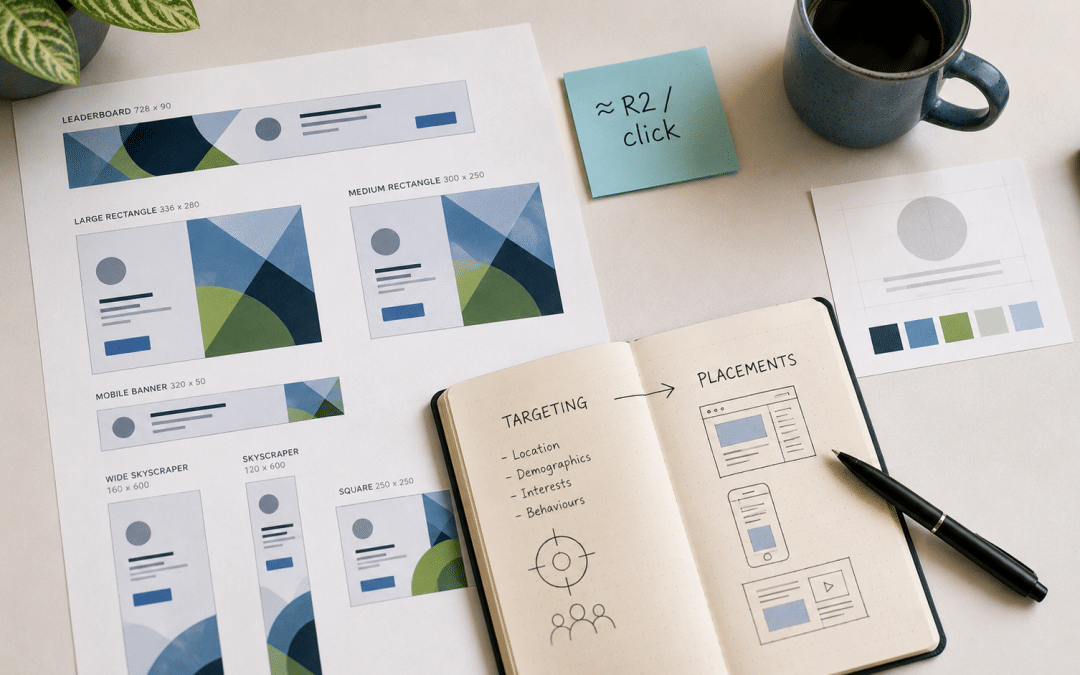
Google Display ads South Africa businesses run are image and banner ads shown across millions of websites, apps, YouTube and Gmail — cheap, wide reach that works best for remarketing to past visitors and building awareness, and worst for converting strangers who are not looking for you. Clicks often cost a fraction of search clicks, but intent is far lower, so Display should support search rather than replace it. This guide covers how the Google Display Network works, what it costs in Rand, how to target it, remarketing, and the mistakes that burn budget. It sits within our wider Google Ads guide for South Africa; for the basics of search, see how Google Ads works.
Quick Answer
Use Display for three jobs: remarketing to people who visited your site, cheap awareness in a defined audience, and supporting a launch or seasonal push. Judge it on assisted conversions and remarketing results, not last-click sales from cold audiences. For people actively searching, search ads convert far better.
Running banners but getting clicks that never convert? We will review your Display setup — free.
Get a Free Display Campaign ReviewHow the Google Display Network Works
The Google Display Network places your image, banner and responsive ads beside content people are already reading or watching, across millions of websites and apps plus YouTube and Gmail, using the same Google Ads account as your search campaigns.
Most campaigns now use responsive display ads: you upload several images, headlines, descriptions and logos, and Google assembles and resizes them to fit each placement. You choose who sees them through audiences (such as past visitors or people interested in a topic), content (keywords, topics, specific sites) and demographics. Google's guide to Display campaign targeting explains each option.
| Search ads | Display ads | |
|---|---|---|
| Reaches people who | Are searching for what you sell | Are browsing other content |
| Intent | High | Low to medium |
| Cost per click | Higher | Usually much lower |
| Best for | Capturing demand, leads and sales | Remarketing, awareness, launches |
Key Takeaway
Display is cheap reach, not captured demand. Ask it to keep your brand visible and bring warm visitors back — not to do the job of search ads with people who have never heard of you.
Google Display Ads South Africa Costs
Google Display ads South Africa campaigns usually cost much less per click and per thousand impressions than search, but because intent is lower, the true measure is cost per conversion including the conversions Display assists.
| Campaign type | Typical monthly budget (ZAR) | Best for |
|---|---|---|
| Remarketing only | R1,500 – R5,000 | Bringing back recent site visitors — best first Display campaign |
| Awareness in a defined audience | R3,000 – R10,000 | Local or niche brands building recognition |
| Launch or seasonal push | R5,000 – R20,000 for a set period | Product launches, Black Friday, festive season |
Costs vary widely by audience and competition, and Display prices rise sharply in November and December. Start with remarketing: it reaches people who already know you, so it usually delivers the best return from the Display Network.
Want to know what a remarketing campaign would cost for your traffic? We will estimate it — free.
Get a Free Remarketing EstimateRemarketing: The Best Use of Display
Display remarketing shows ads to people who visited your website but did not buy or enquire, and it is usually the highest-return use of the Display Network because those people already know your business.
Build audiences from your Google Ads tag or GA4: all visitors in the last 30 days, product or service page visitors, cart abandoners, and people who started but did not finish a form. Show each group a relevant message — the product they viewed, a reason to return, a testimonial — and exclude people who have already converted. Cap how often each person sees your ads so you remind rather than annoy. Our guide to remarketing in South Africa covers setup in detail, and retargeting consent should be covered in your cookie notice under POPIA.
Good remarketing: a store shows cart abandoners the exact items they left, with free-delivery information, for seven days — then stops.
Bad remarketing: the same generic banner follows every visitor for 90 days, including customers who have already bought.
Targeting and Placements That Avoid Waste
Display budgets are wasted mainly on the wrong placements — mobile games, low-quality apps and irrelevant sites — so review where your ads appear and exclude poor performers regularly.
Common waste: accidental clicks from children's games and mobile apps, placements on sites unrelated to your audience, and broad "optimised targeting" left running with no exclusions.
Check the "Where ads showed" report weekly at first, exclude placements with clicks but no engagement, consider excluding mobile app categories for lead-generation campaigns, and use content exclusions to protect your brand. For larger accounts, Performance Max and Demand Gen campaigns also use Display inventory — keep an eye on where that budget goes too.
Check Where Your Ads Showed
The placements report is the most important Display screen. Reviewing it weekly for the first month and excluding junk placements often cuts wasted spend dramatically without reducing results.
Creative That Gets Noticed
Display creative that performs is simple: one clear message, a recognisable brand, a strong image and a specific call to action — because people glance at banners for a second or less.
Upload a full set of assets for responsive ads — landscape and square images, a logo, five short headlines and a longer headline — so Google can fit every placement. Use real product or service photos rather than stock images, keep text on images minimal, and test two or three different messages at a time.
Measuring Display Properly
Display should be measured on assisted conversions, remarketing conversions and cost per conversion across the whole account, because judging it only on last-click sales from cold audiences makes it look worse than it is — and judging it on clicks makes it look better than it is.
| Metric | What it tells you |
|---|---|
| Remarketing conversions | Sales or leads from people brought back by Display |
| Assisted conversions (GA4) | How often Display touched a customer before they converted another way |
| View-through conversions | People who saw an ad, did not click, and converted later — treat with caution |
| Engagement on site | Whether Display visitors browse or bounce straight away |
If Display visitors bounce instantly and never convert, the targeting or placements are wrong. If they browse, return and convert through search or direct visits later, Display is doing its job even when last-click reports show little.
Responsive Display Ads vs Uploaded Image Ads
Responsive display ads let Google combine your images, headlines and descriptions into many layouts automatically, while uploaded image ads give you full control over a fixed design — most advertisers get wider reach from responsive ads and use uploaded ads only where the exact look matters.
| Format | How it works | Strengths | Best for |
|---|---|---|---|
| Responsive display ads | You supply images, logos, headlines and descriptions; Google assembles them to fit each placement | Fits almost every ad slot; Google learns which combinations perform | Most campaigns, especially remarketing and prospecting |
| Uploaded image ads | You design finished banners in each size | Full control over layout, text and branding | Brand campaigns with strict design rules, or promotions with precise wording |
For responsive ads, supply a full set of assets: landscape images (1.91:1, such as 1200 × 628 pixels), square images (1:1, such as 1200 × 1200), a square and a landscape logo, up to five short headlines of 30 characters, a long headline of up to 90 characters and up to five descriptions of up to 90 characters. The more good-quality variations you provide, the more placements the ads can fill. Avoid putting text on the images themselves — Google may crop them, and small text becomes unreadable on phones.
Check the asset report after a few weeks. Google rates each headline and image by how well it performs, and replacing the weakest assets with new variations is a simple, ongoing way to improve results. Keep the message consistent with the landing page: if the ad promises a free quote or a specific price, the page it links to should show that offer immediately. Refresh images every two to three months for remarketing campaigns, since the same small audience sees them repeatedly and response drops as the creative becomes familiar.
Audience Types Explained
Display targeting is built mainly on audiences rather than keywords, and choosing the right audience type is the biggest single factor in whether a display campaign reaches potential customers or simply generates cheap, irrelevant impressions.
| Audience type | Who it reaches | Best for |
|---|---|---|
| Your data (remarketing) | People who visited your site or app, or who are on your customer list | Bringing back warm prospects; usually the best return |
| Custom segments | People who searched for terms you specify or browse sites like the ones you list | Reaching people researching your type of product or service |
| In-market segments | People Google identifies as actively researching a category, such as cars or insurance | Categories with a clear buying window |
| Affinity segments | People with long-term interests, such as travel or fitness | Brand awareness for broad consumer products |
| Optimised targeting | Google finds people similar to those who converted | Accounts with steady conversion data |
Custom segments are especially useful in South Africa, where some pre-built segments are broad. A Johannesburg solar installer can build a segment of people who recently searched for terms like "solar inverter prices" or "backup power for home", and show them display ads as they browse news and other sites. That is far more focused than targeting everyone with a general interest in home improvement.
Key takeaway: Display campaigns succeed or fail on audience choice. Start with remarketing and custom segments built from real search terms, and only expand to broad interest audiences once you can see which messages bring conversions.
Frequency, Brand Safety and Content Exclusions
Frequency limits and content exclusions protect both your budget and your brand, by stopping the same person seeing an ad too many times and keeping ads away from content or placements where clicks are accidental or the context is unsuitable.
Without a frequency limit, a small remarketing audience can see the same banner dozens of times a week, which wastes money and irritates people who may already have bought. A limit of a few impressions per person per day is a sensible starting point for remarketing. Review the placement report regularly: mobile games and apps often produce many clicks from accidental taps, and excluding app categories that do not suit your audience is one of the quickest ways to cut waste. Use content exclusions to avoid sensitive categories that clash with your brand, and exclude specific sites where results are consistently poor.
What to avoid: a campaign that reports a strong click-through rate, until the placement report reveals most clicks came from children's mobile games. The clicks were accidental taps, the landing page bounce rate was near 100%, and none of the spend produced a lead.
Standalone Display, Performance Max or Demand Gen
Standalone display campaigns give the most control over audiences, placements and budget, Performance Max spreads budget across all of Google's channels automatically, and Demand Gen focuses on visual placements such as YouTube, Discover and Gmail — so the right choice depends on how much control and conversion data you have.
Businesses with limited budgets and few conversions often do best with a standalone display campaign focused on remarketing, where they can see exactly what they are paying for. Performance Max can work well for online stores and lead generation accounts with reliable conversion tracking and enough volume for Google's automation to learn, but it offers less visibility into where ads appear. Demand Gen suits brands with strong visual creative that want to reach people on YouTube and Google's feeds. Whichever you choose, the fundamentals do not change: accurate conversion tracking, good creative and regular review of what the campaign is actually buying.
A Starter Display Plan for a Small Business
A small business new to display advertising should start with a modest remarketing campaign, measure what it produces, and expand to new audiences only once the first campaign is profitable.
Step one: install the Google tag, confirm conversion tracking works and build a remarketing list of website visitors from the past 30 to 90 days. Step two: launch a responsive display campaign to that list with a budget of a few thousand rand a month, a frequency limit and a clear offer. Step three: after four to six weeks, review conversions, placements and cost per lead.
Step four: if the results are good, test a custom segment built from the search terms that already convert on your search campaigns. This keeps spend under control and builds on what is already proven, rather than gambling a large budget on broad audiences from day one, and it gives you real numbers to justify any increase. For the broader picture, see our guide to Google Ads strategy in South Africa.
How Growth Pulse Media Runs Display
Growth Pulse Media runs Google Display ads South Africa businesses can justify — remarketing first, then carefully targeted awareness, with placement exclusions, frequency caps and GA4 reporting that shows the conversions Display assists.
We manage Display alongside search so budgets follow results. See our Google Ads management service.
Who This Is NOT For
Display ads are the wrong priority in four situations.
Small budgets without search running: put your first budget into search ads, where intent is highest.
Very little website traffic: remarketing needs a pool of visitors; with only a few hundred a month, audiences are too small.
Expecting direct sales from cold audiences: Display rarely converts strangers directly; judge it on its real role.
No time to review placements: unmanaged Display leaks budget quickly.
Want Display reporting that shows what it really contributes? We will set up the measurement with you — ask us how.
Get Free Display Reporting SetupFrequently Asked Questions
What are Google Display ads?
Google Display ads are image, banner and responsive ads shown across millions of websites and apps, YouTube and Gmail through the Google Display Network, managed in the same account as search ads.
How much do Google Display ads cost in South Africa?
Display clicks and impressions usually cost much less than search. Many businesses start with R1,500–R5,000 a month on remarketing, and R3,000–R10,000 for targeted awareness campaigns.
Are Display ads or search ads better?
Search ads are better for capturing people actively looking for what you sell. Display ads are better for remarketing and awareness. Most businesses should run search first and add Display remarketing next.
What is Display remarketing?
Display remarketing shows ads to people who have already visited your website, reminding them to come back and buy or enquire. It is usually the best-performing use of the Display Network.
How do I stop Display ads wasting money?
Review the placements report weekly, exclude junk sites and apps, set frequency caps, exclude people who have converted, and measure assisted conversions rather than only last-click sales.
Is Display included in Performance Max campaigns?
Yes. Performance Max can show ads across search, Display, YouTube, Gmail and Maps from one campaign. It is convenient, but it gives you less control over placements, so review its reports and exclusions regularly.
What sizes do I need for Google Display ads?
For responsive display ads, supply landscape images at 1.91:1 (such as 1200 × 628 pixels), square images at 1:1 (such as 1200 × 1200), and square and landscape logos. Google then resizes and combines them to fit most ad placements.
What is a custom segment in Google Ads?
A custom segment is an audience you define using search terms people have used or types of websites they visit. It lets display ads reach people actively researching your product or service, which is usually more precise than broad interest audiences.
Make Every Banner Earn Its Place
Growth Pulse Media runs Google Display for South African businesses — remarketing audiences, placement exclusions, responsive ad creative and GA4 reporting on the conversions Display assists, managed alongside your search campaigns. No lock-in contracts — we will get back to you within 24 hours.
Get Your Free Display Consultation