
 Add to Preferred Sources
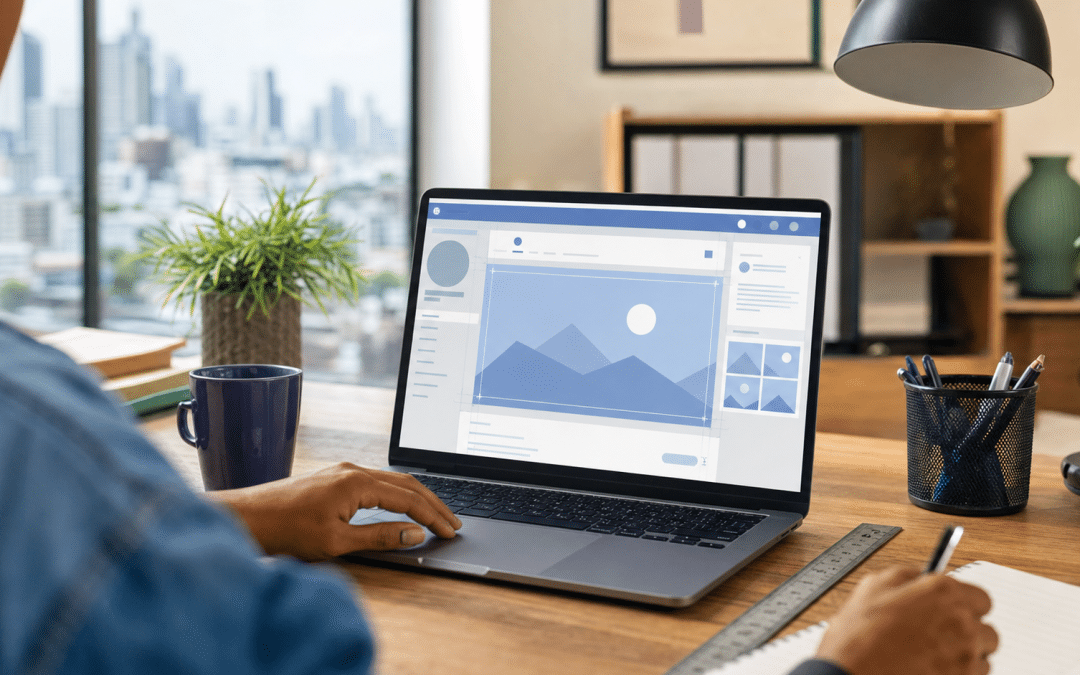
The facebook banner size that Meta recommends for a Page cover photo is 851 pixels wide by 315 pixels tall, saved as an sRGB JPG under 100 KB, with a minimum accepted size of 400 by 150 pixels. A cover photo is the first thing a visitor sees when your Page opens, so it is a small piece of the wider Meta advertising picture that decides whether a South African prospect trusts you before they read a word.
Most guides repeat one set of numbers and stop. Meta's own help page, however, describes the desktop cover as 16:9 and the mobile cover as 2.4:1, and its recommended file matches neither. This post separates what Meta publishes from what third-party guides add, then gives you a crop test that works whichever numbers turn out to be right.
Quick Answer
Upload your Facebook cover photo at 851 x 315 pixels as an sRGB JPG under 100 KB (Meta says PNG may give better results if it carries a logo or text). Meta states a 400 x 150 pixel minimum. Meta says the image may be cropped for different screens and that the profile picture overlaps the cover by approximately 40 pixels on mobile, so keep important words and logos near the centre, then save and check the Page on a real phone.
Jump to
Cover photo not displaying the way you designed it?
Request a free audit and send us your Page link, with no obligation.
Request a free auditFacebook Banner Size: What Meta Publishes and What Guides Add
A Facebook banner is the Page cover photo, and Meta publishes only a handful of hard numbers for it: a recommended file, a minimum, a file-size target and two aspect ratios. Everything else you will see quoted online, including the popular 820 x 312 desktop figure, comes from third-party guides rather than from Meta's Help Center page on Page profile picture and cover photo dimensions.
The table below keeps the two sources apart, so you can see which Facebook banner dimensions you can rely on and which are one guide's interpretation. Any of these can change, and the third-party rows disagree with each other in places.
| Spec | Value | Source | Best For |
|---|---|---|---|
| Recommended upload | 851 x 315 px, sRGB JPG, under 100 KB | Meta | Fastest loading on slow connections |
| Minimum accepted | 400 x 150 px | Meta | Rejection check only, not a design target |
| Desktop aspect ratio | 16:9, left-aligned, full bleed | Meta | Judging the desktop frame, which Meta describes as 16:9 |
| Mobile aspect ratio | 2.4:1, left-aligned, full bleed | Meta | Judging the phone frame, which Meta describes as 2.4:1 |
| Profile picture overlap | About 40 px on mobile | Meta | Checking logos and faces against the profile picture |
| Logo or text artwork | PNG may give better results than JPG | Meta | Sharp lettering and logo edges |
| Desktop display | 820 x 312 px | Third-party guides | A design canvas, if you accept it is unofficial |
| Mobile display | 640 x 360 px | Third-party guides | A design canvas, if you accept it is unofficial |
Takeaway
Only the 851 x 315 file, the 400 x 150 minimum, the 100 KB target, the two aspect ratios and the 40 pixel mobile overlap come from Meta. Treat 820 x 312 and 640 x 360 as widely repeated third-party figures, not platform rules, whichever facebook banner size a template promises.
You will also see this searched as Facebook cover photo size or Facebook page cover photo size. They all mean the same image, and Meta's own term is "cover photo".
Why Do Meta's Cover Photo Numbers Not Match Each Other?
Meta's recommended cover file works out at about 2.7:1, a different shape from both the 16:9 desktop ratio and the 2.4:1 mobile ratio on the same help page. The arithmetic is simple: 851 divided by 315 is 2.70, while 2.4:1 is a slightly taller frame and 16:9 is far taller.
Meta does not explain how the file and the two ratios relate. The ratios may describe the display frame on each device rather than the shape you should upload, and the crop behaviour is not documented, so do not assume a particular edge is the one that gets trimmed. What the help page does say is that the left side is partially obscured by the profile picture and that the image may be cropped for different screens.
That is the reason to design for a crop rather than for one pixel grid. If nothing important sits near any edge, the mismatch stops mattering, and a layout change on Meta's side is less likely to break your cover. If you build to a single "exact" canvas, you are betting that one unofficial guide is right.
The ratio arithmetic
Recommended file: 851 / 315 = 2.70, so roughly 2.7:1. Meta lists 2.4:1 for mobile and 16:9 for desktop. The file matches neither, so check the result in the live Page rather than trusting any one number.
How Do You Keep Text Inside the Cover Photo Safe Zone?
A safe zone is the central part of the image intended to stay visible on every screen, and for a Facebook cover it is the middle of the artwork, away from the edges and the profile picture. Published safe zones differ: SocialSizes.io gives a centred 640 x 312 pixel area, while ContentStudio describes a different one and measures the profile picture at about 96 pixels from the left edge, which may be a different measurement from the 40 pixel overlap Meta states.
As a working rule of thumb, not a Meta rule, keep text and logos inside the centre 640 pixels of an 851 pixel upload. That leaves about 105 pixels clear on each side, a wider margin than Meta's 40 pixel mobile overlap and some room for the disagreement between guides. It is horizontal guidance only: because the desktop and mobile frames differ in shape, also keep a margin at the top and bottom, and loosen both once your own check on a phone confirms them.
What fails
A logo placed in the bottom-left corner, a phone number set along the very bottom, or a headline that runs edge to edge. The profile picture overlaps the cover on mobile, and a line that touches the edges is the most exposed if the image is cropped for a screen.
What holds up
One short line of text and one logo, centred, with plain background colour or photography extending to all four edges so a crop only removes scenery. If the photograph has a subject, a person or a product, keep it central, not left.
Takeaway
Design the cover as a centred composition with expendable edges. Anything important near the left edge is at risk because Meta says the profile picture overlaps the cover by approximately 40 pixels on mobile and the image may be cropped for different screens.
What Should a Business Cover Photo Show?
A business cover photo should tell a first-time visitor what you sell and where you operate in one glance, because Meta makes every cover photo public and anyone who lands on your Page sees it. DataReportal's Digital 2026 South Africa report puts Facebook's advertising audience in South Africa at 27.9 million in late 2025, equal to 53.9% of local internet users. The same report counts 127 million active cellular mobile connections, so treat the phone as a primary screen for your cover and check it there.
Three choices carry most of the value:
- One message. A product, a service line or a service area, not a collage and not a paragraph.
- Real imagery. A true photograph of your premises, product or team reads as a real business. Generic stock imagery reads as filler.
- No clickable promises in the image. Text inside a picture cannot be clicked or copied, so a phone number or URL printed on the cover is a poor substitute for the contact details on the Page itself.
A cover photo is not an ad, and it follows different rules and dimensions. If you are also building creative for paid placements, the Facebook advertising sizes guide covers the formats those need. If you have not yet set the Page up, start with how to create a Facebook Page for your business.
Unsure whether your Page is built to convert?
Tell us your timeline and what the Page needs to do, and we will tell you honestly whether paid reach makes sense yet.
Get a timeline and fit checkHow Do You Upload and Check a Cover Photo After It Goes Live?
Changing a cover photo is a short flow on your Page, and the step that matters is the check afterwards, because that is where you see how the crop actually falls. Meta's help page for changing a Page cover photo lists the steps: switch into the Page, click "Edit cover photo", upload a photo or select an existing one, drag it up or down to reposition it, then click "Save changes".
Use this routine whenever you replace the cover, in this order:
- Export the artwork at 851 x 315 pixels. Meta says an sRGB JPG under 100 KB loads fastest, while PNG may give better results for logos or text. A PNG is often larger than a JPG, so the two goals can pull against each other: compare both.
- Upload it, drag it into position and note what the crop removes at the top and bottom in the desktop view.
- Save, then open the Page on a real phone. Check that the profile picture does not cut into your logo or any letter, and re-edit if it does.
- If you can, load the Page on a slow mobile connection. A smaller file is part of why Meta recommends staying under 100 KB.
- Ask someone who has never seen it to read it from arm's length. If they cannot, your text is too small.
Meta's help page is clear that a cover photo is public, so do not use client images, staff photographs or anything with personal information without permission. If you are also changing the Page's name, see how to change the name of a Facebook Page, and update the cover at the same time so the two stay consistent.
Takeaway
The only reliable test of any facebook banner size is to save it and look at the live Page on both a computer and a real phone. Pixel guides narrow the options, and the live result settles it.
Which Other Page Images Have Their Own Dimensions?
The Page profile picture is the other image Meta specifies, and it is the one that overlaps your cover on mobile. Meta lists it as 320 x 320 pixels for best quality, displayed at 176 x 176 pixels on computers and 196 x 196 pixels on smartphones, and cropped to a circle.
That circle is why a square logo with tight margins loses its corners. Leave breathing room inside the 320 pixel square, then check how it sits against the cover.
For events, Meta's Help Center page on dimensions publishes no event cover size, according to OWOX's October 2026 review of Meta's documentation. SocialSizes.io suggests 1920 x 1080 pixels, which is a third-party figure, so check the result after saving. For other platforms, the same crop-first thinking applies to LinkedIn banners and YouTube channel art, and Instagram post sizes have their own specs again.
Why South African Businesses Choose Growth Pulse Media
Growth Pulse Media is run by Dirk van Greuning, who built and scaled a large South African ecommerce business before founding the agency, so the advice here is written from an operator's side of the Page, not a designer's. All work is executed in-house with a limited client load, which keeps senior attention on every account.
We work with Meta Ads, Facebook Ads, Google Ads, GA4 and Shopify. Getting the facebook banner size right is a small detail, but it sits on the Page that your paid traffic lands on. If you want that traffic planned and managed properly, see our Meta Ads management service.
Who This Is Not For
You want a design service
This post explains specifications and testing. It is not a template pack, and we do not offer a cover design service.
You expect the cover to drive sales on its own
A cover photo supports trust. It does not replace a clear offer, a working website or a campaign, and a perfect crop will not fix a weak proposition.
You need the official final word on every dimension
Meta's help page gives ratios and a recommended file, not a full pixel map for every screen. If a number matters to you, confirm it on your own Page after saving.
Want a second pair of eyes on your Meta presence?
Request a free audit and we will review your Page and ad account together, with no obligation.
Request a free auditFrequently Asked Questions
What is the best Facebook banner size for a Page?
Meta recommends uploading a Page cover photo at 851 x 315 pixels as an sRGB JPG under 100 KB. The minimum accepted size is 400 x 150 pixels. Keep text and logos near the centre because desktop and mobile crop the image differently.
Is the Facebook cover photo 820 x 312 or 851 x 315?
851 x 315 is the upload size Meta recommends, and 820 x 312 is the desktop display size quoted by third-party guides. Meta's help page does not publish 820 x 312, so upload 851 x 315 and check how the crop falls on the live Page.
Why is my Facebook cover photo cropped on mobile?
Meta lists a 2.4:1 aspect ratio for mobile and 16:9 for desktop, and the recommended file is about 2.7:1, so the image may be cropped for different screens. Meta also says the profile picture overlaps the cover by approximately 40 pixels on mobile. Move important content toward the centre, away from the edges.
Should a Facebook cover photo be JPG or PNG?
Meta says a cover photo loads fastest as an sRGB JPG under 100 KB, but for images with logos or text, PNG may give better results. Start with JPG for photographs, try PNG for lettering and logo artwork, and compare the file sizes.
Is the Facebook cover photo public?
Yes. Meta states that all cover photos are public, so anyone who visits your Page can see yours. Avoid using images that contain private or personal information.
Get your Facebook presence working for you
We run Meta Ads and Facebook Ads for South African businesses, with GA4 tracking and Shopify integration where it applies. No obligation, and we will get back to you within 24 hours.
Talk to Growth Pulse Media