
 Add to Preferred Sources
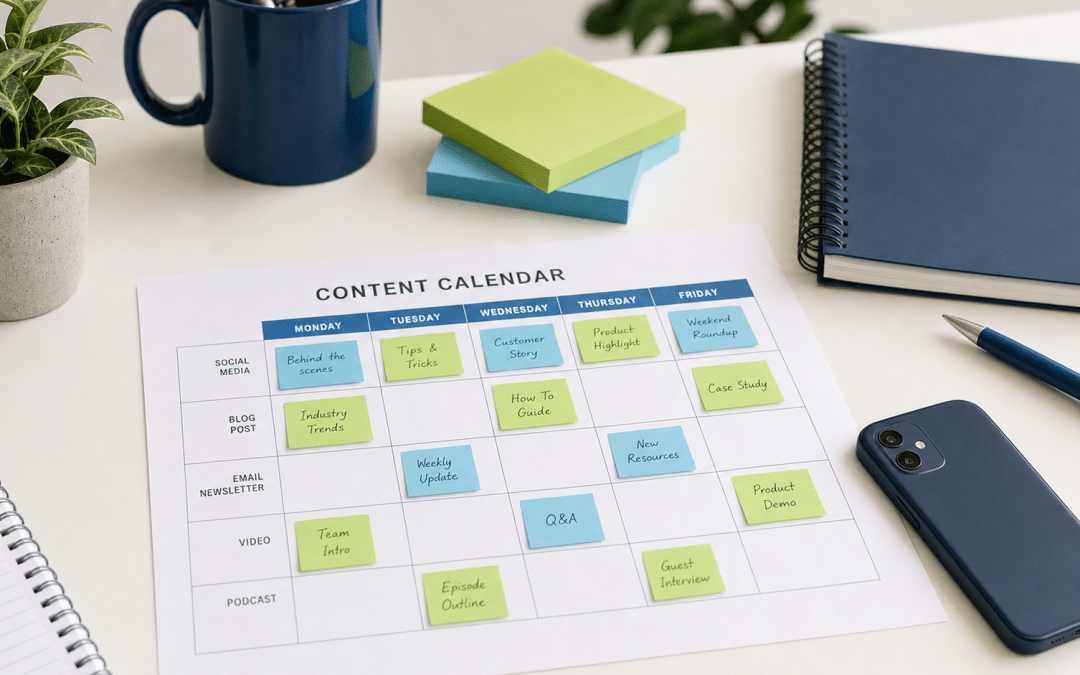
How to schedule Instagram posts for free comes down to three routes: the scheduler built into the Instagram app, Meta Business Suite in a browser, or the free tier of a third-party tool. The guides we checked describe all three as available without a subscription fee, and each handles a different set of constraints. This guide sits alongside our Meta Ads guide for South Africa, because the same Meta accounts that run your paid campaigns also run your free scheduler.
Meta's advertising tools showed an Instagram ad audience of 8.60 million in South Africa in October 2025, according to DataReportal's Digital 2026 South Africa report. That is advertising reach, not a count of monthly active users. For a small business, a posting calendar you control is a low-cost way to stay consistent, and it only works if the posts actually go out when you planned them.
Quick Answer
To schedule Instagram posts for free, switch to a Professional (Business or Creator) account, build your post as normal, and on the final post screen open the advanced settings (some guides call it More options) to find the scheduling toggle. The guides we checked describe this for feed posts and Reels. For Stories, or to work from a computer, use Meta Business Suite instead. Third-party schedulers are only worth adding when you need other networks as well.
Posting from your phone at 9pm because nothing is queued?
Send us your current posting routine and we will tell you which free route removes the most manual work.
Get a Posting Routine ReviewHow to Schedule Instagram Posts in the App, Step by Step
Instagram's built-in scheduler lets a Professional account queue a post or Reel for a future date and time without leaving the app. It is the fastest route if you only manage one account from your phone.
According to Sprout Social's 2025 guide, only Business and Creator accounts have this feature, and personal profiles cannot schedule. The same guide reports limits of up to 25 posts per day and up to 75 days in advance; confirm both in the scheduler itself, because we could not read Instagram's own help page. The steps as the guides describe them are:
- Tap the + icon and choose Post or Reel.
- Upload or record the media and add your caption, tags and location.
- Open the advanced settings on the final screen. Sprout Social calls this More options and Search Engine Journal's 2022 report says advanced settings, so the label differs by guide and app version.
- Switch the scheduling toggle on.
- Pick the date and time, then confirm and share as the screen prompts.
Once queued, the post is not locked. Search Engine Journal's report on the launch describes how to open your scheduled content from your profile, then reschedule it, publish it immediately with Share now, or delete it.
Account type check. Several 2026 roundups say in-app scheduling now reaches public personal accounts. We could not confirm that on Instagram's own help pages, so treat a Professional account as the safe requirement.
Switching is free and found in your account settings; if the toggle is missing, the account type is the first thing to check. If you are starting from scratch, our guide to creating an Instagram business account covers the setup.
Which Free Route Fits Your Constraints
The best free scheduling route is the one that covers your hardest constraint, whether that is Stories, a computer-only workflow or a second network. The table maps common constraints to the route that handles them, based on the sources cited in this guide.
| If your constraint is… | Use | Best for |
|---|---|---|
| One brand account, phone only, feed posts and Reels | Instagram's in-app scheduler | Solo owners who post from the phone they shot on |
| You need to schedule Stories | Meta Business Suite (the in-app scheduler does not handle Stories) | Promotions, countdowns, launch days |
| You work from a laptop and write captions in bulk | Meta Business Suite in a browser | Whoever writes copy at a desk |
| Instagram plus Facebook Page from one screen | Meta Business Suite | Businesses running both Meta channels |
| Instagram plus networks outside Meta (TikTok, LinkedIn) | Free tier of a third-party scheduler | Teams already posting on several networks |
| You only have a personal account and cannot find the schedule toggle | Switch to a Professional account (the safe requirement per the guides we checked) | Anyone who cannot find the schedule toggle |
Takeaway
The in-app scheduler handles feed posts and Reels but not Stories. If any part of your plan needs Stories, a browser-based workflow or Facebook alongside Instagram, Meta Business Suite is the route to start with.
Meta Business Suite: The Route for Stories and Desktop Work
Meta Business Suite is Meta's dashboard for managing Facebook and Instagram accounts together, and it is the route the guides point to when you need to schedule Instagram Stories or to schedule Instagram posts from a computer. Hootsuite's 2025 guide confirms it handles posts, Stories and Reels from desktop, while the in-app scheduler does not take Stories.
For feed posts and Reels, Sprout Social's guide describes the flow as: create the post or Reel, select the account, upload the media and caption, toggle “Set date and time”, choose the time and click Schedule. For Stories, Hootsuite says to click the down arrow next to Create post and choose Create Story. We could not read Meta's own help page, so labels may differ in your account.
Two practical points for South African teams. First, a browser workflow lets a marketing assistant on office Wi-Fi do a week of uploads in one sitting, instead of burning mobile data on large video files from a phone. Second, decide who on your team will schedule and confirm they can reach the account in Business Suite before the week you need it.
If your plan is mostly Facebook, our guide on how to schedule a post on Facebook covers the Page side of the same dashboard.
Where Free Tools Stop Being Free
A free third-party scheduler earns its place mainly when you publish beyond Meta's own networks. Buffer's guide notes that the native scheduler crossposts only within Meta (to Instagram, Threads and Facebook), and that Buffer's free plan allows up to three channels (Buffer).
Free tiers change often, so check the current limits on a tool's pricing page before you build a process around it. Ask three questions before you adopt one:
- Does the free tier cover every network and account you post on, or only the first three?
- Does it schedule Stories and Reels, or only static feed posts?
- Can you export your queue if you leave, or is your calendar trapped?
If the answer to the first question is no, you will soon be paying for a paid tier. Compare that cost against Meta Business Suite before you commit.
Unsure whether your posts are worth the effort?
Tell us your account and goal and we will give you a straight fit assessment, including whether paid reach should sit behind the organic calendar.
Request a Fit AssessmentMistakes That Send the Wrong Post Live
A scheduling error is a mistake that goes live because the post was checked once at queuing and never again at publishing, and five habits prevent most of them.
- Scheduling too far out. Hootsuite warns that “going much farther than a week or two in advance can start to increase the risk of something going sideways”. A promotion, price or stock position can change in that time. Queue one to two weeks, not the full 75 days that the guides report the app allows.
- Wrong format for the placement. A graphic cut for the feed can crop badly when it appears elsewhere. Check dimensions against our Instagram post size guide before you upload, and the Instagram Story size guide for Stories.
- Caption written in a hurry. Batch-writing invites copy-paste slips. Reread each caption on the preview screen, and see our Instagram caption examples for SA brands if you need starting points.
- Stale offers. A queued “this weekend only” post is a liability if the promotion moves. Put a review date in your diary for every scheduled promotion.
- No post-publish check. Open the live post after it goes out. Confirm the media, the caption and any tags rendered as intended.
Weak: uploading four weeks of promotional posts on the first of the month, then not opening the app again until the next batch.
Better: queueing one to two weeks, keeping time-sensitive offers for last, and checking the live feed after each scheduled slot publishes.
What to Queue and When to Publish
Evergreen content belongs in the queue, and reactive content is posted live on the day it happens. When you schedule Instagram posts in advance, educational posts, product features and recurring series are the safest candidates. News, stock changes, customer replies and anything tied to load-shedding or a public event are better posted live.
For timing, use your own account's Insights as the first reference, then compare with our analysis of the best time to post on Instagram in South Africa. Choose slots when your own audience is active rather than a generic national peak.
If you are deciding how much of your calendar should be Reels, our Instagram Reels strategy post covers the format, and our Instagram vs TikTok comparison helps if you are choosing where to spend limited time.
Takeaway
Learning how to schedule Instagram posts removes the effort of posting, not the work of deciding what to post. Queue evergreen content one to two weeks ahead, keep reactive content live, and check each post after it publishes.
Why South African Businesses Choose Growth Pulse Media
Growth Pulse Media is a Johannesburg agency that runs paid Meta campaigns for South African businesses, founded by Dirk van Greuning, who built and scaled a large South African ecommerce business first. All work is executed in-house with a limited client load for senior attention. Once you know how to schedule Instagram posts and your organic calendar is running, and you want paid reach behind the posts that perform, our Meta Ads management service is where that conversation starts.
Who This Is Not For
This guide does not suit three kinds of account, and each is better served by a different approach.
You expect a scheduler to grow your following. It saves time and keeps you consistent. It does not make weak content perform.
You want to stay on a personal account. A Professional account is the safe requirement per the guides we checked, so switch first; the switch is free per the guides, and you can check the option in your settings.
You post breaking news or live commentary. Reactive accounts gain little from queuing a calendar, and a stale scheduled post can look tone-deaf.
Calendar full, results flat?
Request a free audit of your Meta setup and we will show you where organic and paid are working against each other.
Request a Free AuditFAQ
Can you schedule Instagram posts for free?
Yes, according to the guides we checked: the in-app scheduler and Meta Business Suite are both offered without a subscription fee, and the in-app scheduler needs a Professional account. Third-party tools often have a free tier, but limits vary and change, so check the current plan before relying on it.
How far ahead can you schedule Instagram posts?
Sprout Social's 2025 guide reports up to 75 days in advance and up to 25 posts per day for the in-app scheduler; confirm both in the scheduler itself. As a working rule, queue one to two weeks ahead so offers and facts stay current.
Can you schedule Instagram Stories?
Not with the in-app scheduler, according to Hootsuite and Buffer. Use Meta Business Suite, or a third-party tool that supports Stories, to schedule Instagram Stories.
Do you need a business account to schedule Instagram posts?
A Professional (Business or Creator) account is the dependable requirement across the sources we checked. Some 2026 roundups say public personal accounts can now schedule in-app too, but we could not confirm that on Instagram's own pages, so check your app.
Can you edit or delete a scheduled Instagram post?
Yes. Open your scheduled content from your profile, then change the date and time, publish it immediately with Share now, or delete it. This is described in Search Engine Journal's report on the feature launch.
Want Expert Help With Meta Ads Behind Your Instagram Calendar?
Growth Pulse Media runs Meta Ads and Facebook Ads for South African businesses, executed in-house, and works with GA4 so you can see what your posts and ads deliver. No obligation — we’ll get back to you within 24 hours.
Get Your Free Consultation