
 Add to Preferred Sources
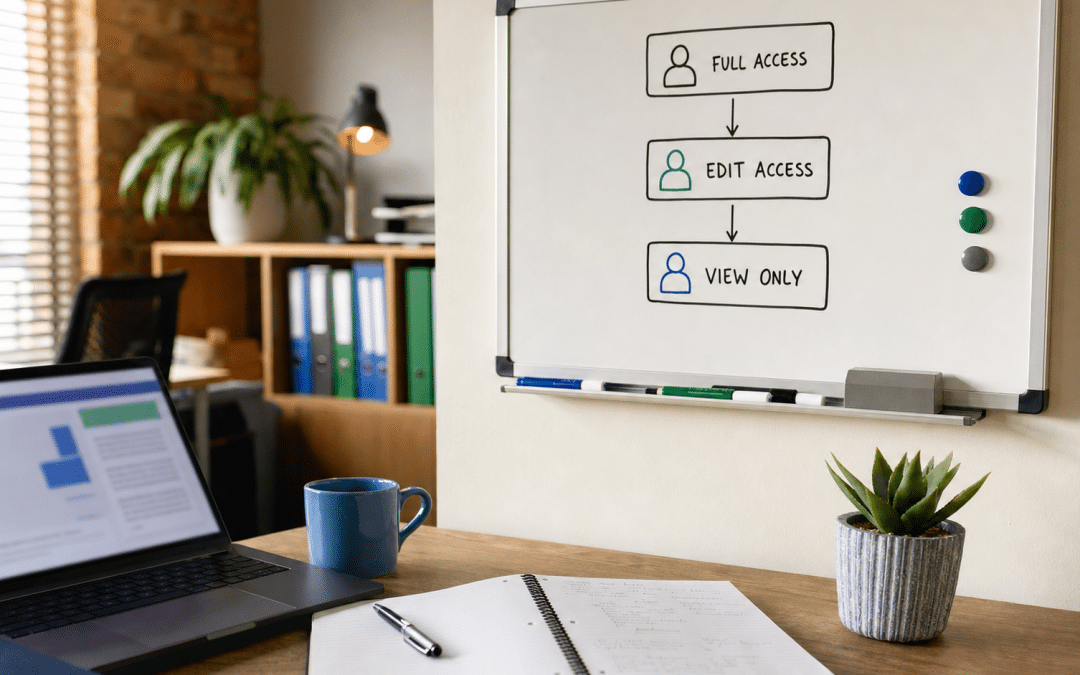
How to add admin to Facebook page access comes down to one action: open Page access in your Page settings, click Add new next to "People with Facebook access", pick the person and choose full control or partial control. Guides describe full control as the level that replaced the old "admin" role, and it is the setting that decides who can run your Meta Ads presence and who can lock you out.
Most walkthroughs stop at the clicks. This one adds the part that matters to a South African owner: who should get which level, what a full-control person can do to you, and how to take access back when a freelancer, agency or employee leaves. If you do not have a Page yet, start with how to create a Facebook Page for your business.
Quick Answer
To add an admin to a Facebook Page, switch into the Page, go to Settings and privacy, then Page setup, then Page access, click Add new, search for the person and give access. Switch on "full control" only for someone you would trust to remove you, because a person with full control can remove you from your own Page. Everyone else should get partial control or task access.
Not sure who should hold your Page?
Send us a list of who has access today and we will tell you where control is thinner than it should be.
Get a free access reviewHow to Add Admin to Facebook Page: The Steps
Adding someone to a Page takes five actions on desktop, and you must already hold full control of the Page to do it. The menu labels below follow two guides published or updated in July 2026. Meta's own Help pages could not be read in full when this was written, and Meta moves menu items around, so match the wording rather than the position.
- Switch into the Page from your personal profile, so you are acting as the Page.
- Open Settings and privacy, then Settings, then Page setup, then Page access.
- Next to "People with Facebook access", click Add new.
- Search by name, profile URL or email address, and choose the person.
- Decide whether to switch on full control, click Give access and re-enter your password when asked.
Apaya reports that the person receives an invitation and the access activates once they accept, and Socialrails says it usually arrives as a Facebook notification rather than an email. The guides from Socialrails and Apaya describe the same flow; Meta's own explanation sits in its Business Help Center article on giving Facebook Page access, which is worth a read for the current screen wording.
If the Page sits in a business portfolio
When a Page is managed through a business portfolio, people are added in Business settings rather than on the Page itself. A Page admin controls the Page itself, while a business portfolio admin controls all assets inside the portfolio, including ad accounts and pixels. Check which one you are handing out before you click.
What Is the Difference Between Full Control, Partial Control and Task Access?
Full control lets a person change every Page setting and manage other people, partial control lets them work as the Page without managing it, and task access lets them work through Meta's tools without entering the Page at all. Guides describe full control as the level that took over the old "admin" role.
| Access level | What the person can do | Best for |
|---|---|---|
| Full control (Facebook access) | Change every Page setting, add and remove people, run ads, publish, reply to messages, see insights and delete the Page | The owner, and one trusted co-owner |
| Partial control (Facebook access) | Create content and interact as the Page; no settings, no adding or removing people | Employees and community managers |
| Task access | Manage the Page from tools such as Meta Business Suite or Ads Manager; cannot switch into the Page or manage it on Facebook | Agencies, ad specialists and any freelancer who works in Meta's tools rather than on the Page |
For task access, the route runs through Meta Business Suite: open Settings, go to People, choose Add person, enter the email address, set the access level and confirm (menu labels shift here too, so match the wording on screen). Task access is the narrowest door, and for paid media work it is usually the right one, because running ads does not require anyone to hold the keys to the Page itself.
Full control means they can remove you
A person with full control can remove you from your own Page, according to Apaya's July 2026 guide. Socialrails adds that a newly added full-control person normally waits about 7 days before removing other full-control people, but that comes from one guide and is not a safeguard to plan around. Treat how to add admin to Facebook page access as a question of who you would trust to remove you.
Who Should Get Which Level of Facebook Page Admin Access?
Each row below is a working recommendation, not a Meta rule, covering the five people South African businesses most often hand a Page to: the lowest level that lets them do the job.
| Who | Suggested level | Why | Watch for |
|---|---|---|---|
| Owner or director | Full control, on a personal profile in their own name | Someone accountable must always be able to reverse a decision | A second full-control owner in case the first account is locked |
| Employee posting and replying | Partial control | Posting and replying as the Page without access to settings or other people | Inbox exposes customer details; remove access when the role ends |
| Freelance designer or copywriter | Task access if they work in Meta's tools; no access if they only send you files | A designer or copywriter often only needs to hand over files for you to post | Personal accounts you cannot see or verify |
| Agency running ads | Task access via Meta Business Suite | Ad work without Page ownership | Ask the agency to name the individual accounts being added |
| Former staff or ended contract | Remove the same day | Access that is no longer needed is exposure | People with full control can still remove you if you leave them in |
The lowest level that works
Give each person the lowest Facebook Page access level that lets them do their job: full control for two trusted owners, partial control for staff who post and reply, and task access for agencies who work in Meta's tools. Anything higher hands over the ability to remove you.
Handing a Page to a new community manager: the owner keeps full control, adds a second trusted director with full control, gives the community manager partial control, and gives the ad specialist task access in Meta Business Suite. Nobody who works day to day can change settings or remove another person.
The shortcut: a Johannesburg founder adds the agency's lead as full control "to make setup quick", never revisits it, and the founder's own profile is the only other name on the Page. If the relationship sours, the agency's person holds the same powers the founder does.
Handing your ads to someone new?
Tell us what you want them to run and we will map the narrowest access that lets them do it.
Check my access setupHow Do You Keep Control When Staff and Agencies Need Access?
You keep control by making sure at least two trusted people hold full control, that everyone else sits at a lower level, and that access gets reviewed whenever someone joins or leaves. Four habits do most of the work.
- Two owners, not one. Add a co-owner with full control, so a hacked, locked or lost personal profile does not strand the Page. Socialrails reports that the last full-control person on a Page cannot be removed, which is the same logic seen from the other side.
- Give access to people, not to shared logins. Passing around one profile password defeats the access list, because you can no longer see who did what. Add individuals and let each use their own account.
- Audit on a schedule. Leadsie recommends a quarterly review, especially after staff changes, concentrating on who holds full control. Use that as a working rule of thumb and add a check at every hire and every exit.
- Remove access in the same hour a role ends. To remove admin from Facebook Page access, open Page access, select the person, choose Remove access and confirm with your password; Apaya reports that access ends immediately.
Meta's advertising data, reported in DataReportal's Digital 2026 South Africa report, showed Facebook reaching 27.9 million people in South Africa in late 2025, 42.9 percent of the population, so for many local businesses the Page is a front door, not a side project. Page access also sits next to your ad setup, so it connects to your Meta Ads account structure and to who can change your account spending limit.
Two related jobs fall to full control as well: renaming the Page, covered in how to change the name of a Facebook Page, and switching on professional mode on Facebook for a personal profile. Neither should be handed to someone you cannot remove.
What Should You Do the Day a Freelancer or Employee Leaves?
When a freelancer or employee leaves, remove their Page and business-portfolio access the same day, change any shared passwords, reassign open work and log the change. The order matters: secure first, hand over second.
- List everything the person held: the Page, any ad account, the inbox, scheduling tools and shared logins.
- Remove their access from the Page and, where one exists, from the business portfolio.
- Change the password on any shared account they used, and, as our own recommendation, switch on two-step login for the people who remain.
- Reassign open customer conversations, scheduled posts and running campaigns to a named person.
- Write the change in a simple register with the date and who approved it.
Customer messages often carry names, phone numbers and order details, so who can read the inbox matters as much as who can post. The register gives you a record to show a client, an auditor or a new director if anyone asks who had access and until when.
Why Can't I Give Someone Access to a Facebook Page?
If you cannot give someone access to Facebook Page settings, the cause is usually one of four things: you lack full control yourself, the person cannot be found by name, the invitation is unopened, or the Page is managed in a business portfolio. Each has a short check.
- No Add new button: you probably do not hold full control. Ask an existing full-control person to add you or to make the change.
- Person does not appear in search: search by exact email address or profile URL instead of a name.
- Nothing happens after you add them: the invitation arrives as a Facebook notification, so ask them to check notifications while logged into the right profile.
- You manage the Page in a business portfolio: add them in Business settings rather than on the Page itself.
If nobody with full control is reachable, the fix is a Meta access-request or recovery process rather than a setting you can change yourself. That is the strongest argument for the second owner.
Why South African Businesses Choose Growth Pulse Media
South African businesses choose Growth Pulse Media to run Meta Ads without handing over the keys to their Page. The agency is run by Dirk van Greuning, who built and scaled a large South African ecommerce business before founding the agency, so this guide is written from the owner's side of the table.
All work is executed in-house, and a limited client load keeps senior attention on each account. The clicks for how to add admin to Facebook page access are the easy half; our recommendation to any business handing a Page to an agency, ours included, is task access rather than full control.
If you want an operator to run the paid side once access is sorted, see our Meta Ads management service, or read the Facebook Ads setup guide for what the ad account needs before the first campaign.
Who This Is NOT For
You want a trick to take over a Page you do not own. Adding an admin needs existing full control. Without it, the route is Meta's access request or recovery process, not a setting.
You are a solo owner who never delegates. If nobody else touches the Page, one profile with full control is fine. Add the second owner when you first hand over any work.
You need Meta's official wording for a dispute. This guide rests on practitioner guides published or updated in July 2026 and summaries of Meta's pages. For a legal or ownership dispute, work from Meta's current help pages.
Page locked to one person?
Send us the details and we will tell you what a safe two-owner setup looks like for your business.
Request an auditFAQ
How do I add an admin to my Facebook Page?
Switch into your Page, open Settings and privacy, then Page setup, then Page access, and click Add new next to "People with Facebook access". Search for the person, choose full or partial control, click Give access and enter your password. You need full control of the Page to do this.
Is there still an admin role on Facebook Pages?
In the current Pages experience, guides describe full control as taking the place of the old admin role; a Socialrails guide updated in July 2026 puts it that way. Partial control and task access are the lower levels for people who need to work without managing the Page.
Can an admin remove me from my own Facebook Page?
Yes. A person with full control can remove you from your own Page. One guide reports that a newly added full-control person normally waits about 7 days before removing other full-control people, so only give full control to someone you trust.
How do I remove admin from a Facebook Page?
Go to Page access, select the person under "People with Facebook access", choose Remove access and confirm with your password. Apaya reports that their access ends immediately.
Should I give my agency full control of my Facebook Page?
Usually not. An agency running ads can work through task access, which, per Meta's help text, lets them manage the Page from tools such as Meta Business Suite or Ads Manager without switching into the Page on Facebook. Keep full control with two people inside your business.
Get your Page and ad account access set up properly
We run Meta Ads for South African businesses and will review who holds control of your Facebook Page and ad account. No obligation — we'll get back to you within 24 hours.
Get your free audit