
 Add to Preferred Sources
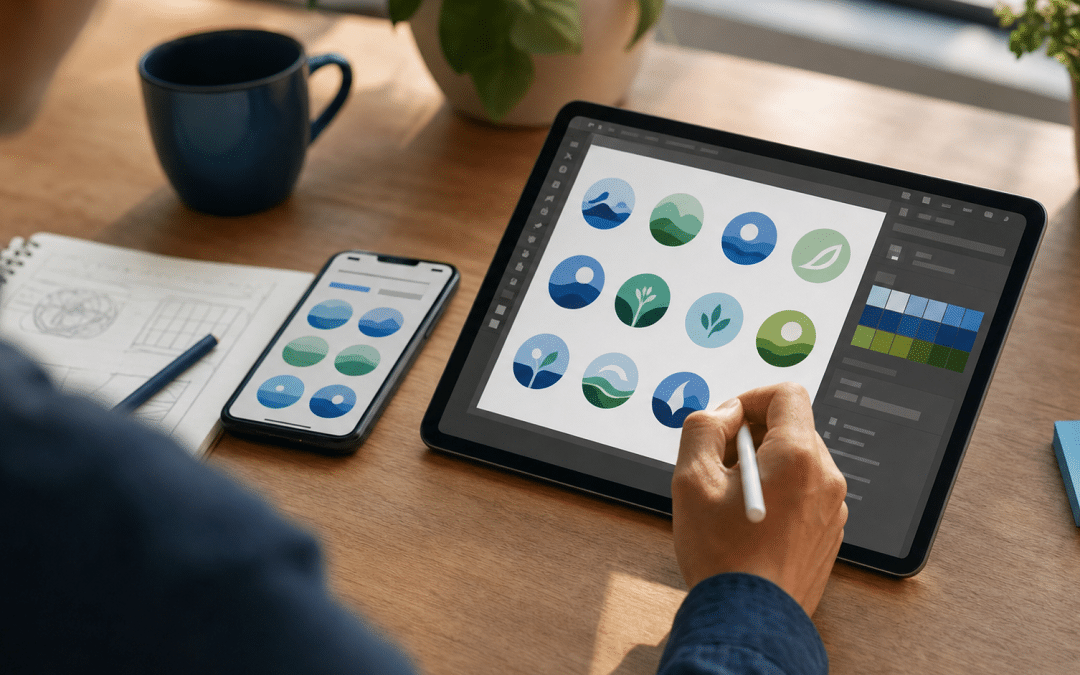
Instagram highlight covers are the small round images that sit under your bio and label each saved collection of Stories, and a good set works as a navigation menu for your profile. For a business, they decide whether a visitor from a post, Reel or ad finds your prices, delivery details and reviews in one tap. They are one piece of the profile work that supports the campaigns in our Meta Ads in South Africa guide.
A restaurant needs its menu and trading hours one tap away, and an online store needs delivery and returns. This post gives you the size and crop facts with their sources, a table of which highlights to build for common South African business types, and a design test you can run at the size people actually see the covers.
Quick Answer
Design Instagram highlight covers on the commonly recommended 1080 x 1920 pixel canvas and keep the icon in the centre, because Instagram shows each cover as a small circle. Build a handful of highlights that answer a buyer's questions (prices, how to order, delivery, reviews, contact), name each in one or two words, and use one icon style and no more than two brand colours across the set. Change a cover through Edit Highlight, which design-tool guides say posts nothing to your Story; menu labels can differ by app version.
Is your profile losing people after the tap?
Send us your Instagram handle and we will tell you which questions a first-time visitor cannot answer from your profile.
What a Profile Menu Does for a Business Account
Instagram story highlight covers label saved Story collections, which turn a 24-hour post into a permanent page on your profile. Instagram's own guide says Stories last 24 hours, and that Highlights "show up as round covers under your profile bio and stay there until you remove them", as set out in its Stories guide. The same guide advises giving each one "a clear name and a custom cover image so they're easy to browse at a glance".
That matters because the audience is large. DataReportal's Digital 2026 South Africa report puts Instagram at 8.60 million users in South Africa in late 2025, or 13.2 percent of the population. On a phone screen, the row of circles is one of the quickest ways for a new visitor to find what they came for.
Takeaway: covers are navigation, not decoration
Each cover answers one question a stranger has before they buy: what does it cost, how do I order, will it arrive, can I trust you. If a cover does not point to one of those questions, it is decoration, and the space is better used by one that does.
Instagram Highlight Covers: Size, Crop and Safe Zone
The commonly recommended canvas for Instagram highlight covers is 1080 x 1920 pixels (9:16), shown by Instagram as a circle, so only the middle of the image survives. We could not read this spec on an Instagram help page, so the figures below come from design-tool vendors and are practitioner guidance, not platform documentation.
| Spec | What to use | Source and caveat | Best for |
|---|---|---|---|
| Canvas | 1080 x 1920 px, 9:16 | Recommended by Snappa and Sked Social; practitioner guidance | The instagram highlight cover size to build every file on |
| Display shape | Circle (1:1 crop) | Snappa: displayed at 1:1 with a circular crop | Deciding where the icon goes |
| Safe zone | Roughly the central 720 x 720 px | Moda's estimate; treat as a working figure and test your own file | Keeping icon and any text inside the circle |
| On-screen size | About 80 px across | Moda's estimate; varies by device | Judging whether detail will be legible |
The practical consequence is simple. A 1920-pixel-tall canvas is mostly empty space once cropped, so put a single large icon in the middle and leave generous margins. Anything near the edges, including a logo wordmark or a line of small text, will be cut off or become unreadable at roughly 80 pixels.
Which Highlights an SA Business Should Build First
An SA business should first build highlights for prices, ordering, delivery, reviews and contact, then adapt the set to how it sells. Instagram's 2017 announcement said there was no limit on the number of highlights; we could not confirm the current limit, so check in the app. A shorter row is easier to scan on a phone. The table is GPM's own judgement, a starting set to adapt, not a measured result.
| Business type | Highlights to build | Cover name examples | Best for |
|---|---|---|---|
| Online store (clothing, homeware, beauty) | Pricing and specials, how to order, delivery and returns, customer reviews, new stock | Prices, Order, Delivery, Reviews, New | Cutting the "how do I buy" and "will it arrive" messages in DMs |
| Local service (salon, trades, clinic) | Services and prices, before and afters, booking, location and hours | Services, Results, Book, Find us | Visitors deciding whether to call or book |
| Restaurant or coffee shop | Menu, specials, events, how to book, catering | Menu, Specials, Events, Book | Hungry people who want the menu in one tap |
| B2B or consultancy | What we do, client work, team, how we work, contact | Services, Work, Team, Process, Contact | Buyers checking credibility before an enquiry |
Delivery deserves its own highlight for South African sellers, because couriers, lead times and returns are the questions that stall a purchase. Keep that highlight current: name the courier you use (for example, The Courier Guy or Aramex) and say when orders go out. Out-of-date delivery details set the wrong expectation with the buyer.
Not sure what your visitors need answered?
Share your top three DM questions and we will show you the highlight set that would remove them, with a fit and timeline assessment.
How to Design Covers That Read at Thumbnail Size
Good instagram highlight cover design is one idea per circle, drawn large, in a consistent style, with enough contrast to survive a very small display. Work backwards from the display size: if the cover is only about 80 pixels across, as Moda estimates, a gradient, a thin line icon or any small text drawn inside the circle will not survive. (The highlight's name is a separate text field from the cover image.)
- One icon per cover. Pick a simple symbol: a price tag, a parcel, a star, a calendar. Draw it thick enough to read at a glance.
- One style across the set. Use the same line weight, the same corner treatment and a single background approach, such as a flat brand colour with a white icon.
- Two brand colours at most. Take them from your logo so the profile photo and the row look related.
- Check contrast. A pale icon on a pale background disappears on a phone in daylight. Test it on your own phone outdoors and with the screen brightness turned down, because that is where weak contrast shows.
- Name each highlight in one or two words. This is a working rule of thumb: the label sits under a small circle, and a short word is far easier to scan than a phrase.
- Preview at actual size. Shrink your design on a laptop screen until it is about the size of a thumbnail, then step back. If you cannot tell which cover is which, redraw them.
Works: a flat teal circle with a white parcel icon in the middle, named "Delivery". The meaning is clear without reading the label, and it matches the five other covers.
Does not work: a photograph with the words "Delivery and Returns Information" in thin text across the bottom. The crop removes the text edge, and at thumbnail size the photograph is just a smudge.
Photographs can work as covers when the subject is already centred, such as a product shot for a "New" highlight. For everything else, a flat icon is more reliable. Free design tools like Canva can produce these files, and many offer ready-made sets, but free Instagram highlight covers from template packs only help if you recolour them to your brand. A pack used unchanged looks generic next to your own logo and photography.
Takeaway: design for a small circle, not the full canvas
A cover has to be judged at the small size people see it, which one vendor estimates at about 80 pixels across. One centred icon, one style, two colours at most and a one-or-two-word name give you a row that stays readable on a phone. Detail that you can only see at full size is wasted.
How to Add or Change a Cover Without Posting to Your Story
You change a highlight cover through the Edit Highlight screen, and the Sked Social guide says this uploads the image from your camera roll without notifying followers. The steps below follow that guide and the Snappa walkthrough; neither is Instagram documentation, and menu labels can differ between app versions.
- Save your cover files to your phone's photo library.
- Open your profile, then tap and hold the highlight you want to change.
- Tap Edit Highlight, then Edit cover.
- Choose the image from your photo library.
- Tap Done to save.
If you are still setting up the account itself, start with how to create an Instagram business account, since a professional account is where bio and contact options live. Then fix the bio and the posts around the row: our guides to Instagram captions for business and Instagram post sizes cover those.
The highlight itself needs the Stories behind it. A cover leading to an empty or outdated collection fails the visitor at the second tap. Review each collection whenever prices, stock or delivery arrangements change, and remove any highlight you no longer maintain.
How Profile Covers Affect Paid Traffic
Profile covers affect paid traffic only after the click: they help decide whether a visitor who reaches your profile finds an answer. The SA Digital Cost Index (SADCI) puts the average cost per link click on Meta for South African campaigns at R5.12 (US$0.31) as at August 2026, converted at the index's R16.42/USD assumption rather than a live rate.
That is a cost per click, not a result. If you send paid or organic traffic to your profile, a visitor who cannot find your prices may be lost after you have paid for the click. Link-click ads usually send people to a web page instead, so this applies to the traffic that does reach your profile, such as from Reels or tags.
Judge any change to the profile from Instagram's own insights and your enquiry volume. Make one change at a time, such as adding a delivery highlight, and watch DMs and orders over a few weeks rather than days.
Where an account is posting regularly, timing also matters; see the best time to post on Instagram in South Africa. For retailers building the wider profile, Instagram marketing for SA ecommerce goes further.
Paying for clicks that land on a weak profile?
Send us your current ad account or profile and we will give you a free audit of where the visit-to-enquiry path breaks.
Why South African Businesses Choose Growth Pulse Media
South African businesses choose Growth Pulse Media for Meta Ads work led by an operator: founder Dirk van Greuning built and scaled a large South African ecommerce business before founding the agency. All work is executed in-house and the client load is limited, so senior attention stays on each account. We run Meta Ads campaigns, and the profile advice here comes from that angle: the profile is the landing page for the traffic you buy. If you want the paid side managed, see our Meta Ads management service.
Who This Is NOT For
This advice fits businesses that already post Stories and want the profile to answer buyers faster; it is a poor fit in the three cases below.
You want a ready-made aesthetic. This post is about covers that work as navigation. If your main goal is a themed grid, a template pack will serve you better than a design brief.
You have no Stories to save. A cover is a label for a collection. If you are not posting or maintaining Stories on prices, delivery or reviews, start there before designing anything.
You expect covers to move sales on their own. They remove friction for people already interested. They do not create demand, and we are not offering a measured uplift from them.
Frequently Asked Questions
These answers cover cover sizes, changing a cover, how many highlights to build and upkeep.
What size should Instagram highlight covers be?
Design them at 1080 x 1920 pixels (9:16), the size recommended by design-tool vendors such as Snappa and Sked Social. Instagram displays them in a circle, so keep the icon in the centre of the canvas.
How do I change an Instagram highlight cover without posting to my Story?
Tap and hold the highlight, choose Edit Highlight, then Edit cover, and pick the image from your photo library. Tap Done to save. Design-tool guides say the image is used only as the cover and nothing is posted to your Story; menu labels can differ by app version.
How many highlights should a business have?
Instagram's 2017 announcement said there was no limit, and we could not confirm the current limit, so check in the app. A business is better served by a handful that answer buying questions: prices, ordering, delivery, reviews and contact is a sensible working starting point, not an official figure.
Can I use free Instagram highlight covers from templates?
Yes, but recolour them to your brand and check that the icon survives at thumbnail size. Unchanged template packs make your profile look generic and often use detail that disappears in a small circle.
Do highlights disappear after 24 hours?
No. Stories last 24 hours, but Instagram says highlights stay under your bio until you remove them. That is why a highlight needs maintenance when your prices or delivery arrangements change.
Get Your Profile and Meta Ads Reviewed
We work with Meta Ads and can look at your profile, your campaigns and the path between them in one pass. No obligation, and we will get back to you within 24 hours.
