
 Add to Preferred Sources
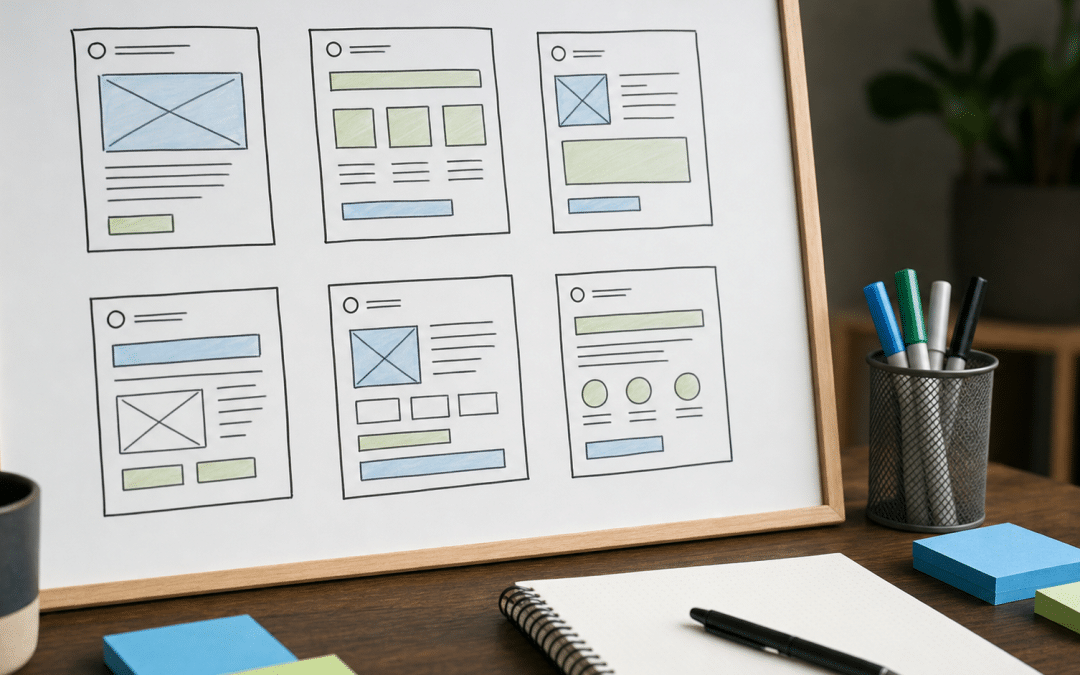
Email marketing templates are reusable layouts that set your brand, structure and legal footer once so that only the content of each send needs editing, and they are the quickest way to make every message in your email marketing programme look consistent and render properly. A South African business rarely needs fifty of them. It needs a short library, one disciplined shell, and a build that survives Gmail and Outlook.
This guide covers the six templates worth building, how to choose between a platform library, a saved custom layout, a hybrid build and hand-coded HTML, and the render and compliance checks that stop a template from breaking on someone else's screen. For the visual rules behind the layout itself, see our guide to email design for South African audiences.
Quick Answer
Build email marketing templates around a fixed shell (header, footer, colours, fonts, legal block) with editable regions for each send, and keep the library to the handful of message types you actually send. Choose the template source by who edits it and whether you have developer access, then test the finished layout against Gmail's 102KB clipping limit and the Word-based rendering of Windows desktop Outlook before it goes into rotation.
Not sure which layouts your sends are missing?
Send us the last few messages you sent and we will tell you which template types you keep improvising from scratch.
Which Email Marketing Templates Does a Business Actually Need?
A working email template library is one layout per recurring message type, not one per campaign idea. The best email marketing templates for a small business are the ones you reuse, and six cover almost every SA small and mid-sized sender: welcome, promotional, newsletter, cart or browse reminder, order follow-up and re-engagement.
| Template | Job it does | Locked in the shell | Edited per send | Best for |
|---|---|---|---|---|
| Welcome | Introduces the brand to a new subscriber | Logo, colours, footer, button style | Offer, intro copy, one primary link | Every sender with a sign-up form |
| Promotional | Drives one offer or launch | Header, footer, button style | Hero image, offer, deadline, product block | Retail and ecommerce |
| Newsletter | Delivers several short items on a schedule | Masthead, section dividers, footer | Story blocks, links, sign-off | Service firms, clubs, schools, churches |
| Cart or browse reminder | Brings back a shopper who left | Product-row layout, footer | Subject, intro line, incentive (if any) | Online stores |
| Order follow-up | Confirms, thanks and suggests the next step | Order summary block, support contact | Cross-sell block | Online stores and booking businesses |
| Re-engagement | Asks a quiet subscriber to stay or leave | Plain layout, footer | Question, deadline | Any list with dormant contacts |
Each of these maps to a sequence you can read about separately: the welcome sequence for the first template, automation for SA stores for the reminder and follow-up layouts, and re-engagement campaigns for the last.
Library Rule
Build a new template only when a message type recurs and needs a different structure, not a different mood. A seasonal sale is a promotional template with a new hero image, so it does not need its own layout. Fewer templates means fewer places for a broken footer or a stale link to hide.
How Do You Choose Where Your Template Comes From?
A template source is the route by which a layout reaches your sending platform, and the right one depends on who will edit it each week and whether anyone on the team can read HTML. There are four routes, and they trade control against upkeep.
| Source | Who edits it | Developer needed? | Main risk | Best for |
|---|---|---|---|---|
| Platform library layout | Anyone on the team | No | Looks like everyone else's send unless you restyle it | Getting started on a tight budget |
| Saved custom layout in the drag-and-drop editor | Anyone on the team | No | Drift if people save near-duplicates | Small teams with one brand look |
| Hybrid: custom HTML shell with editable regions | Marketer inside the regions, developer for the shell | For the build, not each send | A broken region definition affects every send | Brands that need exact design but weekly self-service edits |
| Fully custom HTML | Developer or technical marketer | Yes, every change | Slow edits, higher chance of a rendering fault | Rare, highly specific layouts |
The saved-layout route is more capable than many teams realise. Omnisend's documentation says you can create unlimited custom templates, so custom email templates need no developer, and a saved one stores colours, fonts, button styles, layout, canvas width, and reusable content such as footer text, social icons, logo and address. That pre-loads your brand and footer into every new send without writing any code. The documentation does not describe a way to lock those parts, so treat them as defaults that an editor could still change or delete. You save a template from the email editor itself.
The hybrid route exists for brands that outgrow that. Klaviyo's help centre describes a hybrid template as custom HTML with drag-and-drop editing limited to defined regions, and it recommends the approach when you want to keep your custom HTML and add editable blocks only in specific regions. The same page says custom HTML suits technically savvy marketers or anyone with access to a developer.
Decision shortcut
No developer and a team of one to three: start with a saved custom layout. A developer available for the build only: hybrid. A developer on call for every send: fully custom HTML. Your first template is never the place to prove that you can hand-code Outlook fixes.
What Does a Template Lock, and What Does It Leave Editable?
A template shell is the part of a layout that should stay the same between sends, and its purpose is to make brand drift and compliance mistakes less likely. In a hybrid build the shell is genuinely locked, because only the defined regions are editable. In a saved layout it is pre-loaded but remains editable, so it relies on team discipline. The editable regions are everything else.
Lock these in the shell:
- Logo, colours, fonts and the primary button style.
- The email template footer: sender identity, physical or contact address, unsubscribe link and preference link.
- Maximum content width and the spacing between blocks.
- Alt-text defaults on the logo and recurring icons.
Leave these editable:
- Subject line and preheader text, which sit outside the body but belong in the template brief.
- Hero image and its alt text.
- Headline, body copy and the single primary call to action.
- Product or story blocks that repeat.
Works: a hybrid newsletter build with a locked masthead and footer, plus three repeating story blocks (image, headline, two lines, link). Whoever sends it can edit the story regions but has no way to change the footer. In a saved layout you would get the same result only by agreeing that nobody touches those parts.
Breaks: a template where the footer is an ordinary text block. Within a few sends someone deletes the unsubscribe link to make room for a banner, and nobody notices until a complaint arrives.
How Do You Make a Layout Render in Every Inbox?
An email layout renders everywhere when it relies on the few things every client supports and treats everything else as an enhancement. Three client behaviours cause most of the damage: Outlook's Word engine, Gmail's size clipping and blocked images.
Outlook on Windows
Per Litmus, the Windows desktop versions of Outlook use Word as the rendering engine, while the new Outlook for Windows uses a web browser engine instead. Outlook desktop does not support CSS widths and heights on images, hover states, padding and margins on images, or styling on div tags.
That is why Campaign Monitor's long-running guide tells builders that coding HTML emails means giving up on CSS-only layout in favour of tables, and why it recommends applying styles inline, which also works around clients that strip CSS from the head. Rounded buttons in Outlook desktop can be built with VML, a workaround Litmus documents. Unless you are hand-coding, your platform's editor handles this for its own blocks, which is a strong reason not to paste in a layout from elsewhere.
Gmail clipping
Gmail hides the bottom of a message once it passes a size threshold. Mailchimp's help page states that Gmail clips emails larger than 102KB and hides the rest behind a "View entire message" link. The count is the code, not the pictures: text, link URLs and tracking code, and the HTML that styles the content. Images hosted elsewhere add a URL, not their file size.
Clipping hides the bottom of the message, which is where the footer and its unsubscribe link usually sit. Mailchimp adds that all email opens may go untracked when the message is clipped. Long newsletters with many repeating blocks and pasted-in word-processor text are the usual culprits, so build the shell lean and clean pasted copy before it goes in.
Blocked images
Campaign Monitor's guide, which says it is drawing on research from the last few years, notes that some estimate up to 40% of recipients never enable images. Treat that as an older, upper-end estimate rather than a current SA figure. A template whose message sits inside one big picture therefore shows those readers nothing. Keep headlines, offers and buttons as live text, and write useful alt text, which the same guide notes can appear when an image is blocked.
Width, dark mode and phones
Responsive email templates start with one content width that you pick and keep. Campaign Monitor's guide builds its two-column example at 580 pixels, narrow enough to read without horizontal scrolling in most clients. Start from that figure or a similar one and test it, rather than treating any width as a standard.
Assume mixed clients on any SA list. That is a working assumption, not a measured client split: DataReportal's Digital 2026 report counted 51.7 million internet users in South Africa at the end of 2025, which it puts at 79.6% of the population. It publishes no email-client breakdown, so test across webmail, desktop and phone apps rather than guessing which your list favours.
Dark mode behaves differently by client. Litmus's dark mode guide describes three methods: no colour changes, partial inversion of light backgrounds, and full inversion that also affects dark ones. For transparent PNGs with dark text, it suggests adding a translucent outline so the logo stays legible. Preview the logo on light and dark backgrounds before you fix it in the shell.
Render Rule
Build the template so that it still works if images are off, styles are partly stripped and the client ignores your fonts: live-text headlines, a table-based or editor-generated layout, inline styles, and enough size headroom below Gmail's 102KB clipping limit that a long send does not lose its footer.
Is your current layout breaking in Outlook?
Send us one live campaign and the client it breaks in, and we will point to the block causing it.
What Must the Footer Carry Under POPIA?
The footer is the part of a template that carries the sender-identification and opt-out duty, because POPIA section 69(4) requires each electronic direct marketing message to identify the sender and give an address for stopping future messages. We could not read the Information Regulator's own guidance note, so this wording is as DLA Piper Africa reproduces it: a message must include "the identity of the sender or the person on whose behalf the communication has been sent; and an address or other contact details to which the recipient may send a request that such communications cease."
Put both in the shell: your registered business name, a contact address and a working unsubscribe link. The quoted text asks for an address or other contact details, so the unsubscribe link is the practical way to meet it rather than something the quoted wording names. Whether you may send at all depends on consent or the existing-customer exception under section 69(3), covered in our guide to email marketing compliance in South Africa. We have not found guidance that carves out B2B sends, so do not assume an exemption.
What Should You Check Before a Template Goes Live?
A pre-send check confirms that a template works for the weakest client on your list, not the one on your own laptop. Run it once when a template is built and again after any change to the shell.
- Send tests to real accounts. Use Gmail, Outlook and one phone mail app. Look at the footer first.
- Check the size. Confirm a long version of the template stays comfortably under Gmail's 102KB clipping limit.
- Turn images off. Read the message. Can you still tell what the offer is and where to click?
- Switch to dark mode. Look at the logo, buttons and any text over images.
- Click every link, including unsubscribe and the preference link, from the test email.
- Authenticate the sending domain. A flawless layout still lands in spam without it; follow the domain authentication checklist.
If you already have a library, the programme audit checklist shows where templates fit among the other things to review, and real SA campaign breakdowns show how other senders structure theirs.
Want a second pair of eyes before you roll it out?
Book a free audit and we will go through your template library, footer and render risks with you.
Why South African Businesses Choose Growth Pulse Media
A South African business should choose a template partner that has run an online store itself. Growth Pulse Media was founded by Dirk van Greuning, who built and scaled a large South African ecommerce business before starting the agency; all work is executed in-house, with a limited client load.
GPM is an Omnisend Certified Partner and a registered Shopify Partner, which is where template work for online stores usually starts. If you want the layout, the flows and the sending set up properly, our email marketing service covers it. Not sure what that would cost? Our guide to email marketing costs in South Africa lays out the budget side.
Who This Is NOT For
A custom template system is not for senders whose volume, list quality or setup does not yet justify it.
You send fewer than a handful of emails a year. For email marketing templates for small business use at that volume, a platform library layout with your logo and footer is enough. A custom template system would cost more than it returns.
You want a pixel-perfect copy of a competitor's design. Matching a design is easy to promise and hard to keep consistent across clients. A simple shell that renders reliably will usually serve you better.
You have not sorted consent or your sending domain. A better template will not fix a list you are not permitted to mail or messages that fail authentication. Fix those first.
Frequently Asked Questions
What are email marketing templates?
Email marketing templates are reusable layouts with a fixed structure, brand styling and footer, and editable areas for each send's content. They save production time and keep every message consistent. Most platforms let you start from a library layout or save your own.
How many email marketing templates should a small business have?
Most small senders are well served by about six: welcome, promotional, newsletter, cart or browse reminder, order follow-up and re-engagement. Add another only when a recurring message needs a different structure rather than a different look.
Why does my email look different in Outlook?
Windows desktop versions of Outlook use Word as the rendering engine, which ignores much of the CSS that browsers and phone apps honour. The new Outlook for Windows uses a web browser engine instead, so the same layout can look different across two Outlook versions. Tables, inline styles and platform-generated blocks reduce the gap.
What size should an email template be?
Keep the HTML under Gmail's 102KB clipping limit, because Gmail hides content past that point behind a "View entire message" link. The limit counts code, link URLs and tracking, not the weight of images hosted elsewhere.
Do email templates need an unsubscribe link and sender details?
They need sender details and a way to stop messages. As DLA Piper Africa reproduces the Information Regulator's guidance, POPIA section 69(4) requires electronic direct marketing to identify the sender and give an address or other contact details for requesting that messages stop. A working unsubscribe link is the practical way to meet that, so build both into the footer.
Get Templates That Hold Up in Every Inbox
We work with Omnisend and Shopify to build template shells, editable regions and footers that carry sender details and an opt-out for South African senders. No obligation, and we will get back to you within 24 hours.
