
 Add to Preferred Sources
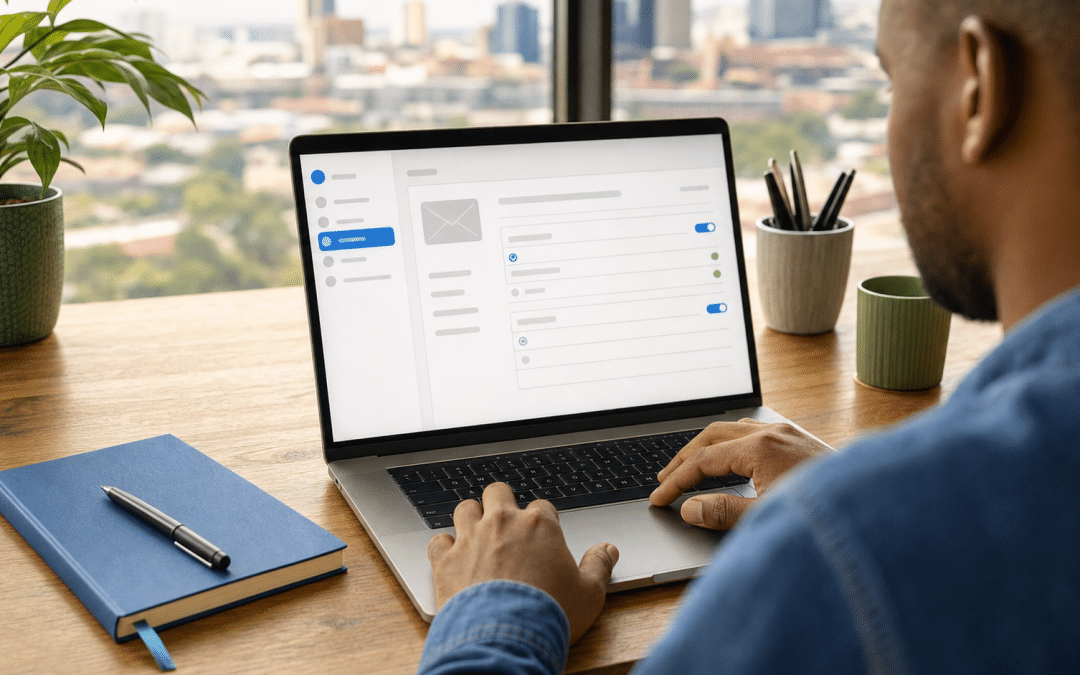
Email reply to vs from address is a choice between two header fields. The From address names the sender and is the domain mailbox providers check. The Reply-To address only tells the recipient's mail client where a reply should go. For a South African business sending through the platforms covered in our email marketing South Africa guide, the working rule is simple: send From a domain you own and have authenticated, and point Reply-To at whichever mailbox a human actually reads.
Get the pair wrong and the damage is quiet. Replies land in a founder's personal inbox, mail sent From a free Gmail address is quarantined or rejected, or customers write back to a mailbox nobody monitors. The rest of this post shows what each field does, which pairing fits which setup, and where to change it in Klaviyo, Omnisend and Mailchimp.
Quick Answer
In an email reply to vs from address decision, the From address is your sender identity and should sit on a domain you own and authenticate with SPF and DKIM, because DMARC alignment is measured against the From domain. The Reply-To address is optional and only redirects replies, so use it when the person answering is not the sender mailbox. If you leave Reply-To blank, replies go to the From address.
Not sure where your replies are going?
Send us the sender settings from your last campaign and we will tell you which mailbox is receiving the replies.
Get a sender settings reviewEmail Reply To vs From Address: What Each Field Does
The From address and the Reply-To address are two separate fields in an email's header, and they answer two different questions: who sent this, and where should the answer go. The From field is the identity the recipient sees and the one filters evaluate. Reply-To is a routing hint added on top.
RFC 5322, the standard that defines the message format, says that when a Reply-To field is present it indicates the addresses to which the author of the message suggests that replies be sent. In its absence, replies should by default go to the mailbox in the From field. The word "suggests" matters: it is a hint, and the person replying can still change the recipient.
So what is a reply to email address in practice? It is the mailbox you name for replies, which may or may not be the sender mailbox. The difference between reply to and from email therefore comes down to identity versus routing: reply to address vs from address is a question of who you are and who answers. Treat the from address and reply to address as a pair you set deliberately for every sender.
| Field | Question it answers | Who it is for | What happens if missing |
|---|---|---|---|
| From address | Who is this message from? | Recipient, spam filters, authentication checks | The platforms covered below each ask you to enter one in sender settings |
| Reply-To address | Where should a reply go? | Recipient's mail client | Replies default to the From address |
Why Does the From Address Carry the Authentication Load?
The From address carries the authentication load because DMARC passes only when SPF or DKIM passes and the domain it authenticated lines up with the domain in the From header. RFC 7489, section 3.1 sets out that test, and it compares the SPF-authenticated domain and the DKIM signing domain with the From domain. Reply-To is not part of it; Suped's explainer on DMARC makes the same point.
Google's email sender guidelines say the same thing from the receiving side. For senders above 5,000 messages a day to Gmail accounts, the domain in the From header must align with either the SPF domain or the DKIM domain, and a From header should contain only one email address. That threshold marks the stricter bulk-sender tier, not a point below which authentication stops mattering, so read Google's page for the baseline expectations that apply to you. The detail of setting those records is in our email domain authentication checklist.
The free Gmail address problem
Sending a campaign From a free Gmail, Yahoo or Outlook address is a common From mistake for small senders, and the platforms themselves push back on it.
Google asks senders not to impersonate Gmail From headers and says Gmail will begin using a DMARC quarantine enforcement policy. Mailchimp states that the main limitation of a free address is that you do not own the domain, and that free email domains often tell receiving servers to reject mail that fails DMARC. In short, free-provider mail that fails DMARC may be quarantined or rejected. Omnisend lists gmail.com, yahoo.com, outlook.com and hotmail.com as unsupported sender domains.
Takeaway: Reply-To cannot rescue a bad From
Pointing Reply-To at a business mailbox does not fix a campaign sent From a free Gmail address. DMARC alignment is checked against the From domain, so the sender address itself has to be on a domain you own and can add DNS records to.
Which From and Reply-To Pairing Fits Your Setup?
The right pairing depends on who reads the replies, not on a universal best practice. Start with the person or team who will actually answer and work backwards to the sender identity.
As a South African example, a Shopify store sending through Omnisend might set From to hello@ on its own .co.za domain and set Reply-To to the inbound mailbox of the local helpdesk that answers customers. The sender identity stays on the authenticated domain while the replies land where the support team already works.
| Your setup | From address | Reply-To address | Best for |
|---|---|---|---|
| Owner answers replies personally | name@yourdomain.co.za | Leave blank | Small lists where the sender and the responder are the same person |
| Team answers replies from a shared inbox | hello@yourdomain.co.za | Leave blank if hello@ is the shared inbox, otherwise the shared inbox | Stores and service firms with a support rota |
| Helpdesk or ticketing tool handles replies | Brand address on your domain | The helpdesk's inbound address | Support-heavy ecommerce stores |
| Agency or freelancer sends on your behalf | Address on your own authenticated domain | Your internal mailbox, so replies skip the agency | Businesses that want customer replies to stay in-house |
| Promotional blast, replies not wanted | Real address on your domain | A monitored mailbox, not a dead one | Sales campaigns where unsubscribe requests still arrive as replies |
The shared-inbox rows depend on how your mailboxes are built, which is a separate decision covered in email alias vs shared mailbox. If a "no-reply" sender address is tempting, read the section on dead mailboxes below before you use one.
Where Do You Set the Reply-To Address in Klaviyo, Omnisend and Mailchimp?
A platform's reply-to setting is the field in its sender settings that overrides where replies go, and the pages we could confirm say Klaviyo and Omnisend default replies to the sender address. The rows below come from each platform's own help pages as read in October 2026, and interfaces change, so confirm against the live screen. Mailchimp's primary documentation we could read covers only the free-address case, so verify its reply handling in the campaign builder.
| Platform | Default behaviour | How to set a separate Reply-To | Best for |
|---|---|---|---|
| Klaviyo | Replies go to the sender email address | Untick "Use as reply-to" on a campaign, or "Use this as your reply-to address" on a flow email, then enter the reply-to address | Stores that route replies to a helpdesk |
| Omnisend | Omnisend uses your sender email address to receive replies if no separate reply-to is specified | Specify a reply-to address when creating the campaign; Omnisend's help page does not give the exact field wording, so check the live screen | Shopify stores sending campaigns and automations |
| Mailchimp | Its help page on free addresses says replies still go to your From address in that case; the general default was not confirmed on a primary page | Not confirmed here; check the From section and the campaign settings in the live builder | Verify in the builder before relying on it |
On Omnisend, the sender address should also be on the same domain you verified with the platform. Klaviyo's help article on changing your sender email address and sender name lists the exact checkbox wording if your account looks different from the table.
Replies disappearing into the wrong inbox?
Tell us which platform you send from and who answers customers, and we will map the From and Reply-To pair for your setup and timeline.
Map my sender setupWhat Do Replies Have to Do With POPIA?
Under POPIA, replies are one route through which an unsubscribe request reaches you, so the mailbox behind your Reply-To needs a human or a process attached to it. Section 69(4) requires electronic direct marketing to include details of the identity of the sender and an address or other contact details to which the recipient may send a request that such communications cease.
That is a legal minimum about contact details, not a rule that the reply address must be the opt-out address. Your unsubscribe link still does the formal work. But a customer who hits reply and types "remove me" expects that message to be read. That scenario is our own reasoning about how people behave, not a POPIA requirement. Section 69 itself rests on consent or the existing-customer exception under s69(3); our POPIA email compliance guide covers both.
Takeaway: replies are a compliance channel too
Whoever owns the mailbox behind your sender settings is also receiving opt-out requests written as plain replies. Name a person or a rota for it before the campaign sends.
Why a dead no-reply mailbox is a poor trade
A no-reply From address closes the one channel customers use without thinking. The GOV.UK Notify service, which sends government email in the UK, states that emails with a reply-to address seem more trustworthy and are less likely to be labelled as spam. That is one service's guidance, not a universal filter rule, but it points the same way as common sense: a real reply path costs you nothing and removes a friction point.
Which Sender Name Should Sit Beside the Mailbox?
The sender name is the human-readable label that sits beside the mailbox in a recipient's inbox, and it does most of the recognition work before a subject line is read. It is a separate setting in every platform, it costs nothing, and it is often left as a default.
As a working rule of thumb, not a measured result, choose a name a customer would recognise from their last interaction with you. A shopper recognises the store brand. A client of a professional services firm may recognise a named partner. Pairing a person with the brand, such as "Thandi at Brandname", reads as personal while keeping the business identifiable.
Keep the name stable across campaigns. A label that changes every send makes your messages harder to spot, and makes saved searches and filters less useful for subscribers. Check the name on a phone too, because narrow inbox views truncate long labels, so put the recognisable part first.
Do not use a label that suggests a different sender than the one you authenticate: a bank, a courier or a brand you do not own. Beyond looking deceptive, a misleading name also risks undermining the identity details POPIA section 69(4) requires electronic direct marketing to carry, so the name should identify your business honestly.
Finally, keep the naming consistent across streams. Newsletters, promotions and order notices can share one name or use clearly related siblings, but a subscriber should never have to wonder whether two messages belong to the same business.
How to Test Your Reply-To Setup Before a Campaign Goes Out
A pre-launch reply test confirms that the From identity authenticates and that a human sees the replies, which are the two things this setting exists to protect. Run it on every new sender address or platform, since a change to either can silently reset the pair.
- Send the campaign to two test addresses: one on a different domain from your sender, so the message crosses to an outside mail server the way a customer's would, and one personal inbox.
- Open the received message and view the original headers. Confirm the From domain is yours, that the SPF, DKIM and DMARC results shown in the headers pass, and that the Reply-To line, if present, shows the mailbox you intended.
- Hit reply from each inbox and check the recipient field before sending.
- Send the reply and confirm it arrives where a named person will see it.
- Repeat for one automated flow email, since flows can carry different sender settings from campaigns. In Klaviyo, for example, campaigns and flow emails have their own reply-to checkbox.
Rule of thumb: in any email reply to vs from address setup, the question that matters first is who reads replies. If your answer to "who reads replies?" is "nobody", fix that before touching any header. A correct Reply-To pointing at an unattended mailbox is still a broken setup. For wider deliverability housekeeping, see email deliverability in South Africa.
Want a second pair of eyes before launch?
Send us your sender domain and platform and we will run an audit of the From, Reply-To and authentication records.
Request a sender auditWhy South African Businesses Choose Growth Pulse Media
Growth Pulse Media was founded in Johannesburg by Dirk van Greuning, who built and scaled a large South African ecommerce business before starting the agency. All work is executed in-house and the client load is kept limited so a senior person stays on your account. We are a registered Shopify Partner and an Omnisend Certified Partner, which is where our email marketing service focuses: Shopify stores sending campaigns and automations through Omnisend. Checking the email reply to vs from address pair is a sensible first check in any sender review.
Who This Is NOT For
This post is not for senders whose From and Reply-To fields are already identical by design, or for anyone hoping a header change will fix deliverability on its own.
You send fewer than a handful of emails a month from your own inbox. If you write one-to-one emails from Outlook or Gmail, the From and Reply-To fields are already the same and there is nothing to choose.
You expect Reply-To to fix deliverability. It does not change which domain is authenticated. If mail is landing in spam, the first checks are authentication records and list quality, not this field.
You need transactional email routing for a developer-built app. Order confirmations and password resets sent through an API raise different questions, covered in transactional email in South Africa.
Frequently Asked Questions
What is the difference between a reply-to address and a from address?
The from address identifies who sent the email and is the domain that gets authenticated. The reply-to address is an optional field that suggests where replies should go. If you do not set a reply-to address, replies go to the from address by default.
Can the reply-to address be different from the from address?
Yes. RFC 5322 treats Reply-To as a suggestion from the author, so it can point at any mailbox. Klaviyo and Omnisend both let you set a different reply-to address. For Mailchimp, the primary help page we could confirm covers only free addresses, so check the live campaign builder.
Does the reply-to address affect DMARC or deliverability?
DMARC alignment under RFC 7489 compares the SPF and DKIM domains with the domain in the From header, and Reply-To is not part of that test. It will not repair a failing From domain, and a sender using a free Gmail From address still faces the DMARC risks Google and Mailchimp describe.
Should I use a no-reply email address for marketing emails?
It is usually better to send From a real address on your domain and route replies to a monitored mailbox. A no-reply address cuts off customer replies, including unsubscribe requests written in plain text, and the UK government's GOV.UK Notify service advises, for its own platform, that emails with a reply-to address seem more trustworthy and are less likely to be labelled as spam.
Can I send my newsletter from a Gmail address?
You can type one into some platforms, but it is a poor idea. Omnisend lists gmail.com as an unsupported sender domain, Mailchimp says free email addresses can't be added to your verified email domains, and Google warns about impersonating Gmail From headers. Use an address on a domain you own.
Get your sender setup right before the next send
We work with Shopify and Omnisend, and we will review your From address, Reply-To routing and domain records. No obligation — we'll get back to you within 24 hours.
Talk to Growth Pulse Media