
 Add to Preferred Sources
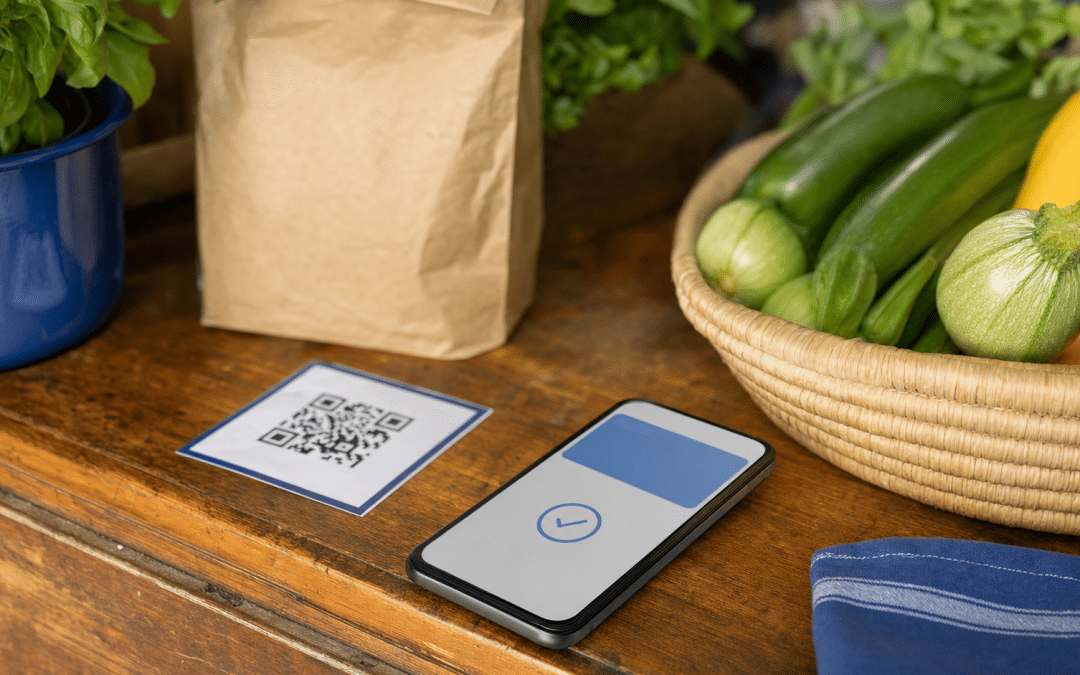
WhatsApp marketing for markets is the practice of turning the people who stop at your stall on market day into a list of contacts you can message before the next one, using one business number and the free WhatsApp Business app. It is the stallholder's version of the approach in our WhatsApp marketing guide for South Africa, cut down to what a trader with one phone, no shopfront and no website needs.
A market gives you a crowd you do not own. The footfall belongs to the organiser, the date and the weather, and once you pack up the Saturday customers are gone. A list of opted-in numbers is the one asset that travels with you from market to market. Most of your customers are online: DataReportal counted 51.7 million internet users in South Africa at the end of 2025, with online penetration at 79.6 percent. That is internet use, not WhatsApp use, but it is the pool a QR code reaches.
Quick Answer
WhatsApp marketing for markets works when you collect numbers at the stall with a QR code, message the list no more than once or twice a week in trading weeks, and keep contacts on a consented footing under POPIA section 69. The free Business app covers the catalogue, labels, quick replies and QR code; the paid API only matters once a single list outgrows what one phone can manage.
Not sure your stall sign-up would hold up?
Send us the wording on your sign or QR code and we will tell you what to tighten.
WhatsApp Marketing for Markets: What the Free App Already Covers
WhatsApp marketing for market stalls starts with the free app, which gives a market trader a catalogue, a greeting, an away message, saved replies and a QR code without paying for software. That is enough to run a stall, because most of the work is repeating the same five answers: what is on, where you are, what it costs, can I reserve, and when do you close.
The table maps each feature, as WhatsApp's own Business app features page describes it, to a job on market day.
| Feature | What WhatsApp says it does | Market-day use | Best for |
|---|---|---|---|
| Catalogue | A mobile storefront with items grouped into collections | Core range with prices, so regulars can pre-order before they arrive | Stalls with a stable range |
| Quick replies | Shortcuts for messages you send often | Stall location, trading hours, deposit details | Anyone answering the same questions twice |
| Greeting message | A welcome sent automatically to new customers who start a chat | Confirms they are on your list and how to leave it | Stalls using a QR code |
| Away message | An automatic reply outside business hours | "Back at the stall Saturday from 8am" while you are selling or asleep | Traders working weekends only |
| Labels | Organise and filter conversations | Tag "pre-order", "wholesale", "event enquiry" | Stalls with mixed customers |
| QR code and short link | Free entry points into a chat with your business | Printed on the stall banner, packaging and receipts | Every stall |
| Linked devices | Link up to 10 devices and agents to one account | A second person handling messages while you serve | Two-person stalls |
Set the business profile up properly before any of this: trading days, address of the market, and a short description. Our guide to a WhatsApp Business profile that converts covers the fields, and the catalogue link guide shows how to share the catalogue as a link.
Takeaway
WhatsApp marketing for markets needs no paid software to start, because the free Business app already holds everything a single stall needs: a catalogue, saved replies, automatic greeting and away messages, labels and a QR code. Pay for nothing until one phone cannot keep up with the volume of chats.
How Do You Capture Customer Numbers at a Market Stall?
A QR code on the stall that opens a WhatsApp chat with your business is the lowest-friction way to collect a number for WhatsApp marketing for market traders, because the customer sends the first message from their own phone and you do not type their number in. The chat opening does not by itself put them on a broadcast list, so you still add them to a list afterwards.
Your greeting message should also ask them to save your stall's number, because a broadcast reportedly reaches only contacts who have saved it (see the list limits below).
The Business app puts both the QR code and the short link under its business tools, and the short link takes the form wa.me/ followed by your number, as this walkthrough of the QR code and short link screens shows.
Adding ?text= to the link lets you pre-fill the first message. For a stall, make that message the opt-in itself, for example: "Yes, send me Saturday stall news from [Stall name]". The customer then taps send, and you have a time-stamped record of what they asked for.
Three placements cover most stalls:
- The banner or price board, at eye height, with one line saying what they get: "Scan for Friday's bake list and pre-orders".
- The packaging or receipt, because a customer who has just bought has already shown interest in the stall.
- The payment moment, with a printed card beside the card machine or QR payment code.
Give a reason to join that is specific to the stall. "Tell me when the sourdough sells out early" names something the customer wants; "Get updates" does not. If your stall sells prepared food, the bakery playbook shows the same pre-order pattern in more detail, and the opt-in strategies post lists other capture points.
Good sign wording: "Scan to join the Saturday list. We send up to two messages a week in trading weeks, with what we are baking and how to reserve. Message STOP to this number to leave the list."
Weak sign wording: "Follow us on WhatsApp!" It names no benefit, no frequency and no way out.
What Should a Market Trader Send, and When?
WhatsApp marketing for stallholders is a weekly habit, and a weekly rhythm ties every message to a decision the customer has to make before the next market day. For a stall that trades on one or two days a week, that means a cap of two messages in a trading week, anchored to the trading day, and the same cap should appear on your sign so the opt-in covers what you send.
| Timing | Message | Job it does | Best for |
|---|---|---|---|
| Message 1: early in the trading week | What is coming this market, the catalogue link, stall position and trading hours | Opens pre-orders and brings regulars in at the start of the day | Limited-batch products |
| Message 2: on the day, only if there is news | One update when a headline item is almost gone, or a short thank-you after the market | Creates urgency without a discount, or starts a conversation about what sold | Fresh-food stalls and new stalls building a following |
| Off-weeks: one message at most | Where you will trade next, if you move between markets | Keeps customers following the stall, not the venue | Traders on a rotation |
That is a working pattern, not a measured benchmark: adjust it to what customers actually reply to, and widen the cap only by changing the sign wording first. Use labels to see who pre-orders and who only ever browses, and send the pre-order customers the early message first.
The same rhythm suits WhatsApp marketing for flea markets, where trading days are fixed but the crowd changes weekly. Keep the tone of a person at the stall. A photo of today's stock taken on your phone shows the stall is open and stocked, which a designed graphic does not.
Unsure how often to message?
Tell us your trading days and product range and we will sketch a message rhythm that fits.
Broadcast Limits: When Does a Stall Outgrow the Free App?
A stall outgrows the free app when the list is too large to send in batches by hand or when more than one person must reply from different phones. The limit that bites first is the broadcast list: Lilach Bullock's summary of the free app's broadcast limits reports a maximum of 256 recipients per list, with as many lists as you like. That is one secondary source, so confirm the cap in your own app before you plan around it.
The arithmetic
If 600 customers join your list and the reported 256-per-list cap holds in your app, 600 ÷ 256 = 2.34, so you need 3 broadcast lists. That is three sends each time you message, which is manageable weekly but tedious daily.
The same source reports that a classic broadcast reaches only people who have saved your number.
WhatsApp's own features page lists "Message people even if they haven't saved your number" under Business Broadcasts, but marks the feature "Available to eligible users in select countries". We could not confirm that South Africa is among them, so plan on the saved-number rule until your own app shows otherwise.
To test it, add a second phone that has not saved your business number to a broadcast list, send a message, and see whether it arrives. Our post on broadcast lists versus groups explains why groups are the wrong tool for a customer list.
| Situation | Stay on the free app? | Reason | Best for |
|---|---|---|---|
| One stall, one or two people, a list of a few hundred | Yes | Batches are quick and the features above cover the job | Most stallholders |
| Several staff replying at once during peak hours | Yes, up to the linked-device limit | The app links up to 10 devices and agents to one account | Busy food stalls |
| Several stalls or a market organiser messaging all traders' customers | No | Volume and consent records outgrow a phone | Organisers and multi-site traders |
| You want automated order flows or CRM links | No | This is the Business API's territory | Trading businesses with a website |
The comparison of the Business app and the API sets out when the switch pays off. Most stallholders never need it.
Does POPIA Apply to a Stall's WhatsApp List?
POPIA's direct-marketing rules apply to a responsible party, which can be a one-person stall, that processes personal information to market by electronic communication. Section 69 targets direct marketing by "any form of electronic communication", and a WhatsApp message is one, so it is the section to read. POPIA has exemptions, and this post is information, not legal advice.
Under section 69 of the Act, such marketing is prohibited unless the person has given consent or is an existing customer under the section 69(3) exception. That exception is narrow: it covers contact details obtained in the context of a sale, marketing of similar products, and a chance to object both when you collect the details and in every later message.
The practical rules for a stall:
- Ask once. Section 69(2) allows one approach to request consent, so make the QR opt-in clear the first time.
- Say who you are and how to stop. Section 69(4) requires every message to identify the sender and give an address to which a recipient can send an opt-out request. A closing line such as "Message STOP to this number to leave the list" is one way to frame that address, because the number is the address.
- Do not add people yourself. Typing in a number from a till slip or a bank transfer is not the same as the customer asking to join.
- Do not rely on legitimate interest. The Information Regulator's December 2024 guidance note, as summarised by Covington, keeps legitimate interests for non-electronic marketing and treats consent as the default for electronic messages.
Whether a pre-filled message meets the "informed, voluntary and specific" test depends on its wording, so write it to say what they will receive and how often. Our POPIA for marketing guide goes deeper, and this post is information, not legal advice.
Takeaway
Marketing to a stall's WhatsApp list is electronic direct marketing under POPIA section 69: customers must consent or fit the narrow existing-customer exception, and every message must name the sender and give an address for opt-out requests. A QR code with a clear pre-filled request is easier to evidence than a clipboard.
Common Stall Mistakes That Cost You the List
Most stalls lose their list through shortcuts taken in the first month, not through anything technical. Four are worth avoiding from day one.
- Using a personal number. Customers cannot see your catalogue or hours, and the list leaves with the phone if a staff member quits. The difference is laid out in Business app versus personal WhatsApp.
- Messaging only when you want a sale. If every message is a promotion, replies dry up. Mix in what is new, what sold out and where you will be.
- Letting one phone hold everything. A lost or stolen handset takes the chat history with it. The backup and restore guide shows how to protect it.
- Ignoring replies. A customer who answers a message and hears nothing until market day has little reason to answer the next one.
Want an outside look at your setup?
Share your number-capture flow and message plan and we will audit it for gaps.
Who Is Growth Pulse Media, and When Does a Stall Need Us?
Growth Pulse Media is a Johannesburg agency led by Dirk van Greuning, who built and scaled a large South African ecommerce business before founding the agency, and we keep a limited client load so senior attention stays on every account. All work is executed in-house.
For traders who are growing past the stall, our paid work covers Meta Ads, Google Ads and GA4 measurement, which is where a growing list of WhatsApp contacts usually gets fed from. The WhatsApp marketing service page sets out what an engagement on the channel looks like.
Most traders reading about WhatsApp marketing for markets will not need an agency yet. The free app and the weekly rhythm above are the right first step.
Who This Is NOT For
This approach fits traders with a regular market schedule and customers who ask to hear from them; three situations fall outside it.
Traders who want to message strangers. Scraping numbers from market Facebook groups or buying lists breaches the consent rule in section 69. This approach only works on people who asked to hear from you.
Stalls that trade once or twice a year. A list needs a reason to message regularly. A seasonal Christmas market stall may be better off promoting its social media pages, which people can follow without a consent process; email marketing falls under section 69 too, so it needs the same consent.
Organisers wanting to message the shoppers of an entire market. That is a bigger consent and platform question, and it points to the API rather than a stall phone.
Frequently Asked Questions
Is WhatsApp marketing for markets worth it for a small stall?
Yes, if you trade regularly, because the list lets you tell known customers what you are bringing before the market opens. It costs only the time to collect numbers and send up to two messages in a trading week. It is not worth it for a stall that trades a handful of times a year.
How do I get customers' WhatsApp numbers at a market?
Put a WhatsApp Business QR code on your banner, packaging and payment point, and pre-fill the message so the customer asks to join the list themselves. Give a specific reason to join, such as pre-orders or sell-out alerts.
Do I need the WhatsApp Business API for a market stall?
No. The free Business app covers a catalogue, greeting and away messages, quick replies, labels and a QR code, and it links up to 10 devices and agents to one account. Consider the API only when several stalls or automated flows outgrow what one phone can run.
Can I add customers to my WhatsApp list without asking?
No. Under POPIA section 69, electronic direct marketing needs the person's consent or must fit the narrow existing-customer exception, with the sender named and an address for opt-out requests in every message. Adding people yourself from till slips does not meet that standard.
How many people can I send one WhatsApp broadcast to?
A broadcast list in the free app is reported to hold a maximum of 256 recipients, though that comes from one secondary summary, so confirm it in your app. If the cap holds, you can create as many lists as you need, so 600 contacts means three lists.
Turn Market-Day Customers Into a List You Own
Whether you run one stall or several, we will review your WhatsApp Business setup, opt-in wording and POPIA position. No obligation — we'll get back to you within 24 hours.
