
 Add to Preferred Sources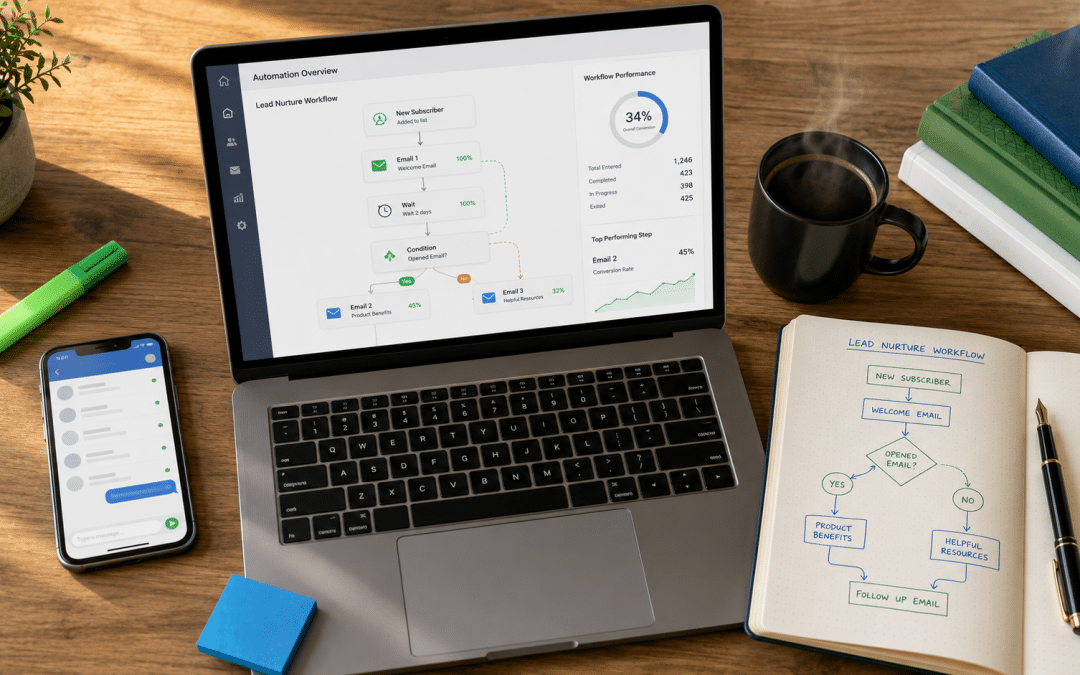
Marketing automation South Africa businesses get value from is not one tool — it is a set of rules that follow up with every lead and customer automatically across email, WhatsApp, SMS and your CRM, so nobody falls through the cracks while your team is busy. Start with four workflows — new-lead follow-up, welcome, abandoned cart or quote follow-up, and win-back — and add more only once those are working. This guide explains what to automate first, how the channels fit together, how to choose tools, and the POPIA rules to respect. For email-specific flows, see our guide to email marketing automation; for costs, see marketing automation pricing in South Africa.
Quick Answer
Marketing automation sends the right message on the right channel when a customer does something — enquires, signs up, leaves a cart, goes quiet — and updates your CRM as it goes. For most South African businesses the best starting set is instant lead follow-up on WhatsApp and email, a welcome sequence, cart or quote follow-up, and a win-back message for inactive customers.
Not sure what to automate first? Tell us how leads arrive today and we will map your first four workflows — free.
Get a Free Automation MapWhat Marketing Automation Actually Does
Marketing automation replaces repetitive manual follow-up with rules — "when this happens, send that, then update the record" — so every lead gets a fast, consistent response and every customer gets the next sensible message.
It sits on top of three things: a customer record (usually a CRM or your store's customer list), channels (email, WhatsApp, SMS, retargeting ads) and triggers (a form, a purchase, a missed appointment, 60 days of silence). The value is speed and consistency. A lead that gets a WhatsApp reply within minutes is far more likely to book than one who waits until the next morning — our guide to lead response time explains why.
Marketing Automation South Africa: The First Four Workflows
The first four workflows to build are the ones closest to revenue — lead follow-up, welcome, cart or quote follow-up and win-back — because each one recovers money that is otherwise lost through slow or forgotten follow-up. Deciding which channels those workflows should run through is covered in our guide to the right channel mix, written for SA businesses.
| Workflow | Trigger | Channels | Best for |
|---|---|---|---|
| New-lead follow-up | Form, WhatsApp or call enquiry | Instant WhatsApp or email reply, CRM task for sales | Service businesses and B2B |
| Welcome sequence | New subscriber or customer | Email, optional WhatsApp | Every business with a list |
| Cart or quote follow-up | Cart abandoned or quote not accepted | Email, WhatsApp reminder, retargeting ad | Online stores and quote-based services |
| Win-back | No purchase or contact in 60–90 days | Email, SMS or WhatsApp | Repeat-purchase businesses |
Key Takeaway
Automate the follow-up you already know you should do but often forget. The first workflows should recover lost revenue — slow replies, forgotten quotes and abandoned carts — before you build anything clever.
How Email, WhatsApp and CRM Work Together
Each channel does a different job — email carries detail and nurtures over time, WhatsApp gets fast replies and confirmations, and the CRM keeps one record so every channel knows what the others have done.
WhatsApp is especially strong in South Africa, where most customers already use it daily. Automated WhatsApp messages at scale run through the WhatsApp Business Platform using approved message templates, and they must respect opt-in rules. Email remains the cheapest channel for longer sequences, and SMS works for short reminders to customers who are not on WhatsApp. The mistake is sending the same message on every channel at once — coordinate them so a customer gets an email or a WhatsApp, not both within the same hour.
Coordinated example: a quote request triggers an instant WhatsApp confirmation, creates a CRM deal and a task for the salesperson, sends the quote by email, and — if the quote is not accepted in five days — sends one friendly WhatsApp follow-up.
Uncoordinated example: the same customer gets three emails, two WhatsApp messages and an SMS in one day because each tool runs its own rules. They opt out of all of them.
Want your email, WhatsApp and CRM working as one system? We will show you how the pieces should connect for your business.
Get a Free Integration PlanChoosing Marketing Automation Tools
The right marketing automation tools depend on where your revenue comes from — online stores need platforms built on order data, service and B2B firms need platforms built on a CRM — and most small businesses need two or three tools that integrate, not one giant suite.
| Business type | Core tool | Adds | Best for |
|---|---|---|---|
| Online store | Klaviyo or Omnisend | WhatsApp provider, SMS | Cart, browse and post-purchase flows |
| Service business | CRM such as HubSpot or Zoho | WhatsApp Business Platform, email | Lead follow-up and appointment reminders |
| B2B with sales team | HubSpot or a similar CRM | Email sequences, LinkedIn | Pipeline, nurture and sales tasks |
Compare the main options in our guides to Klaviyo vs HubSpot and CRM software in South Africa. Costs are covered in detail in the pricing guide linked above.
POPIA Rules for Automated Marketing
Automated marketing is lawful in South Africa when recipients have opted in — or are existing customers receiving offers for similar products with a chance to opt out — and every message offers an easy way to stop receiving them.
Record when and how each person consented, honour opt-outs immediately across every channel, and keep transactional messages (order updates, appointment confirmations) separate from marketing. Never import bought or scraped lists into an automation — it breaches POPIA and gets WhatsApp and email accounts blocked quickly.
One Opt-Out Everywhere
If a customer opts out on one channel, stop marketing to them on all channels unless they have clearly opted in elsewhere. Automation makes it easy to keep messaging someone who asked you to stop — and that is where complaints and account bans come from.
A 30-Day Rollout Plan
A 30-day rollout gets the first four workflows live without disrupting the business: connect data in week one, build in week two, test in week three and launch with monitoring in week four.
| Week | What happens | Done when |
|---|---|---|
| 1 | Connect website forms, store or CRM; confirm consent capture; clean the contact list | Every new lead lands in one record with consent noted |
| 2 | Build the four workflows and write the messages | Workflows built in draft |
| 3 | Test every path on a real phone and inbox; fix links, names and timing | No faults on a full test run |
| 4 | Launch, watch daily for a week, then weekly | First replies, bookings or recovered carts recorded |
Most marketing automation South Africa projects that fail skip week three. A single broken link or wrong merge field in a welcome message goes to every new contact until someone notices — which can be weeks.
Common Marketing Automation Mistakes
Most marketing automation problems come from building too much too soon, never testing, and not checking results after launch.
Building 20 workflows before four work: complexity hides faults. Get the first four right and measured.
Never testing on a real phone: broken links, expired codes and wrong names go unnoticed for months.
Set and forget: review open, reply, booking and revenue numbers monthly and fix the weakest workflow first.
Lead Scoring: Deciding Who Sales Should Call First
Lead scoring gives each contact points for actions that signal buying interest and for details that show they fit your ideal customer, so that the sales team can call the most promising leads first instead of working through a list in date order.
Most CRMs and automation platforms can score leads automatically once the rules are set. Keep the first version simple and adjust it after a few months, based on which scored leads actually became customers.
| Signal | Example | Points (illustrative) |
|---|---|---|
| Visited the pricing page | Viewed pricing or packages twice in a week | +15 |
| Requested a quote or demo | Submitted the quote form | +30 |
| Downloaded a guide | Downloaded a buyer's checklist | +10 |
| Clicked a sales email | Clicked through to a case study | +5 |
| Good fit | Company size and industry match your best customers | +20 |
| Poor fit | Student email, competitor or outside your service area | −30 |
| Gone quiet | No opens, clicks or visits in 30 days | −10 |
Set a threshold — say 50 points — that triggers an alert to a salesperson with the contact's recent activity, so the call can start from what the person has actually been reading. Speed matters: our research on lead response time shows how quickly enquiry quality fades when follow-up is delayed.
Segmentation: The Right Message for the Right Contact
Segmentation splits your contacts into groups based on what they are interested in, where they are in the buying process and how they have behaved, so that each group receives messages that are relevant to them rather than one message sent to everyone.
Useful segments for most South African businesses include:
- Interest. Which service or product category a contact first enquired about or has viewed most.
- Stage. New subscriber, active lead, quote sent, customer, lapsed customer.
- Behaviour. Opened or clicked recently, visited key pages, attended an event.
- Location. Gauteng, Western Cape, KwaZulu-Natal or elsewhere — important for events, delivery times, branch-specific offers and regional pricing.
- Value. High-spending or long-standing customers who deserve different treatment from one-time buyers.
Capture the information you need for segmentation as people interact with you, not all at once. A sign-up form that asks for name and email only, followed by a welcome email that asks "What are you most interested in?" with three clickable options, gets far better completion than a long form upfront.
Key takeaway: Automation without segmentation simply sends generic messages faster. Grouping contacts by interest, stage and behaviour is what makes automated messages feel personal enough to be read and acted on.
Automating Quote Follow-Up for Service Businesses
Automated quote follow-up is one of the highest-return workflows for service businesses, because many quotes are lost not to competitors but to silence — the prospect gets busy, and nobody from the business checks in.
| Day | Channel | Message |
|---|---|---|
| 0 | Quote sent with a clear summary, validity date and the next step | |
| 2 | WhatsApp or email | Short check-in: "Did the quote come through? Happy to answer any questions." |
| 5 | A relevant example or testimonial from a similar client | |
| 8 | Task for salesperson | Personal phone call, logged in the CRM |
| 14 | Reminder that the quote expires soon, with an easy way to accept | |
| 21 | Polite close-the-loop message asking whether to keep the file open |
The sequence should stop the moment the prospect replies, accepts or declines — nothing damages trust faster than an automated "just checking in" after someone has already said yes. Connect the sequence to deal stages in your CRM so that moving a deal to "won" or "lost" ends it automatically.
Illustrative example: a Gauteng solar installer sends around 60 quotes a month but was only following up by phone when sales staff had time. After adding the sequence above, more of the quiet quotes turn into site visits, because prospects who had simply forgotten are reminded at the right moment.
Reviews and Referrals on Autopilot
Automating review and referral requests makes sure every satisfied customer is asked at the right moment, which steadily builds your Google rating and word-of-mouth without relying on staff to remember.
Trigger a review request when a job is marked complete, an order is delivered or a service period ends — usually one to three days later, when the experience is fresh. Keep the message short and include a direct link to your Google review form. If your platform supports it, send the request by WhatsApp for local service businesses, where response rates tend to be higher than email. A few weeks later, customers who left a positive review or a high satisfaction score can receive a referral request, ideally with a simple reward for both the customer and the friend they refer. Avoid offering incentives in exchange for reviews themselves, which breaks Google's review policies. If you want these review and referral steps mapped into a plan, our Growth Pulse Matrix service sets out stage, audience, budget and timeline before our in-house team builds the workflows.
Keeping Data Clean So Automation Works
Automation is only as reliable as the contact data behind it, so duplicates, missing fields and inconsistent formats need to be prevented at the point of capture and cleaned regularly — otherwise workflows send the wrong messages to the wrong people.
Common problems include the same person saved twice with different email addresses, phone numbers entered in several formats (082…, +27 82…, 27 82…), and forms that allow empty or made-up entries. Set forms to validate email addresses and to store phone numbers in international format, which WhatsApp tools need. Use drop-down fields instead of free text for things like province, industry and service. Merge duplicates monthly, and make sure unsubscribes and opt-outs sync across every connected tool, so a person who opts out of email in one platform does not keep receiving messages from another. Under POPIA, honouring those opt-outs everywhere is not optional.
What to avoid: importing an old spreadsheet of contacts from years of trade shows straight into a new automation platform. Outdated addresses bounce, people who never agreed to marketing complain, and the new sending domain's reputation is damaged before the first real workflow runs.
Measuring Whether Automation Is Working
Each workflow should be measured against the specific job it was built to do — sales recovered, quotes accepted, reviews gained or hours saved — rather than by open rates alone.
For an abandoned-cart flow, the measure is revenue recovered. For quote follow-up, it is the percentage of quotes accepted before and after the workflow went live. For review requests, it is new reviews per month. For lead nurturing, it is how many nurtured contacts became sales opportunities. Where volumes allow, hold back a small control group — for example 10% of contacts who do not receive a workflow — and compare their results with those who do. That shows the true lift from the automation, rather than credit for sales that would have happened anyway. Finally, count the time saved: hours no longer spent on manual follow-up are a real return, especially for small teams.
Workflows for Online Stores Beyond the Basics
Once welcome, abandoned-cart and post-purchase flows are running, online stores can add a second layer of workflows that respond to browsing, stock changes and buying cycles — each one small on its own, but together a meaningful share of repeat revenue.
| Workflow | Trigger | What it sends | Best for |
|---|---|---|---|
| Browse abandonment | Viewed a product twice without adding to cart | A reminder with the product and similar items | Stores with high traffic and many considered purchases |
| Back in stock | Shopper asked to be notified about an out-of-stock item | An alert the moment stock returns | Stores relying on imported or limited ranges |
| Replenishment | Time since last purchase of a consumable product | A reminder when the customer is likely running low | Skincare, supplements, pet food, coffee |
| VIP recognition | Customer passes a spend or order threshold | A thank-you, early access or a small perk | Stores with a loyal core of repeat buyers |
| Sunset | No opens or clicks for about six months | A "do you still want to hear from us?" message, then removal | Every store — protects deliverability |
Build these one at a time and give each a month to run before adding the next, so you can see what each contributes. Our guide to email marketing automation in South Africa covers the content of the core store flows in more detail.
Using AI Features Inside Automation Carefully
AI features in automation platforms — suggested subject lines, predicted send times, generated email copy and predictive segments — can save time and improve results, but they work best as assistants to a person who checks the output, not as a replacement for judgement.
Send-time optimisation and predictive segments such as "likely to buy again soon" are low-risk and often helpful, because they only change when or to whom a message is sent. Generated copy needs more care: it can be generic, get South African details wrong (prices without VAT, the wrong courier, American spelling) or make claims your business cannot stand behind. Always read and edit before it goes live.
Be particularly careful with automated decisions that affect people significantly. POPIA places limits on decisions made solely by automated processing that have legal consequences for a person or affect them substantially, such as automatically declining a credit application. Marketing messages are rarely in this category, but if your automation decides eligibility, pricing or approval, make sure a person can review the outcome and the customer can ask for that review.
Who Should Own Automation Inside the Business
Marketing automation needs one named owner inside the business who checks that workflows are still running correctly, still say the right things and still produce results — without an owner, workflows quietly go out of date.
Prices change, staff leave, products are discontinued and offers expire, but automated emails keep sending whatever they were set up to say. Schedule a monthly 30-minute review: check each active workflow's numbers, read one email from each, and confirm that links, names and offers are current. Keep a simple document listing every workflow, its trigger, its purpose and when it was last reviewed. When an agency builds the workflows, make sure that document is part of the handover, and that the business — not the agency — owns the accounts.
The owner does not need to be technical. In a small business it is often the owner or office manager; in a larger one, a marketing coordinator. What matters is that they understand the customer journey the workflows support, have permission to pause anything that looks wrong, and know who to call when something needs rebuilding. Add a quarterly check of the bigger picture as well: are there new services, products or customer groups that deserve their own workflow, and are any existing workflows no longer earning their place? Retire those rather than leaving them running.
What to avoid: a welcome email still promising "10% off your first order" two years after the offer ended, and a sign-off from a sales manager who left last year. Automation that nobody reviews slowly turns into a source of customer complaints.
How Growth Pulse Media Builds Automation
Growth Pulse Media builds marketing automation South Africa businesses can run without an IT team — Klaviyo or Omnisend for stores, CRM-based workflows for service and B2B firms, and WhatsApp Business Platform messaging — connected so every channel shares one customer record.
We design the first four workflows, set up POPIA-safe consent capture, test everything end to end and report bookings and revenue monthly. See our email and automation services.
Who This Is NOT For
Investing in marketing automation South Africa teams must then maintain is the wrong priority in four situations.
Very few leads or customers: with a handful of enquiries a month, reply personally and focus on getting found.
No customer record at all: set up a simple CRM or customer list first — automation needs data to act on.
Plans to message bought lists: that breaches POPIA and gets accounts blocked.
No one to review results: automation still needs a monthly check to stay useful.
Want the first four workflows live within 30 days? We will scope the rollout for you — free.
Get a Free Rollout PlanFrequently Asked Questions
What is marketing automation?
Marketing automation uses software to send messages and update customer records automatically when someone takes an action, such as enquiring, signing up, abandoning a cart or going quiet. It replaces repetitive manual follow-up with consistent, timely messages.
What should a South African business automate first?
Start with instant new-lead follow-up, a welcome sequence, cart or quote follow-up, and a win-back message for inactive customers. These are closest to revenue and easiest to measure.
Can I automate WhatsApp marketing in South Africa?
Yes, through the WhatsApp Business Platform using approved message templates and opted-in contacts. Many CRM and email tools connect to it through approved providers.
Is marketing automation POPIA compliant?
It can be. Recipients must have opted in, or be existing customers receiving offers for similar products with a chance to opt out, and every message needs an easy opt-out. Keep records of consent.
How much does marketing automation cost in South Africa?
Costs range from free starter plans to several thousand Rand a month depending on contacts, channels and tools. Our marketing automation pricing guide breaks the costs down by business size.
What is lead scoring?
Lead scoring gives contacts points for actions that show buying interest, such as visiting the pricing page or requesting a quote, and for fitting your ideal customer profile. Contacts who pass a set threshold are flagged for sales to call first.
How do I automate quote follow-ups?
Set up a sequence triggered when a quote is sent: a check-in after two days, a relevant testimonial after five, a call task for the salesperson, and an expiry reminder. Connect it to your CRM so it stops as soon as the prospect replies, accepts or declines.
How do I measure whether marketing automation is working?
Measure each workflow against its purpose — revenue recovered, quotes accepted, reviews gained or hours saved. Where possible, hold back a small control group that does not receive the workflow to see the true improvement.
Let Follow-Up Run Itself
Growth Pulse Media builds marketing automation for South African businesses — Klaviyo, Omnisend or CRM workflows, WhatsApp Business Platform messaging, POPIA-safe consent and monthly reporting on bookings and revenue. No obligation — we will get back to you within 24 hours.
Get Your Free Automation Consultation