
 Add to Preferred Sources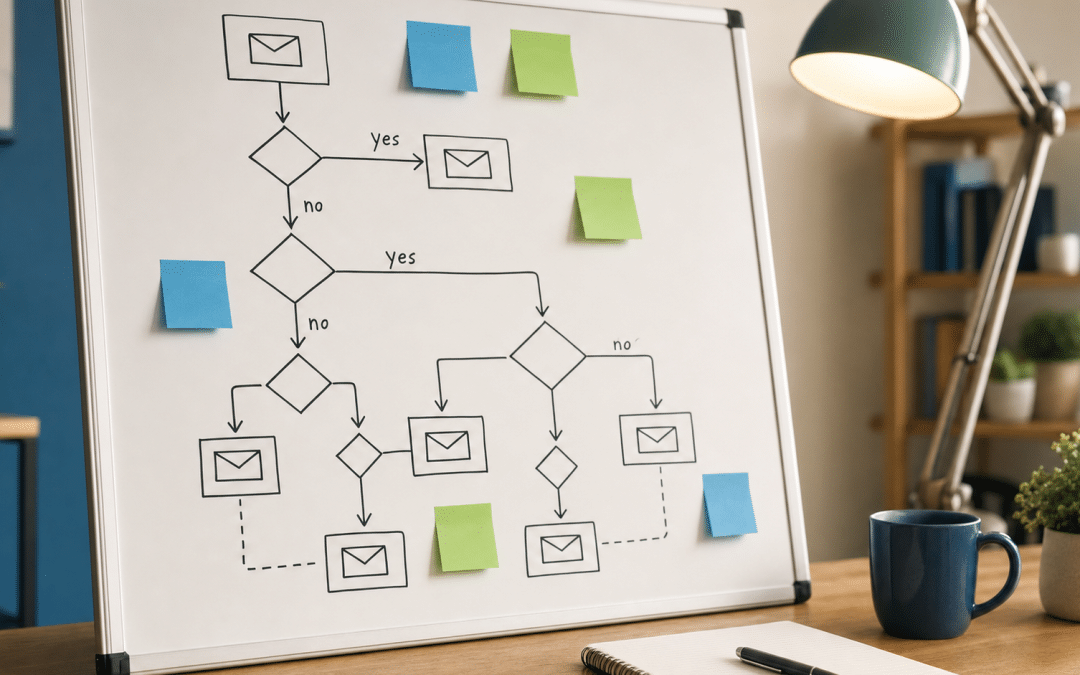
Email automation workflow mapping is the process of designing the complete logical structure of an automated email programme — every trigger, branch, delay, and exit point — before you build a single sequence in your platform. Done properly, it is the difference between a set of disconnected drip emails and a revenue-generating email marketing programme that reacts intelligently to what each subscriber actually does.
Most South African businesses skip the mapping stage. They open Klaviyo, Omnisend, or Everlytic, wire up a welcome series and an abandoned cart flow, and call it automation. What they end up with is a programme that works inconsistently, sends duplicate messages to the same contacts, and has no clear entry or exit rules. A workflow map forces those decisions before they become expensive problems.
If you are building your first automation programme — or auditing one that is underperforming — this guide covers the five components every workflow map must contain, the six flows that drive the most revenue in SA ecommerce and B2B contexts, a step-by-step mapping process, and the POPIA requirements that affect how contacts enter and exit each flow.
Quick Answer
Email automation workflow mapping is the planning discipline of visually documenting every trigger, condition, delay, branch, and exit point in an automated email programme before implementation. An effective workflow map defines who enters each sequence, what action sends each email, what conditions change a subscriber's path, and exactly when the sequence ends. South African businesses operating under POPIA must also map consent gates and lawful-processing grounds into every entry point — not as an afterthought, but as part of the initial design.
Jump To
- What Is Email Automation Workflow Mapping?
- The Five Components of a Workflow Map
- The Six Workflows Every SA Business Should Map
- How to Build Your Workflow Map Step by Step
- POPIA Compliance in Your Workflow Map
- Choosing the Right Platform for SA
- Why South African Businesses Choose Growth Pulse Media
- Who This Is NOT For
- Frequently Asked Questions
Losing leads between sequences?
Send us your current automation flows and we will identify where subscribers are dropping out — and what to map instead.
Request a Flow ReviewWhat Is Email Automation Workflow Mapping?
In practice, this discipline means documenting the full logic of an automated email programme as a visual diagram — every entry trigger, every decision branch, every timed delay, and every exit condition — before any email is written or built in your platform.
Think of it as a blueprint. A builder does not lay bricks before drawing plans; a marketer should not build sequences before mapping flows. The map reveals logical gaps — contacts who never exit a nurture sequence even after purchasing, for example, or a welcome series that fires simultaneously with a promotional broadcast and doubles the daily send volume to new subscribers.
The financial case for doing this properly is clear. Research from Sender.net shows that automated emails triggered by specific subscriber actions generate 320% more revenue than standard broadcast campaigns, while abandoned cart flows alone achieve 49.89% average open rates and return $3.58 per recipient — 87% more than the $1.91 all-campaign average. That performance gap comes from precision: the right message arriving at exactly the right moment. That precision requires a plan.
Workflow Mapping vs. Just Building Flows
Building flows without mapping first produces sequences that conflict with each other, have no exit conditions, and treat every contact identically regardless of what they do. Mapping first surfaces those decisions before they cost you subscribers. An hour with a whiteboard prevents weeks of troubleshooting in your platform.
Five Components Every Automation Sequence Must Include
Every effective email automation workflow map, regardless of the type of sequence or the platform it runs on, contains the same five logical components.
The Five Workflow Map Components
- Trigger — the specific event that starts the workflow (form submission, purchase, cart abandonment, date-based event, or list membership change)
- Condition / Profile Filter — the qualifying criteria a contact must meet to enter or remain in the workflow (new subscriber only, first-time buyer, no previous purchase in 90 days)
- Action — what happens at each step: send an email, apply a tag, move the contact to another flow, update a CRM field
- Delay — the timing between actions (send welcome email immediately; send follow-up after 48 hours; send win-back after 90 days of inactivity)
- Exit Criteria — the condition that removes a contact from the workflow (they purchased, they unsubscribed, they entered a higher-priority flow, a set time has elapsed)
Of these five, exit criteria are the most commonly neglected. Without a clear exit, a contact who converts stays inside a conversion sequence and continues receiving persuasion emails they no longer need. In Klaviyo and Omnisend, this is controlled at the flow level — you define whether a contact who triggers the entry event again should re-enter. Map that decision explicitly; do not leave it at the platform default.
Branching sits across all five components: it is the conditional logic that sends Contact A down one path and Contact B down another based on their behaviour.
A subscriber who clicks a pricing link in Email 2 of a nurture sequence is showing buying intent; they should branch into a shorter, conversion-focused path rather than continuing the same educational cadence. That branch decision lives on the map, not in the platform UI — the map is where you decide it; the platform is where you execute it.
The Six Workflows Every South African Business Should Map
The six automation sequences that drive the most revenue for South African ecommerce and B2B businesses — ordered by typical impact — are the welcome series, abandoned cart recovery, post-purchase, lead nurture, browse abandonment, and win-back. Not every business needs all six immediately; map the highest-revenue trigger for your model first and build from there.
| Workflow | Entry Trigger | Typical Length | Primary Goal |
|---|---|---|---|
| Welcome series | New subscriber joins list | 3–5 emails over 7–14 days | First purchase / relationship start |
| Abandoned cart recovery | Item added to cart, no purchase within 1 hour | 2–3 emails over 48–72 hours | Recover lost revenue |
| Post-purchase | Order confirmed | 3–4 emails over 14–30 days | Satisfaction, review, repeat purchase |
| Lead nurture | Lead magnet download, enquiry form, demo request | 8–12 emails over 3+ months | Build trust, drive conversion |
| Browse abandonment | Product page visit, no cart addition within 24 hours | 1–2 emails over 24–48 hours | Re-engage warm browser |
| Win-back | No purchase or engagement for 90–180 days | 2–3 emails over 14 days | Reactivate or suppress lapsed contacts |
Trigger timings (1-hour cart, 24-hour browse) are typical industry starting heuristics — test against your own audience data before fixing these in your final workflow map.
For South African ecommerce businesses specifically, the post-purchase flow has a local dimension worth mapping explicitly: include a tracking link from your courier (The Courier Guy, Aramex, or Dawn Wing), a Rand-denominated receipt confirmation, and a VAT invoice step if your business is VAT-registered. Klaviyo and Omnisend both support conditional blocks for these local fields — but only if you map the requirement before building.
For B2B businesses, the B2B lead nurture sequence is usually the highest-value flow to map first. It connects directly to your CRM, defines what a marketing-qualified lead looks like, and determines how and when a contact gets handed to sales. Map the handoff trigger before you build the sequence.
Start With Two, Then Expand
Map your welcome series and your highest-value recovery flow first — abandoned cart for ecommerce, lead nurture for B2B. Get those running and measured before adding five more flows. As a practical rule, a programme with two well-mapped, well-maintained workflows generates more consistent revenue than one with eight half-built sequences that conflict with each other.
How to Build Your Email Automation Workflow Map Step by Step
Build your map with a whiteboard, a diagramming tool, or even a pen and paper. The medium does not matter — the discipline of completing every step does.
- Define the goal. Every workflow has one primary outcome — first purchase, recovered cart, qualified MQL, reactivated customer. Write it at the top of the map. Every branch and delay decision flows from this single goal.
- Identify the entry trigger. Be specific. "Subscriber signs up" is vague. "Contact submits the homepage lead magnet form and is tagged 'New Lead — Homepage'" is actionable. Your platform needs precision; your map should supply it.
- Set your conditions and profile filters. Who should NOT enter this workflow even if they fire the trigger? Existing customers? Contacts already in a higher-priority flow? Unsubscribed contacts? Map these exclusions first — it prevents the most common automation mistake (bombarding the wrong contacts).
- Sketch the linear path. Map the default sequence assuming the contact does nothing in response to each email. Email 1 → delay → Email 2 → delay → Email 3. This is your baseline path.
- Add your branches. For each email, define what happens if the contact takes the target action (clicks, purchases, books). That contact should exit the current flow or branch into an accelerated path. Contacts who open but do not click may get a follow-up; contacts who do neither may get a different subject line variant.
- Define exit criteria. The workflow must end somewhere — by time elapsed, by action taken, or by a higher-priority trigger firing. Map every exit explicitly. A contact should never be in this flow and simultaneously in a conflicting sequence.
- Set your delays. Welcome emails should fire within minutes of the trigger. Nurture follow-ups work well at two to four day intervals. Win-back sequences require more patience — space them across two weeks. Check your platform's global send frequency cap and ensure no contact receives more than one or two automated emails per day across all active flows.
- Audit for measurement points. Every decision branch should have a trackable link or conversion event. If you cannot measure whether a branch is working, you cannot optimise it. Open rates are increasingly unreliable since Apple's Mail Privacy Protection — track clicks, conversions, and revenue per recipient instead.
POPIA Compliance in Your SA Automation Design
South African businesses must integrate POPIA requirements into the workflow map itself — not bolt them on as a checklist item after the sequences are built.
Under South Africa's email marketing rules, direct electronic marketing is governed by Section 69 of POPIA, which requires either the data subject's consent or that the contact is an existing customer and the message relates to similar products or services. This is separate from — but sits alongside — the Section 11 conditions for lawful processing of personal information generally.
The Information Regulator is the statutory body empowered to enforce POPIA compliance across all public and private bodies. Workflow maps that start with a clear consent or lawful-processing record at the entry point are materially easier to defend if a complaint is raised.
Non-Compliant Entry Gate (Avoid)
Trigger: contact added to list by sales team from a LinkedIn scrape → immediate welcome sequence firing → no consent recorded → no unsubscribe mechanism mapped → contacts cannot locate preference centre.
POPIA-Compliant Entry Gate
Trigger: contact submits form (double opt-in confirmation sent before sequence fires) → consent timestamp and source logged in CRM → welcome email includes unsubscribe link and preference centre URL → exit condition fires if unsubscribe detected → suppression list updated in all active flows simultaneously.
Map these compliance checkpoints explicitly: consent source, timestamp, suppression logic, and unsubscribe propagation. The platform stores the data; the map defines what the platform should store and when. Under POPIA's Section 11, consent is one of six lawful grounds for processing — but for direct electronic marketing specifically, it is the most straightforward ground to document and defend.
Practical implication: every entry trigger in your workflow map should include a note on the lawful basis being relied upon. Welcome series triggered by a form submission = consent basis (form opt-in). Post-purchase series triggered by a completed order = contract performance basis + existing customer exception under s69. Win-back series = requires checking whether the original consent or customer relationship still applies. Map that decision; do not guess it at build time.
Unsure which workflows to prioritise first?
We will review your current automation setup and identify the highest-revenue flow to map and build next — specific to your platform and SA compliance requirements.
Book a Workflow AssessmentChoosing the Right SA Platform for Workflow Mapping
Three platforms handle the large majority of SA email automation — Klaviyo for data-rich ecommerce at scale, Omnisend for mid-market stores needing faster setup, and Everlytic for organisations requiring Rand pricing and locally hosted data. Your workflow map's branch complexity determines which builder will execute it reliably.
- Klaviyo — strongest for SA ecommerce businesses with large contact lists who need advanced segmentation and predictive analytics. Supports conditional splits, flow filters, and A/B path testing. Integrates natively with Shopify and WooCommerce. Pricing in USD — budget accordingly at current exchange rates.
- Omnisend — purpose-built for ecommerce, typically lower cost than Klaviyo at comparable contact volumes, and includes SMS natively (important for SA multichannel programmes). Easier visual builder, faster setup. Strong for mid-sized SA stores wanting rapid workflow deployment.
- Everlytic — South Africa's leading locally-built platform. Rand-based pricing, data hosted in SA, local support during SA business hours. Best suited to larger SA organisations, financial services, and enterprises where local compliance assurance and Rand cost predictability are primary requirements.
Everlytic's 2026 SA email trends research shows that retail, ecommerce, and consumer goods businesses in South Africa achieve up to R36 for every R1 spent on email marketing. The workflow map is what captures that return; the platform is the tool that executes it.
For B2B businesses using HubSpot or ActiveCampaign, workflow mapping works the same way — but your map must also account for CRM lifecycle stage changes, lead scoring thresholds, and sales team handoff triggers. The ROI measurement framework for B2B workflows is different from ecommerce, and should be mapped as a separate track from the outset.
Why South African Businesses Choose Growth Pulse Media
Growth Pulse Media designs email automation workflows — including the POPIA-compliant entry gates, SA courier integrations in post-purchase flows, and Rand-denominated template logic — before a single email is written or built in your platform. That sequencing matters: decisions made on a whiteboard are cheaper to fix than decisions made inside Klaviyo after a sequence has been live for two months. Dirk built and scaled a South African ecommerce operation before founding GPM, which is why the compliance and local integration requirements feel familiar rather than bolt-on.
We work across Klaviyo, Omnisend, and Everlytic — choosing the platform that fits the client's contact volume, budget, and technical stack, not the one we happen to prefer. Every workflow map we produce documents triggers, branches, exit criteria, and the POPIA lawful-processing basis for each entry point before a single email is written. Our email marketing service includes the full mapping stage as part of programme setup — not as an optional add-on.
We cap the number of active clients we take on so that the mapping, build, and optimisation work stays at senior level throughout. If your programme is at the stage where you need flows that actually branch correctly, we would be straightforward to work with.
Who This Is NOT For
You send one newsletter to your whole list, no segmentation planned
Workflow mapping is relevant once you have identified at least one behaviour-based trigger — a purchase, a form submission, cart abandonment — and want to respond to it automatically. If your programme is entirely broadcast-based, start with list segmentation before mapping flows. See our guide to email segmentation in South Africa.
You have fewer than a few hundred subscribers and no conversion events yet
Automation delivers returns at scale. With a very small list and limited purchase or form-submission data, you need more raw traffic and list growth before automation mapping will have meaningful inputs to work with. Use that stage to define your entry triggers and consent mechanisms — so the map is ready when the volume is.
You want to build flows without a dedicated email or marketing automation platform
Workflow mapping requires a platform that supports conditional logic, profile filters, and delay controls. Building automation in a basic email tool without branching capability limits your map to a linear sequence — which is better than nothing, but significantly reduces the revenue upside. Budget for a proper platform before investing heavily in mapping complexity.
Ready to map your first workflow this week?
Send us your current list size, your platform, and the flow you want to start with — we will run a complimentary audit and show you what a production-ready workflow map looks like before you build anything.
Request a Free Workflow AuditFrequently Asked Questions
What is email automation workflow mapping?
Email automation workflow mapping is the process of visually documenting the full logical structure of an automated email programme before implementation. This includes every entry trigger, condition, delay, branching path, and exit criterion for each sequence — so that the logic is deliberate and complete before any email is written or built in a platform. In South Africa, a complete workflow map also documents the POPIA lawful-processing basis at each entry point.
How many email automation workflows does a South African business need?
Most SA ecommerce businesses generate the majority of their automated email revenue from three core workflows: a welcome series, an abandoned cart recovery sequence, and a post-purchase flow. B2B businesses typically prioritise a lead nurture sequence linked to CRM lifecycle stages. Start with the flows that address the highest-value actions your contacts take, map those properly, and expand from there — five unmapped flows rarely match the returns from two well-mapped ones.
How does POPIA affect email automation workflow design?
POPIA's Section 69 governs direct electronic marketing in South Africa. For prospects, consent is required before adding a contact to an automated sequence. For existing customers, the existing-customer exception under Section 69 may apply, provided the messages relate to similar products or services. Every workflow entry point should document the lawful basis being relied on — either consent (with timestamp and source) or contract performance for post-purchase flows. The Information Regulator enforces these requirements and can issue enforcement notices for non-compliance.
Which platforms support visual email automation workflow mapping in South Africa?
Klaviyo and Omnisend both offer visual flow builders well-suited to ecommerce automation in South Africa, with native integrations for Shopify and WooCommerce and support for PayFast and Peach Payments in post-purchase flows. Everlytic is South Africa's leading locally-built platform, offering Rand pricing, SA-hosted data, and local support — making it a strong choice for enterprises prioritising local compliance. ActiveCampaign and HubSpot are commonly used by SA B2B businesses for CRM-connected workflow automation.
What is the difference between an email automation trigger and a condition?
A trigger is the event that starts a workflow — a form submission, cart abandonment, purchase completion, or date-based event. A condition (sometimes called a profile filter) is a qualifying rule that determines whether a contact who fired the trigger should actually enter the workflow. For example, an abandoned cart trigger fires when a contact leaves without purchasing; the condition might exclude contacts who are already inside a win-back sequence, or contacts who purchased within the last seven days. Triggers start the flow; conditions control who moves through it.
Map Your Email Automation Workflows With a Team That Has Built Them in SA
We design, document, and build email automation workflows on Klaviyo, Omnisend, and Everlytic — with POPIA-compliant entry gates, SA courier integrations in post-purchase flows, and Rand-denominated templates configured from day one. No obligation — we will get back to you within 24 hours.
Start Your Workflow MapRelated Reading
