
 Add to Preferred Sources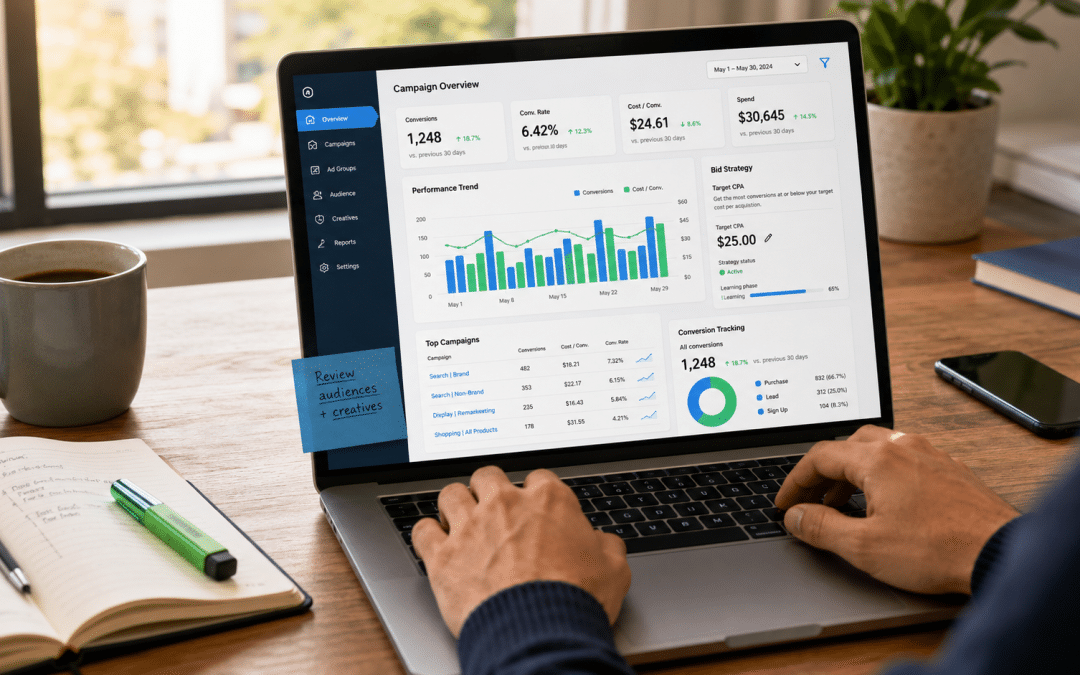
Google Ads Smart Bidding is a set of automated bid strategies — Target CPA, Target ROAS, Maximise Conversions, and Maximise Conversion Value — that use Google's machine learning to set the right bid for each individual ad auction in real time. The system optimises for the conversion outcome you tell it to chase.
For SA advertisers, Google Ads Smart Bidding is the difference between manually guessing what to bid on 50 keywords across 10 ad groups, versus letting Google's algorithm price every auction based on hundreds of signals you cannot see.
This guide explains how Smart Bidding actually works, which strategy fits which SA business situation, and the conversion-volume thresholds you need before turning it on. It builds on the broader guide to running Google Ads in South Africa and pairs with our Google Ads budget guide for SA businesses, which covers how much to spend before Smart Bidding has enough data to work.
Quick Answer
Smart Bidding is Google's machine-learning bid system that sets bids automatically for every auction based on signals like device, location, time of day, audience, and conversion likelihood. The four core strategies are Target CPA (hit a cost-per-acquisition target), Target ROAS (hit a return-on-ad-spend target), Maximise Conversions (most conversions for your budget), and Maximise Conversion Value (highest total revenue for your budget).
You need roughly 30 to 50 conversions in the last 30 days before Smart Bidding has enough data to learn. SA businesses below that threshold should use Maximise Conversions to accumulate data first, then move to Target CPA or Target ROAS once the data is there.
Running Google Ads but unsure if Smart Bidding is right for your account?
Send us your account, your last 30 days of conversion data, and your current bid strategy. We will tell you which Smart Bidding option fits your conversion volume and where switching too early or too late is costing you spend.
Get a Free Bid Strategy ReviewWhat is Google Ads Smart Bidding, Plainly?
Smart Bidding is automated bidding that uses conversion signals. When you set a manual CPC of R20 on a keyword, every search for that keyword gets the same R20 bid regardless of context.
When you use Google Ads Smart Bidding, the algorithm decides in real time whether a particular auction is worth R8 or R45 based on hundreds of signals about that specific user, that specific device, that specific time of day, and the conversion likelihood at that exact moment.
The trade-off is control versus performance. Manual bidding gives you total control of the bid amount but no ability to differentiate one user from another. Automated bidding gives Google the bid control but recognises that a mobile user at 7pm on Thursday who has visited your site before has a 3x higher conversion probability than the average — and bids accordingly. That granularity is not achievable manually at any scale.
Per Google's official Smart Bidding documentation, the system uses signals including device type, operating system, browser, location, time of day, audience list membership, language, and ad creative — among hundreds of others — to predict conversion likelihood for each auction. No human can process that volume of signal-to-decision in real time.
Google Ads Smart Bidding vs Automated Bidding — They Are Not the Same
All Smart Bidding is automated, but not all automated bidding is Smart Bidding. Maximise Clicks and Target Impression Share are automated strategies, but they do not use conversion signals — so they sit outside the Smart Bidding family. True Smart Bidding strategies are the four that optimise toward conversions: Maximise Conversions, Maximise Conversion Value, Target CPA, and Target ROAS.
This distinction matters because Maximise Clicks is sometimes recommended to new SA advertisers, and it sounds like it should be Smart Bidding. It is not. It optimises for cheap clicks, which are rarely valuable clicks. Smart Bidding only kicks in when you choose one of the four conversion-optimising strategies.
Key Takeaway
Smart Bidding only works if your conversion tracking is working. The algorithm learns from conversion data, so if your conversion tracking is broken or counting the wrong events, Smart Bidding will optimise enthusiastically toward the wrong outcome. Conversion tracking accuracy is the prerequisite — not the optional follow-up step.
The Four Smart Bidding Strategies, Explained for SA Businesses
The four core Smart Bidding strategies each chase a different goal. Picking the wrong one is the most expensive mistake SA accounts make with Smart Bidding — Target CPA enforced too aggressively kills volume, Target ROAS without value-tracked conversions misfires entirely, and Maximise Conversions without a budget cap can spend an entire monthly budget in a week.
Maximise Conversions
Optimises for the highest number of conversions Google can deliver within your daily budget. No CPA or ROAS target — Google spends the budget and brings as many conversions as the auction landscape allows. This is the default starting strategy for new SA campaigns, especially below 30 monthly conversions where the algorithm has not yet learned enough to enforce a target.
Best for: pre-revenue businesses, new campaigns, or any account with under 30 conversions per month. The risk is that Google will spend your full daily budget every day regardless of return — set a daily budget you are comfortable losing if the conversions do not convert to revenue.
Target CPA (Cost Per Acquisition)
You tell Google "I want each conversion to cost no more than R450 on average." Google bids whatever it takes to hit that target while maximising volume. This is the best strategy for SA lead generation businesses where every conversion has roughly the same downstream value — a plumber's lead is a plumber's lead regardless of which keyword brought it in.
Best for: B2B lead generation, professional services, local service businesses, anything where conversions are roughly equivalent in value. Requires 30+ monthly conversions before the algorithm has enough data to learn the target.
Target ROAS (Return On Ad Spend)
You tell Google "I want R4 of revenue for every R1 of ad spend" — a 400% ROAS target. Google bids more aggressively on users likely to spend more, less aggressively on users likely to spend little. This requires that your conversion values vary meaningfully — typically ecommerce, where one purchase might be R350 and another R3,500.
Best for: SA ecommerce, SaaS with variable contract values, anywhere conversion value differs significantly. Requires conversion value tracking (not just conversion count) and typically 50+ monthly conversions with meaningful value variation.
Maximise Conversion Value
The volume-first version of Target ROAS — Google spends your daily budget chasing the highest total revenue Google can deliver, without a specific ROAS target. Good for ecommerce accounts that want maximum revenue volume and trust Google to optimise without an aggressive return target constraint.
Best for: ecommerce businesses prioritising revenue growth over margin protection, especially during high-intent periods like Black Friday SA or year-end campaigns where capturing demand matters more than hitting a specific ROAS number.
Smart Bidding Strategy Comparison for SA Accounts
The table below shows which Smart Bidding strategy fits which SA business situation, plus the minimum conversion volume needed and the typical learning period before performance stabilises.
| Strategy | Best For | Min Monthly Conversions | Learning Period | Required Tracking |
|---|---|---|---|---|
| Maximise Conversions | New campaigns, under 30 conv/month, data accumulation phase | 0–30 | 3–7 days | Conversion count only |
| Target CPA | Lead generation, professional services, B2B, similar-value conversions | 30+ | 1–2 weeks | Conversion count + accurate CPA baseline |
| Target ROAS | SA ecommerce, variable-value conversions, revenue optimisation | 50+ with value variation | 2–4 weeks | Conversion value tracking enabled |
| Maximise Conversion Value | Ecommerce volume scaling, high-intent periods, full demand capture | 30+ with value tracking | 1–2 weeks | Conversion value tracking enabled |
The conversion volume thresholds are the most-violated rule in SA accounts. Switching to Target CPA on an account with 12 monthly conversions does not give you Target CPA performance — it gives you erratic spend with no learning, because the algorithm has insufficient data to model the auction landscape.
Why Setting CPA or ROAS Targets Too Aggressively Backfires
The second-most common SA mistake is setting Target CPA at R300 when current actual CPA is R650. The algorithm interprets the aggressive target as a constraint — it restricts impression volume to only auctions where it can plausibly hit R300. The result is fewer conversions, not cheaper ones.
The fix: set your initial target within 10% to 20% of your current actual CPA or ROAS. Let the campaign stabilise through the learning period, then tighten the target incrementally — 5% to 10% adjustments every two to three weeks. Aggressive jumps reset the learning phase and burn another week of performance recovery.
Not sure which Smart Bidding strategy fits your account?
Tell us your last 30 days of conversion volume, your current cost per conversion, and whether your conversions have variable values. We will tell you which strategy fits, what target to set, and how long the learning period will take.
Get a Free Smart Bidding RecommendationThe Conversion Volume Threshold Problem with Google Ads Smart Bidding
Most SA Google Ads accounts under R20,000 monthly spend struggle with Smart Bidding's data requirements. At a typical SA cost per conversion of R150 to R800, a R20,000 monthly budget generates roughly 25 to 130 conversions per month — and the bottom half of that range sits below the 30-conversion threshold the algorithm needs to learn.
This is not a flaw in Smart Bidding — it is a data physics problem. Machine learning needs enough examples to identify patterns. Below the threshold, the algorithm is making decisions on noise, not signal. The fix is not to push through anyway; the fix is to either accumulate data first using Maximise Conversions, or use offline conversion imports to feed Google additional signal from downstream events.
Offline Conversion Imports — The Underused SA Workaround
If your business converts ad clicks into deals through a CRM (HubSpot, Pipedrive, Zoho) rather than directly on the website, you can import the CRM's deal data back into Google Ads as offline conversions. This gives Smart Bidding signal on the highest-value events — closed deals, signed contracts, qualified opportunities — not just form submissions.
For SA B2B businesses where the form submission is just the start of a sales cycle, offline conversion imports often unlock Smart Bidding for accounts that otherwise would not have enough on-site conversion volume. It also tells Google which leads were actually qualified, which trains the algorithm to find more leads like those rather than more leads that just submit forms.
Key Takeaway
Conversion volume below 30 per month is the most common reason Smart Bidding fails on SA accounts. The fix is either to start with Maximise Conversions (no target required, accumulates data) or to add offline conversion imports if your conversions complete in a CRM rather than on-site. Forcing Target CPA on a low-volume account guarantees erratic spend.
Real SA Example: Switching to Smart Bidding the Right Way
An SA professional services firm came to us in early 2026 running manual CPC on a R32,000/month account. They had been told Smart Bidding was "not working for them" — they had switched to Target CPA at R400 (their average lead value was R8,000), watched volume collapse to almost nothing, switched back to manual within two weeks. The table below shows what we did and what happened over the next 90 days.
| Metric | Before (Manual CPC) | After (Smart Bidding, Done Right) |
|---|---|---|
| Monthly ad spend | R32,000 | R32,000 (unchanged) |
| Bid strategy | Manual CPC, R28 avg bid | Maximise Conversions → Target CPA |
| Phase 1 (Weeks 1–4) | n/a | Maximise Conversions for data accumulation |
| Phase 2 (Weeks 5–8) | n/a | Target CPA at R720 (10% below avg) |
| Phase 3 (Weeks 9–12) | n/a | Target CPA tightened to R580 |
| Avg CPA at end of period | R790 | R548 |
| Monthly conversions | 40 | 58 |
| Conversion-to-client rate | 14% | 22% |
| Effective cost per client | R5,643 | R2,491 |
The difference between the failed first attempt and the successful second attempt was sequencing. Smart Bidding was not the problem — going straight to Target CPA at an aggressive target on an under-trained account was the problem. Starting with Maximise Conversions for four weeks let the algorithm accumulate the conversion data it needed; then Target CPA could enforce a target with enough signal to hit it.
When NOT to Use Smart Bidding in South Africa
Smart Bidding is the default for most SA accounts in 2026 — but not all of them. Three situations call for manual or alternative automated strategies instead.
Brand-Name Campaigns
Brand-name searches ("Acme Solar SA") convert at much higher rates than non-brand. Letting Smart Bidding optimise these campaigns inflates spend on traffic that would have converted at a fraction of the bid. Brand campaigns typically run better on manual CPC or Target Impression Share — the goal is appearing for your own name, not maximising conversion rate on already-warm searches.
Very Low Volume Accounts
Under 10 conversions per month, Smart Bidding cannot learn enough to outperform a sensibly-tuned manual bid. Focus on getting the basics right — keyword selection, ad copy, landing page conversion — and accumulate conversion data through manual CPC until you cross 20 to 30 monthly conversions. Then transition.
Highly Seasonal SA Campaigns
SA businesses with extreme seasonality (Black Friday ecommerce, end-of-financial-year tax services, summer holiday travel) sometimes find that Smart Bidding's learning resets during off-peak periods, making the transition into peak season unstable.
Manual or seasonality adjustments via Smart Bidding's seasonality controls can help — but the simple rule is: do not enable a new Smart Bidding strategy within 4 weeks of a peak demand period. Either run it through the peak using existing strategy, or wait until after.
The GPM Difference: Strategy Sequencing, Not Just Strategy Selection
Most SA agencies select a Smart Bidding strategy and turn it on. We sequence the transition.
Every new Google Ads management engagement at GPM starts with a conversion volume audit — if the account does not have the data to support Target CPA or Target ROAS, we run Maximise Conversions for the first 30 days to accumulate signal, then transition with a 10% to 20% buffer on the target. This sequencing typically lifts performance 25% to 40% versus straight-to-target switches.
This comes from operator experience. Before GPM, Dirk scaled an SA ecommerce business through paid traffic — running Smart Bidding across hundreds of SKUs with conversion values ranging from R200 to R4,500. The lesson was that Smart Bidding is a force multiplier when the data supports it and a force destroyer when it does not. Knowing which is which is the actual skill — not the strategy selection itself.
Who This Is NOT For
Businesses without working conversion tracking
Smart Bidding learns from conversion data. If your Google Ads conversion tracking is misconfigured, missing key events, or counting the wrong actions, Smart Bidding will optimise enthusiastically toward the wrong outcome. Fix conversion tracking first, validate it against your CRM or sales records for 30 days, then enable Smart Bidding. Skipping this step makes Smart Bidding actively harmful.
SA accounts with under 10 monthly conversions
The algorithm needs data to learn. Under 10 monthly conversions, you are making decisions on noise. Stay on manual CPC, focus on getting more conversion volume through better keywords, ad copy, and landing page work, and revisit Smart Bidding once you cross 20 to 30 monthly conversions. Forcing Smart Bidding at low volume guarantees erratic spend with no compensating performance lift.
Accounts where every conversion is fraudulent or unqualified
If your form submissions are 80% bots or junk leads, Smart Bidding will optimise for finding more bots and junk leads — because the algorithm cannot tell the difference. SA accounts with significant junk traffic need to fix lead quality first (CAPTCHAs, qualification questions, IP filtering) before letting Smart Bidding's learning loop reinforce the wrong patterns.
Brand-only campaigns under tight CPA budgets
Brand-name searches convert at high rates because the searcher already knows you. Smart Bidding will bid aggressively on this warm traffic, often inflating your cost per brand-keyword click 2x to 4x beyond what a sensible manual bid would pay. Run brand campaigns on manual CPC or Target Impression Share. Save Smart Bidding for non-brand campaigns where its real value lives.
What to Do This Week
Three actions, in order, will tell you whether Smart Bidding is right for your SA account right now or whether you need to accumulate data first.
First, check your conversion volume over the last 30 days in Google Ads. If you are under 30 conversions, you are not ready for Target CPA or Target ROAS. Start with Maximise Conversions for at least four weeks to accumulate data before moving to a target-based strategy.
Second, audit your conversion tracking. Are the conversions Google is counting the same as the conversions your CRM or sales team is counting? If they diverge by more than 15%, fix the tracking before enabling Smart Bidding. The algorithm cannot find more of what it cannot accurately see.
Third, if you have enough data and accurate tracking, set your initial Target CPA or Target ROAS at 10% to 20% softer than your current actual performance. Tighten incrementally every two to three weeks once the campaign clears the learning phase. Resist the temptation to set the target at where you wish you were — set it at where you currently are, then improve from there.
Key Takeaway
Smart Bidding works when you respect three rules: enough conversion volume (30+ per month), accurate conversion tracking, and realistic initial targets. SA accounts that fail with Smart Bidding almost always fail on one of these three. Fix the rules first; the algorithm does the rest.
Ready to transition your Google Ads account to Smart Bidding properly?
Send us your account login, your last 30 days of conversion data, and your current bid strategy. We will build a transition plan with the right starting strategy, target buffer, and learning-phase timeline for your specific account. Free, no obligation, 48-hour turnaround.
Get a Free Smart Bidding Transition PlanFrequently Asked Questions
How long does Google Ads Smart Bidding take to learn in South Africa?
The learning period is roughly 1 to 2 weeks for Target CPA and Maximise Conversions, and 2 to 4 weeks for Target ROAS because it needs to learn value patterns alongside conversion patterns. During the learning phase, performance fluctuates day-to-day — this is normal. Avoid making changes during this period because every adjustment resets the learning clock. SA accounts with lower monthly conversion volume sit at the longer end of these ranges.
Can I use Smart Bidding on a R5,000/month Google Ads budget?
It depends on your cost per conversion. If your CPA is R100, R5,000/month generates 50 conversions and Smart Bidding can work. If your CPA is R500, you only get 10 conversions per month — below the data threshold for target-based strategies. At low budgets with high CPAs, use Maximise Conversions and focus on basics like ad copy and landing page optimisation to get more conversions per Rand spent before transitioning to Target CPA.
Should I use Target CPA or Target ROAS for my SA ecommerce store?
Target ROAS for SA ecommerce in almost every case, because ecommerce conversion values vary significantly across products and customer types. Target CPA treats a R200 sale and a R4,000 sale as equivalent conversions, which leads Google to optimise for cheap sales rather than valuable sales. Target ROAS recognises the value difference and bids accordingly. Requires conversion value tracking enabled in Google Ads, not just conversion count.
Why did my Google Ads conversions drop when I switched to Smart Bidding?
Three common causes: target set too aggressively (algorithm restricts volume to hit unrealistic target), insufficient conversion volume for the algorithm to learn, or conversion tracking issues that under-report what is actually happening.
The fix is usually to widen the target by 20% to 30%, give the algorithm 2 weeks to stabilise, then tighten incrementally. If conversions are still down after 4 weeks of patient adjustment, the cause is usually below the target — typically a tracking issue.
Is Smart Bidding better than manual bidding for SA businesses?
For 95% of SA accounts in 2026, yes — Smart Bidding outperforms manual CPC at scale because no human can process the volume of real-time signals Google's algorithm uses to price each auction. The exceptions are brand-name campaigns, very low-volume accounts under 10 conversions per month, and highly seasonal businesses transitioning into peak periods. Outside those cases, well-implemented Smart Bidding consistently beats manual on cost per conversion.
Does Smart Bidding work with Performance Max campaigns?
Performance Max uses Smart Bidding by design — there is no manual bidding option. The two Smart Bidding strategies available within Performance Max are Maximise Conversions (with optional Target CPA) and Maximise Conversion Value (with optional Target ROAS).
Performance Max is essentially Smart Bidding applied across all of Google's inventory simultaneously, so the conversion volume requirements are even more important — under 50 monthly conversions, Performance Max typically underperforms targeted Search campaigns on the same budget.
Get a Free Google Ads Smart Bidding Audit
If your Google Ads account is running Smart Bidding but you are not sure it is configured correctly, or if you are still on manual CPC and unsure when to make the switch, we will audit your account against the conversion volume, tracking accuracy, and target-setting criteria covered above. You will get a specific recommendation on which strategy to run, what target to set, and a 90-day transition plan if applicable.
You will get specific recommendations, not a sales pitch. If your current setup is sound, we will tell you that and leave you with the audit document.
No obligation — we will get back to you within 24 hours.
Request Your Free Smart Bidding Audit
Dirk van Greuning Founder of Growth Pulse Media and a specialist in South African search dominance. Dirk translates his experience in scaling South African businesses into high-velocity digital strategies for B2B and retail leaders. He writes about SEO, lead generation, and paid media from an operator's perspective — prioritising pipeline value over impressions.
Connect with Dirk on LinkedIn