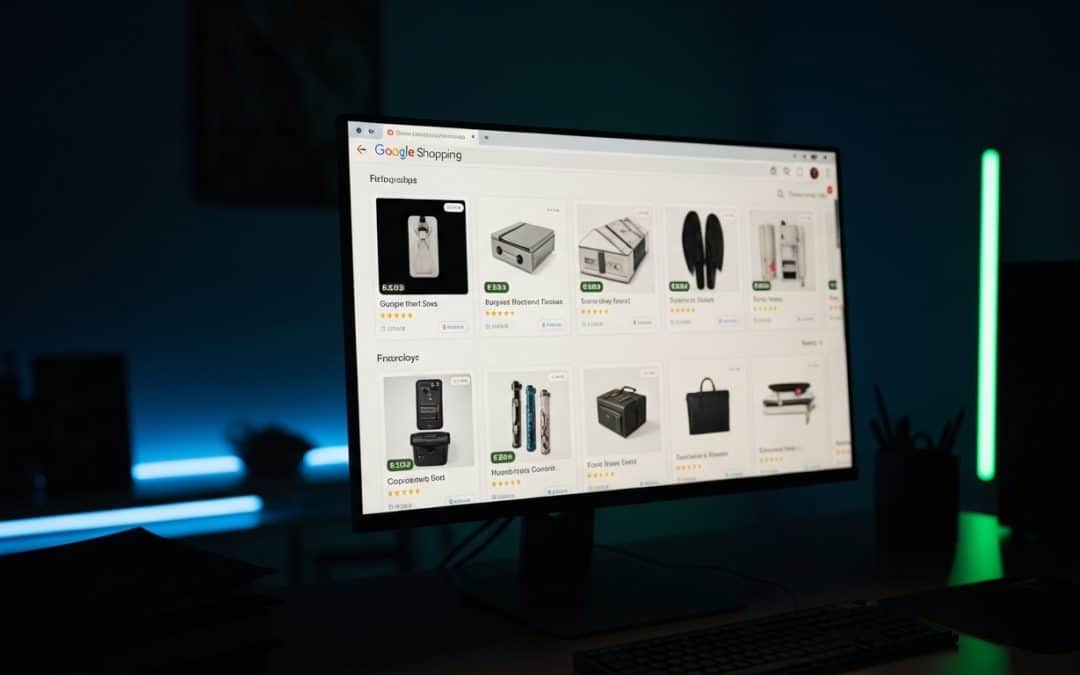
Google Shopping Ads South Africa display your product image, price, and store name directly at the top of Google search results — delivering R3 to R30 cost per click with ROAS of 3x to 8x for well-optimised SA ecommerce campaigns. Unlike standard text ads, Shopping Ads show buyers exactly what you sell and what it costs before they click, which means the traffic you pay for carries genuine purchase intent. For SA online stores running on Shopify or WooCommerce, Google Shopping Ads are one of the most cost-effective paid channels available. This guide covers everything from setup and product feed optimisation to costs, campaign structure, and how to get the most from every rand of Google Ads spend. If you want your Shopping campaigns professionally managed, we cover agency options below.
Want to know if Google Shopping Ads are right for your SA ecommerce store?
Get a Free Shopping Ads AssessmentGoogle Shopping Ads South Africa: What They Are and How They Work
Google Shopping Ads South Africa are product-based advertisements that appear at the top of Google search results when someone searches for a product you sell — showing a product photo, title, price, and your store name, giving shoppers everything they need to make a buying decision before they even click.
These ads are managed through two platforms working together: Google Ads handles your bidding and budget, while Google Merchant Center stores your product data feed. The combination of these two platforms is what powers every Google Shopping Ads South Africa campaign.
When someone in South Africa searches “buy leather couch online” or “wireless earbuds price,” Google pulls relevant products from merchants who have set up Shopping campaigns and displays them prominently — often above regular search results and organic listings. According to Statista’s South African digital advertising data, ecommerce advertising spend in SA is growing faster than any other digital channel, making this prime positioning increasingly competitive and increasingly essential for online retailers.
Google Shopping Ads South Africa show your product image, price, and store name directly in search results. Shoppers see exactly what you sell and what it costs before clicking — which means the clicks you pay for come from buyers with genuine purchase intent, not casual browsers.
Google Shopping Ads South Africa vs Standard Search Ads
Google Shopping Ads South Africa differ from standard search ads in one fundamental way — Shopping Ads are triggered by your product data feed rather than keywords you bid on, which means your product feed quality determines which searches your ads appear for and how well they convert.
| Factor | Google Shopping Ads | Standard Search Ads | Best For |
|---|---|---|---|
| Ad Format | Product image, title, price, store name | Text headline and description only | Shopping for products, Search for services |
| Triggered By | Product feed data | Keywords you bid on | Shopping for ecommerce |
| Average CPC (SA) | R3 – R30 | R10 – R150 | Shopping for lower CPC |
| Conversion Rate | Generally higher for products | Higher for services | Shopping for product sales |
| Setup Complexity | Requires product feed and Merchant Center | Simpler — just ads and keywords | Search for quick launch |
| Visual Impact | High — product images stand out | Low — text only | Shopping for visual products |
For ecommerce businesses, Google Shopping Ads South Africa almost always outperform standard search ads for direct product sales. The visual format builds instant trust, the price transparency pre-qualifies buyers, and the lower average CPC means your budget stretches further per sale. For a broader comparison of paid advertising platforms, read our Google Ads vs Facebook Ads guide.
Google Shopping Ads South Africa: Setting Up Your Campaign
Google Shopping Ads South Africa require more initial setup than standard search ads — you need both Google Merchant Center and Google Ads working together, with a properly structured product data feed connecting them.
Step 1: Create a Google Merchant Center Account
Go to merchants.google.com and create a free account. You will need to verify and claim your website, set your business location to South Africa, and configure your shipping and returns settings. Accurate shipping information is critical — Google cross-checks your Merchant Center settings against what is shown on your website, and discrepancies can get your account suspended.
Step 2: Build Your Product Feed
Your product feed is the data file that tells Google everything about your products. For South African ecommerce stores running on Shopify or WooCommerce, there are plugins and apps that automatically sync your product catalogue to Merchant Center — removing the need to manually manage a spreadsheet feed.
The most important feed attributes to get right are your product titles, descriptions, and images. Google uses these to match your products to search queries, so poorly written titles directly limit which searches your Google Shopping Ads South Africa appear for.
Good product title: “Nike Air Max 270 Men’s Running Shoes White Size 10 — South Africa”
Bad product title: “Air Max White Shoes”
Step 3: Link Merchant Center to Google Ads
In your Merchant Center account, go to Settings and link your Google Ads account. This connection allows your product data to flow into Google Ads campaigns.
Step 4: Create Your Shopping Campaign
In Google Ads, create a new campaign and select Shopping as the campaign type. Choose your Merchant Center account, set your target country to South Africa, and configure your daily budget. For most South African ecommerce businesses starting out, a daily budget of R150 to R300 is sufficient to gather meaningful performance data in the first month.
Step 5: Structure Your Product Groups
Rather than running all products in a single product group with the same bid, segment your products by category, brand, or margin. This allows you to bid more aggressively on high-margin products and pull back on low-margin ones — a critical optimisation that significantly improves overall ROAS.
SA ecommerce stores with properly configured product feeds, accurate Merchant Center shipping settings, and segmented product groups typically see 3x to 8x ROAS on Google Shopping Ads South Africa. Stores that skip feed optimisation and run all products at the same bid rarely exceed 2x — and often conclude that Shopping Ads “do not work” when the real issue is setup quality.
Standard Shopping vs Performance Max
South African ecommerce businesses have two main campaign options for Google Shopping Ads South Africa:
Standard Shopping campaigns give you full control over bidding, product groups, and placement. You can see exactly which search terms triggered your ads, adjust bids by product, and exclude underperforming queries. This is the preferred choice for businesses that want granular control and clear performance data.
Performance Max campaigns use Google’s AI to automatically distribute your ads across all Google properties — Search, Shopping, Display, YouTube, and Gmail. You provide product feeds, audience signals, and creative assets, and Google optimises placement and bidding automatically. Performance Max is increasingly popular for larger SA ecommerce stores that want broad reach without managing multiple campaign types separately.
Recommendation: If you are new to Google Shopping Ads South Africa, start with Standard Shopping for full visibility and control. Once you have 2–3 months of performance data and understand which products convert best, consider testing Performance Max alongside your existing campaigns to capture additional reach.
Need help setting up Google Shopping Ads for your SA ecommerce store? We will do it for you.
Get a Free Shopping Ads Setup QuoteGoogle Shopping Ads South Africa: Costs and Budgets
Google Shopping Ads South Africa typically deliver lower CPCs than standard search ads — making them one of the most cost-efficient paid channels for SA ecommerce businesses when product feeds are properly optimised.
| Product Category | Average CPC (ZAR) | Average Conversion Rate | Typical ROAS |
|---|---|---|---|
| Fashion and Clothing | R4 – R15 | 2% – 4% | 3x – 6x |
| Electronics | R8 – R25 | 1% – 3% | 4x – 8x |
| Home and Garden | R5 – R20 | 2% – 5% | 3x – 7x |
| Sport and Outdoor | R6 – R18 | 2% – 4% | 3x – 6x |
| Beauty and Health | R4 – R15 | 3% – 6% | 4x – 8x |
| Baby and Kids | R4 – R12 | 3% – 5% | 4x – 7x |
| Food and Beverages | R3 – R10 | 2% – 5% | 3x – 6x |
For detailed budget planning guidance, our Google Ads cost guide for South Africa covers minimum budgets, industry benchmarks, and how to calculate your target ROAS before launching campaigns.
Google Shopping Ads South Africa: Optimisation Guide
Google Shopping Ads South Africa campaigns require ongoing optimisation to maintain strong ROAS — the difference between a 2x return and a 6x return on the same budget comes down to consistent feed quality, negative keyword management, and product segmentation.
Optimise Your Product Titles
Your product title is the single most important optimisation lever. Google uses your title to match your products to relevant searches. Include your brand, product type, key attributes (size, colour, material), and model number where relevant. Front-load the most important information — Google often truncates titles in the ad display, so the first 70 characters matter most.
Use Negative Keywords Aggressively
Unlike search ads where you control which keywords trigger your ads, Shopping campaigns can show for a wide range of queries — including irrelevant ones. Regularly audit your Search Terms report and add negative keywords to block searches that are eating budget without converting. Common negatives for SA ecommerce stores include “second hand,” “DIY,” “how to,” “free,” and category terms that do not match your products.
Segment by Performance
Not all products in your catalogue deserve the same bid. Identify your top-performing products — those with the highest ROAS — and move them into separate product groups with higher bids. Move poor performers into a low-bid catch-all group or exclude them entirely. This tiered approach consistently improves overall campaign ROAS without increasing total spend.
Optimise Your Product Images
Your product image is what catches the eye in Shopping results. Use clean, high-resolution images on white backgrounds for most product categories — Google requires this for many categories. Avoid images with promotional text, watermarks, or low resolution. A better image directly improves your click-through rate, which lowers your effective cost per sale.
Monitor Competitor Pricing
Google Shopping results show prices side by side. If your price is significantly higher than competitors showing for the same query, your click-through rate will suffer regardless of how well your campaign is set up. Competitive pricing awareness is not just a business decision — it directly impacts your Google Shopping Ads South Africa performance.
The five highest-impact optimisations for Google Shopping Ads South Africa are: product title quality (determines which searches you appear for), negative keywords (blocks wasted spend), product group segmentation (allocates budget to winners), image quality (improves CTR), and competitor pricing awareness (maintains competitiveness). Stores that implement all five consistently outperform those running unoptimised campaigns by 2x to 3x on the same budget.
Google Shopping Ads South Africa: Common Mistakes
Google Shopping Ads South Africa campaigns fail most often because of setup and feed quality issues rather than platform limitations — these are the most common mistakes SA ecommerce businesses make.
Mistake: Submitting a thin product feed. Missing GTINs, vague titles, and low-resolution images limit which searches your products appear for and reduce your impression share. Google rewards complete, accurate feed data with better placement and lower CPCs.
Mistake: Running all products at the same bid. A R500 margin product and a R50 margin product should never share the same bid. Segmenting by margin and performance is one of the highest-impact optimisations in any Shopping account.
Mistake: Ignoring the Search Terms report. Shopping campaigns show for a much wider range of queries than you might expect. Without weekly Search Terms audits and active negative keyword management, a significant portion of your budget will be wasted on irrelevant clicks.
Mistake: Not setting up conversion tracking. Without conversion tracking in GA4, you cannot calculate ROAS, identify which products are profitable, or let Google’s Smart Bidding algorithms optimise effectively. This is the most fundamental technical requirement.
Want a professional audit of your existing Shopping Ads campaigns or product feed?
Get a Free Google Shopping Ads AuditGoogle Shopping Ads South Africa: Frequently Asked Questions
How much do Google Shopping Ads cost in South Africa?
Google Shopping Ads in South Africa typically cost R3 to R30 per click depending on your product category and competition level. Fashion and beauty products average R4 to R15 per click, while electronics average R8 to R25. Most SA ecommerce businesses need a minimum of R4,500 to R9,000 per month in ad spend to generate enough data for Google’s algorithm to optimise effectively.
What ROAS should I expect from Google Shopping Ads in South Africa?
Well-optimised Google Shopping Ads South Africa campaigns typically deliver 3x to 8x ROAS — meaning for every R1 spent on ads, you generate R3 to R8 in revenue. Beauty, health, and electronics categories tend to deliver the highest ROAS due to strong purchase intent and competitive pricing visibility. Poorly optimised campaigns with thin product feeds often deliver below 2x.
Do I need a Shopify store to run Google Shopping Ads in South Africa?
No — Google Shopping Ads work with any ecommerce platform including WooCommerce, Magento, BigCommerce, and custom-built stores. Shopify and WooCommerce have the simplest integration through dedicated apps and plugins that automatically sync your product catalogue to Google Merchant Center. Any platform that can generate a product data feed is compatible.
Should I use Standard Shopping or Performance Max for my SA store?
Start with Standard Shopping for full visibility into which search terms trigger your ads and which products convert best. After 2–3 months of data, consider testing Performance Max alongside Standard Shopping to capture additional reach across YouTube, Display, and Gmail. Running both together is the strongest approach for SA ecommerce stores with sufficient budget.
How long does it take for Google Shopping Ads to start working in South Africa?
Google Shopping Ads can start showing within 24–48 hours of campaign launch, but meaningful performance data typically takes 2–4 weeks to accumulate. Allow 60–90 days before making major strategic decisions about what is and is not working. Early optimisation should focus on negative keywords and product feed quality rather than bid changes.
Ready to Launch Google Shopping Ads for Your SA Store?
Growth Pulse Media sets up and manages Google Shopping campaigns for South African ecommerce businesses — including Merchant Center configuration, product feed optimisation, Shopify and WooCommerce integration, GA4 conversion tracking, and ongoing bid management. We work with PayFast and local payment gateways to ensure your store converts SA traffic. No lock-in contracts — we will get back to you within 24 hours.
Get Your Free Shopping Ads Audit